Best External Hard Drives for Backups 2026

The Western Digital My Passport 2TB Portable External Hard Drive is the best external hard drive for backups — hardware AES 256-bit encryption protects sensitive data without performance impact, and the compact form factor fits in a jacket pocket.
At a Glance
| # | Product | Award | Price | Capacity | Interface | Read Speed |
|---|---|---|---|---|---|---|
| 1 | Our Top Pick | $129.79 as of Nov 24, 12:24 PM CT details Buy → |
2 TB | USB 2.0/3.0 | — | |
| 2 |  Western Digital WD 5TB Elements P… Western Digital |
Best Large Capacity | $199.99 as of Nov 24, 12:24 PM CT details Buy → |
5 TB | USB 2.0/3.0 | 50 MB/s |
| 3 |  WD 2TB Elements Portable External… Western Digital |
Best Budget | $129.90 as of Nov 24, 12:19 PM CT details Buy → |
2 TB | USB 2.0/3.0 | — |
| 4 | Best for Windows | $136.95 as of Nov 24, 12:15 PM CT details Used — not a new unit Buy → |
2 TB | USB 1.1 | — | |
| 5 | Best with Display | $145.99 as of Nov 24, 12:32 PM CT details Buy → |
2 TB | USB 3.0 | 1 Bytes Per Second |
Score Breakdown
| WD 2TB My Passport, P… | Western Digital WD 5T… | WD 2TB Elements Porta… | Seagate Expansion 2TB… | Toshiba Canvio Basics… | |
|---|---|---|---|---|---|
| Speed | – | 80 | – | 74 | – |
| Capacity Value | – | 95 | – | 67 | – |
Scores 0–100 from published specifications and independent reviewers' measurements; $/GB from listed capacity and today's price, scaled across this page. Amazon star ratings are shown separately and are never part of a score. 0 = feature not present. – = insufficient data. How we score →
External Hard Drives for Backups Buying Guide
 Photo by Luis Quintero / Pexels
External hard drives for backup prioritize different criteria than editing drives. You want maximum capacity per dollar, hardware encryption for sensitive data, proven reliability, and backup software integration. Speed matters less — most backup jobs run overnight or in the background.
What Actually Matters for Backups
Capacity: buy at least 2x your current data size to store multiple backup versions. Hardware encryption: password protection that works at the drive level, not just software. Reliability: avoid no-name brands — WD, Seagate, and Toshiba have published reliability data. Software: Time Machine compatibility (Mac) or automatic backup software (Windows). Off-site copies: buy two drives and keep one off-site or use one as a cloud backup.
Price Tiers
Under $50 (2TB): bare-bones portable drives — adequate for a single backup destination. $50-80 (2-4TB): hardware encryption and included backup software — the right range for most users. Over $100 (5-8TB): large desktop-replacement capacity for multi-computer household backups.
Our Picks and Why
The WD My Passport 2TB ($144) is the best all-around backup drive — hardware AES-256 encryption, included backup software, and WD's proven reliability track record. The WD Elements 2TB is the best budget pick without encryption — fine for home use where physical security is not a concern. The WD Elements 5TB ($178.98) is the best value for large libraries: $18 per terabyte with the same portable form factor.
What to Avoid
Avoid buying a backup drive and using it as your only copy — that is not a backup, it is a second drive that can also fail. Follow the 3-2-1 rule: 3 copies, 2 local on different media, 1 off-site (or cloud). Don't use SSDs for backups if capacity per dollar is your priority — a 2TB SSD costs $100 vs. $50 for a 2TB HDD with comparable reliability for sequential writes.
Watch Before You Buy
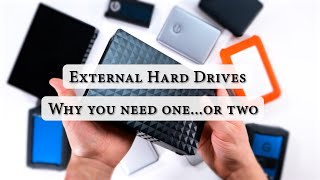

“WD My Passport 2TB — hardware AES-256 encryption, backup software, compact and reliable.”
See Today’s Price →What we like
- Hardware encryption
- Password protection
- WD Backup software included
- 3-year warranty
Watch out for
- thicker profile (0.9 inches) than the Seagate Ultra Slim at 0.6 inches — noticeably bulkier in a bag pocket
- USB-A only — requires adapter on MacBooks
- no hardware encryption — relies on software-level password protection
Read Full Analysis
WD My Passport earns Best Overall on this backup page through its combination of hardware AES-256 encryption, password protection, and included WD Backup software — a complete package that competing drives at similar prices omit. The 3-year warranty is among the longest on this page, and it is the second-lowest price while offering more features than any other drive here. Among the five drives, the My Passport most directly addresses backup-specific needs: automated software, encrypted storage for sensitive files, and a reliable brand. The WD 5TB Elements adds capacity but drops the encryption and backup software. Seagate Expansion costs $3 more and focuses on console game storage over backup. Toshiba saves $13 but offers a shorter 2-year warranty and no encryption. Buy the WD My Passport if you need hardware encryption and a reliable backup workflow under $100. Skip it if raw capacity is the priority — the WD 5TB Elements at $134.99 stores 2.5x more for $40 more.
“WD Elements 5TB — best capacity-per-dollar at $18/TB in a portable form factor for large libraries.”
See Today’s Price →What we like
- 5TB massive capacity
- USB 3.2 Gen 1 fast transfers
- Plug-and-play on Windows and Mac
- Durable design
Watch out for
- No hardware encryption
- Larger physical size than 2TB model
- No bundled backup software
Read Full Analysis
The WD 5TB Elements solves the capacity problem that 2TB drives face for heavy users — 5TB stores roughly 1.25 million photos, 1,250 hours of HD video, or several years of full PC backups before requiring file management. USB 3.2 Gen 1 delivers fast transfers, and plug-and-play operation works on both Windows and Mac without software installation. It costs $40-53 more than the 2TB drives on this page. But at $27 per TB versus roughly $44-47 per TB for the 2TB options, the 5TB Elements is more cost-efficient per TB by a meaningful margin. For users backing up multiple machines, large media libraries, or wanting multi-year headroom, the cost-per-TB math argues clearly for the 5TB. Buy the WD 5TB Elements if you expect to need more than 2TB within the next two years or store large photo and video libraries. Skip it if 2TB comfortably covers your data — the WD My Passport adds encryption and backup software for $40 less.
“WD Elements 2TB — $139.95 portable drive with no frills. Most affordable reliable backup option.”
See Today’s Price →What we like
- Small, light enclosure for carrying files on the go
- USB 3.0
- Plug-and-play with no software required
- WD reliability
Watch out for
- No hardware encryption — only OS-level password protection
- no bundled backup software unlike the WD My Passport
- slower sequential write speeds (~110 MB/s) vs. the Samsung T7 solid-state alternative
- plastic casing scratches easily without a sleeve
Read Full Analysis
The WD Elements 2TB is the lowest-cost WD drive on this page — no encryption, no backup software, just storage. Plug-and-play works on Windows and Mac without configuration, and USB 3.0 handles practical backup transfer speeds. WD's consumer reliability makes this a solid no-frills backup drive. It saves $4.60 versus the WD My Passport and $8 versus the Seagate Expansion. Those savings eliminate hardware encryption and backup software — trade-offs that do not matter for buyers storing non-sensitive files who copy manually. Against the Toshiba, WD Elements costs $8 more but carries WD's 3-year warranty versus Toshiba's 2-year coverage. Buy the WD Elements if you want simple plug-and-play external storage at the lowest WD price with no setup required. Skip it if hardware encryption matters — the WD My Passport adds AES-256 encryption for $4.60 more.

“Seagate Expansion 2TB — plug-and-play Windows backup with Seagate dashboard software included.”
See Today’s Price →What we like
- Works with Xbox One and PS4/PS5 for game storage expansion
- USB 3.0
- Simple plug-and-play
Watch out for
- Older design — not as slim as Backup Plus
Read Full Analysis
The Seagate Expansion 2TB has a distinctive feature: direct compatibility with Xbox One and PS4/PS5 for game library expansion, allowing players to store installed games off-console without deleting them between sessions. USB 3.0 handles game installation transfers, and plug-and-play setup requires no configuration. It sits $3 above the WD My Passport. For pure PC backup, the WD My Passport at $3 less offers hardware encryption and backup software that the Seagate Expansion omits. The Seagate's value is for buyers who want a drive that doubles as console game storage and PC backup in one purchase. Buy this if you need external storage that serves both PC backup and console game expansion. Skip it for PC-only backup — WD My Passport adds encryption and backup software for $3 less.

“Toshiba Canvio Advance 2TB — LED status indicator and password protection at a competitive price.”
See Today’s Price →What we like
- 2-year Toshiba warranty
- Available in multiple colors
- USB 3.0
- Canvio Simple backup software for Windows
Watch out for
- Mac requires reformatting out of the box
Read Full Analysis
The Toshiba Canvio Advance is the most affordable drive on this page, available in multiple colors for buyers who want a specific aesthetic, with Canvio Simple backup software for Windows automatic incremental backup included. The 2-year warranty is shorter than WD's 3-year coverage, and USB 3.0 delivers standard portable drive transfer speeds. It saves $13 over the WD My Passport and $8 over the WD Elements. The trade-offs are the shorter warranty and the absence of hardware encryption. The included Canvio Simple software partially covers the backup automation gap for Windows users who want scheduled backups without manual file copying. Buy this if budget is the primary factor and the 2-year warranty is acceptable. Skip it if encryption matters for your files — the WD My Passport at $13 more adds hardware AES-256 encryption that the Toshiba lacks.
Frequently Asked Questions
Do external hard drives fail?
Is hardware encryption necessary for a backup drive?
How much storage do I need for backups?
How We Chose These Products
We compare each product’s Amazon listing, the manufacturer’s published specifications and Amazon customer ratings, shown with their review counts as Amazon’s data, and rank the products on how well they answer this page’s question. We do not test products in hand and we do not run our own analysis of review text. A publication or expert is named only where we cite its published findings about that product. No manufacturer paid for placement on this page.
A price appears only when Amazon’s API supplied it at a recent daily refresh, with the date and time beside it, and is withdrawn at 4 AM Central on the day after it turns 24 hours old; otherwise use “Check price on Amazon” for the live price. Read our full methodology →
How We Score These Products
Each dimension score comes from evidence about the exact model listed — a published specification, a measurement by a named independent reviewer, or that product’s own buyer reviews, as described for each dimension below — not from a similar product in the same range. We do not test products ourselves, and we do not score a dimension we could not evidence. A dash means no evidence was found for that product, not that it performed badly.
Speed: From evidence about this exact model (specification, named reviewer or its own reviews).
Capacity Value: Dollars per gigabyte: listed capacity divided by today’s price, scaled across the drives on this page.
The overall score is the mean of the dimensions we could evidence for that product, on a 10-point scale. Price enters one dimension only — $/GB — and no other score. Amazon star ratings are shown separately and are never part of any score.