Best Keyboard Mechanical (2026)

The Anne Pro 2 Wireless Mechanical Keyboard is our top pick for a compact mechanical board — a 60% layout frees desk space, Gateron switches feel crisp, and it pairs over Bluetooth or USB-C with full key remapping.
At a Glance
| # | Product | Award | Price |
|---|---|---|---|
| 1 | Best Overall | Check price on Amazon Buy → |
|
| 2 | 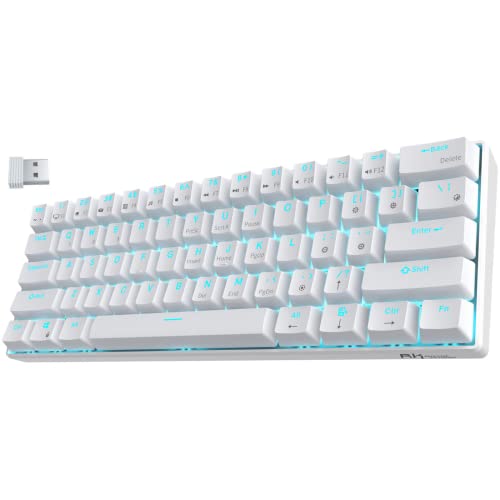 RK ROYAL KLUDGE RK61 Wireless 60%… RK ROYAL KLUDGE |
Budget Pick | Check price on Amazon Buy → |
| 3 | Best Budget | Check price on Amazon Buy → |
Keyboard Mechanical Buying Guide
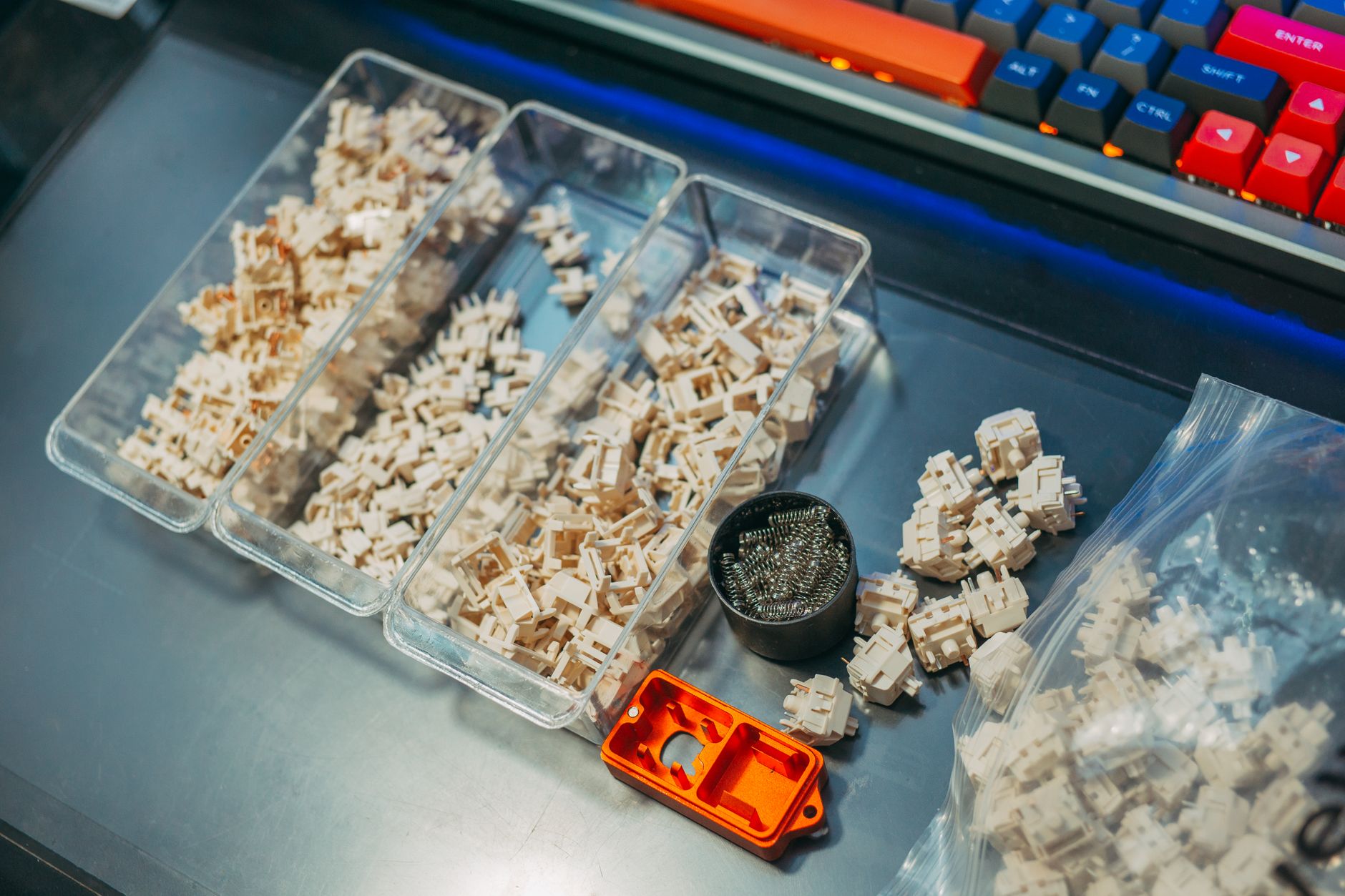 Photo by FOX ^.ᆽ.^= ∫ / Pexels
Mechanical keyboards split on form factor and wireless capability. The Keychron K2 Pro covers the most ground: Bluetooth + USB, QMK/VIA programmability, and hot-swappable switches in a 75% layout that keeps the function row. The Anne Pro 2 matches it on wireless in a 60% layout for a smaller footprint. Budget starts at $36.99 with the Redragon K552 — genuine mechanical switches in a TKL layout, no wireless, but a strong entry point for first-time mechanical keyboard buyers.
Mechanical Keyboard Specs Comparison
How we picked these. Products were selected for consistent switch feel and durable aluminum or polycarbonate construction at each price point.
| Spec | Keychron K2 | Logitech G Pro X | Das Keyboard 4 Pro | Keychron K6 | Redragon K552 |
|---|---|---|---|---|---|
| Layout | 75% (87 keys) | TKL (87 keys) | Full-size (104 keys) | 65% (68 keys) | TKL (87 keys) |
| Switches | Gateron (hot-swap) | GX (hot-swap) | Cherry MX | Gateron (hot-swap) | Redragon Blue |
| Wireless | BT 5.1 + USB | USB only | USB only | BT 5.1 + USB | USB only |
| Multi-device | 3 devices | No | No | 3 devices | No |
| Keycap Material | ABS | ABS | PBT double-shot | ABS | ABS |
| RGB Backlight | Yes | Yes (16.8M) | White LED | Yes | Yes |
| Mac Optimized | Yes | Windows-first | Windows-first | Yes | Windows-first |
| Price | $90 | $100 | $169 | $80 | $35 |
Switch types: linear (red) smooth and quiet for gaming; tactile (brown) bump for typing without click; clicky (blue) loud and satisfying. Form factor: full-size has numpad; TKL removes numpad; 75% adds function row in compact size; 65% most compact daily driver. Hot-swappable allows changing switches without soldering. PBT keycaps resist shine; ABS keycaps wear faster. Bluetooth adds freedom but slight latency -- fine for typing, avoid for competitive gaming.
Related Guides
Watch Before You Buy

“Excellent 60% wireless board with smooth Gateron switches and long battery life; great for minimalist setups.”
See Today’s Price →What we like
- Wireless Bluetooth and USB-C wired modes
- Gateron optical switches (rated 100M keystrokes)
- Per-key RGB with full customization
- Compact 60% layout with double-shot PBT keycaps
Watch out for
- 60% layout requires Fn layers for function keys
- App setup required for full customization
- Battery life is 4-8 hours backlit (30+ hours unlit)
Read Full Analysis
The Anne Pro 2 is the benchmark wireless mechanical keyboard for users who want quality switches and reliable Bluetooth without paying for QMK complexity. The Gateron optical switches — rated 100 million keystrokes — are a meaningful longevity advantage: traditional mechanical switches using physical contact start to develop inconsistency after 50-70 million actuations under heavy use. Optical actuation eliminates this wear mechanism entirely. For a typing-focused workflow, the 60% layout makes the keyboard genuinely portable — it fits in a laptop bag without consuming significant space, and the USB-C plus Bluetooth dual mode means the same keyboard connects to your desktop, laptop, and tablet. The ObinsKit software enables key remapping without firmware knowledge. The limitation that matters most for daily productivity is the missing arrow keys and function row. Both require Fn layer access on the Anne Pro 2. For tasks involving code, spreadsheets, or document navigation, this adjustment period is noticeable — some users find the 60% layout permanently incompatible with their workflow. If you rely on those keys constantly, the Keychron K2 Pro's 75% layout at $139.99 preserves them. Best for: laptop users who want a premium portable mechanical keyboard with Gateron optical quality and Bluetooth reliability.
“Compact 60% wireless keyboard at an unbeatable price point; tri-mode connectivity and solid build quality.”
See Today’s Price →What we like
- Three connection modes: Bluetooth 5.0, 2.4GHz wireless and USB-C wired
- Solid build with aluminum plate
- Hot-swappable switches
- N-key rollover
Watch out for
- RK Red/Brown switches below Gateron/Cherry quality
- LED indicator for caps/scroll lock only (no per-key RGB)
- Limited software customization
Read Full Analysis
The RK61 is the lowest-cost wireless mechanical keyboard on this page that includes a feature meaningful for long-term use: hot-swappable switches. Most keyboards are soldered — the switch you buy with the keyboard is the switch you're stuck with. The RK61's hot-swap sockets let you experiment with Gateron Brown, Red, or Yellow switches for $15-20, upgrading the typing feel without purchasing a new board. Triple connectivity — Bluetooth 3.0, 2.4GHz wireless dongle, USB-C — covers more device scenarios than single-mode alternatives. The aluminum plate provides the structural rigidity that makes keystroke sound and feel distinct from all-plastic keyboards at similar prices. The 60% layout drops function row and arrow keys to Fn layers, the same trade-off as the Anne Pro 2 but at less than half the price. The practical limitation is that the stock RK switches — especially RK Red linear — have looser tolerances and more wobble than Gateron or Cherry equivalents. If you're buying the RK61 and not planning to swap switches, the Anne Pro 2's Gateron opticals at $107 deliver a better out-of-box experience. The Bluetooth 3.0 also occasionally shows latency that Bluetooth 5.x keyboards avoid. Best for: budget-constrained buyers entering mechanical keyboards who want the option to swap switches later.

“Entry-level TKL mechanical keyboard with genuine Cherry-equivalent switches — perfect first mechanical board.”
See Today’s Price →What we like
- Linear red mechanical switches for smooth, quiet keystrokes
- Compact 87-key tenkeyless layout with a metal top plate
- Full anti-ghosting with N-key rollover on all 87 keys
- Redragon software remaps keys and records macros
- Plug-and-play on Windows, macOS and Linux over a braided USB cable
Watch out for
- This Rainbow LED version shows six fixed lighting patterns that software cannot recolor
- One-year warranty
Read Full Analysis
The Redragon K552 at $31.38 removes the price barrier to mechanical keyboard feel. The TKL layout retains the function row and dedicated arrow keys — unlike 60% keyboards, you don't have to relearn key positions for Esc, function keys, or navigation. For users who frequently use F-keys in IDEs or terminals, this matters. Outemu Blue, Red, or Brown switch variants match the profiles of Cherry MX equivalents — you get the tactile bump, the audible click, or the linear smooth press depending on which variant you choose. The switch quality doesn't match Cherry or Gateron tolerances, but the actuation feel is recognizably mechanical and meaningfully different from membrane. Splash resistance and a braided cable add durability appropriate for a desk keyboard. The limitations that matter for daily use: the ABS keycaps develop a worn shine within several months of heavy use, and there's no wireless option. This is a USB cable-only keyboard. The soldered switches mean no upgrade path without a soldering iron. For $49.99, the RK61 adds hot-swap and wireless; the Redragon's value case is specifically that mechanical switch feel costs less than a takeout meal. Best for: first-time mechanical keyboard buyers who want TKL layout and mechanical switch feel at the lowest price available.
Frequently Asked Questions
What is the best switch for typing?
What is the difference between TKL and 75% keyboards?
Are wireless mechanical keyboards good for gaming?
What switch type is best for office typing?
Are mechanical keyboards better for typing accuracy?
How We Chose These Products
We evaluate switch type, build quality, keycap material, wireless performance, software, and value.
We compare each product’s Amazon listing, the manufacturer’s published specifications and Amazon customer ratings, shown with their review counts as Amazon’s data, and rank the products on how well they answer this page’s question. We do not test products in hand and we do not run our own analysis of review text. A publication or expert is named only where we cite its published findings about that product. No manufacturer paid for placement on this page.
A price appears only when Amazon’s API supplied it at a recent daily refresh, with the date and time beside it, and is withdrawn at 4 AM Central on the day after it turns 24 hours old; otherwise use “Check price on Amazon” for the live price. Read our full methodology →