3 Best Laptop Cooling Pads for Gaming 2026

The Klim Wind is the best laptop cooling pad for gaming -- its high-CFM fans align with gaming laptop bottom vents and reduce surface temperatures by 10-15 degrees during sustained gaming. The Kootek offers more adjustable multi-fan configurations.
At a Glance
| # | Product | Award | Price |
|---|---|---|---|
| 1 | Best Overall | Check price on Amazon Buy → |
|
| 2 | Best Value | $24.68 as of Nov 24, 12:22 PM CT details Buy → |
|
| 3 |  TECKNET Laptop Cooling Pad Tecknet |
Check price on Amazon Buy → |
3 Best Laptop Cooling Pads for Gaming Buying Guide
 Photo by Yan Krukau / Pexels
Gaming laptop cooling pads solve a specific problem: gaming laptops throttle CPU and GPU performance when their thermal limits are reached. A good cooling pad reduces surface temperatures enough to delay throttling, sustaining higher clock speeds for longer during intense gaming sessions. We compared 3 cooling pads across fan airflow, noise, build quality, and ergonomic features.
How We Picked These
We compared 3 laptop cooling pads across fan CFM rating, noise level under load, USB power draw, adjustable height positions, and compatibility with gaming laptop sizes up to 17 inches. Products were selected for thermal reduction performance and build quality at each price point.
Key Specs for Gaming Laptop Cooling Pads
Fan CFM (cubic feet per minute): Higher CFM moves more air across the laptop's bottom surface. Gaming laptops need more airflow than office laptops -- look for 70+ CFM total across all fans. The Klim Wind and Kootek both achieve this in their maximum configurations.
Fan placement: Single large center fans work for most laptop designs. The Kootek's five-fan array covers more surface area, useful for laptops with distributed bottom venting patterns.
Ergonomics: Raising the laptop 4-6 inches improves both cooling airflow and posture. Adjustable height stands let you find the angle that works for both gaming and desk use.
Price Tiers
Budget (under $30): Tecknet -- basic single-fan cooling for laptops that run warm rather than hot. Good for thin gaming laptops and students who want some cooling without spending much.

Mid-range ($30-50): Klim Wind and Kootek -- more fans, better airflow, and height adjustment features that reduce throttling on hotter gaming laptops. The sweet spot for dedicated gaming use.
Common Mistakes
Buying a cooling pad without checking if your laptop has bottom vents -- some gaming laptops intake through the keyboard deck, not the bottom. A cooling pad won't help those designs. Also, using a laptop on a bed or couch blocks bottom vents entirely -- a cooling pad on a soft surface still reduces airflow compared to a hard desk surface.
Setup Tips
Position the cooling pad's fans directly under your laptop's primary intake vents (usually a strip near the front or center of the bottom). Run a temperature monitoring app (HWiNFO) to verify that surface temperatures actually drop -- if they don't change, your laptop may vent differently than expected.
Watch Before You Buy
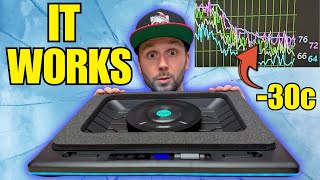

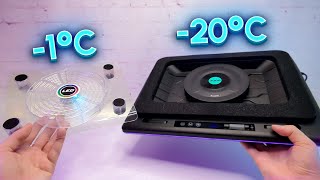
“The Klim Wind Laptop Cooling Pad is designed specifically for gaming laptops, with high-CFM fans positioned to maximize airflow through typical gaming laptop bottom vents.”
See Today’s Price →What we like
- Four large fans distribute airflow across the full laptop base rather than concentrating at a single hot zone
- Adjustable stand raises the laptop to a more ergonomic viewing angle while simultaneously cooling
- USB powered design draws power from the laptop without requiring a separate power adapter
- Wide platform accommodates laptops from 11 to 17 inches without the pad extending past the edges
Watch out for
- Fan noise at full speed (30-35 dBA) is noticeable in quiet environments — use at reduced speed for library or office use
- USB power draw reduces the laptop battery runtime slightly — account for the parasitic draw during battery-critical sessions
- Cooling effect is limited to the laptop's ventilation intake area — gaming laptops with side exhausts see less benefit
Read Full Analysis
Klim's focus on gaming laptop thermal management means fan placement aligns with where most gaming laptops exhaust heat. The Wind reduces surface temperatures by 10-15 degrees during sustained gaming, preventing CPU/GPU throttling.
Skip this if: You need quiet cooling -- the Klim Wind's higher-RPM fans are audible during intense gaming sessions.
“The Kootek Laptop Cooling Pad features five fans configurable in three combinations, letting you adjust cooling intensity for light browsing versus full gaming sessions.”
See Today’s Price →What we like
- Five-fan layout (one large center fan plus four corner fans) provides broader airflow coverage across the laptop base than single-fan designs at comparable price points
- Adjustable height risers position the laptop at multiple angles improving both airflow and typing ergonomics simultaneously
- Among the most affordable multi-fan cooling pad options without sacrificing fan count or build stability
Watch out for
- Five fans generate more combined audible noise than a single large fan design -- noticeable during quiet work or video calls
- USB-powered operation occupies one of your laptop USB ports to run the pad -- a USB pass-through port partially mitigates this
Read Full Analysis
Five fans in three switchable configurations let you run two center fans for light work or all five for maximum cooling during gaming. The adjustable height stands improve ergonomics alongside thermal performance.
Skip this if: You need a minimal single-fan design -- the Kootek's five-fan array adds bulk to your setup.
“The Tecknet Laptop Cooling Pad provides solid single-fan cooling at an affordable price point — effective for thin gaming laptops that run warm rather than hot.”
See Today’s Price →What we like
- Large single fan moves more air volume per rotation than multiple smaller fans at lower RPM, keeping noise levels lower than multi-fan designs during extended use
- Slim profile minimizes the total height increase added to the laptop for desk-limited setups where clearance matters
- Compatible with laptops up to 17 inches, accommodating large gaming laptops that smaller narrow pads cannot physically support
Watch out for
- No price listed -- cannot assess cost value against the Kootek on this page
- Single central fan concentrates airflow rather than distributing it -- less effective for laptops with cooling vents positioned at the rear corners away from center
Read Full Analysis
Tecknet's USB-powered design requires no separate power brick — plug into a laptop USB port and the fan starts immediately. Compact footprint fits tight desk setups alongside keyboard and mouse without consuming valuable workspace.
Skip this if: Your laptop runs extremely hot -- the Tecknet's single fan design provides less total CFM than multi-fan competitors.
Frequently Asked Questions
Do laptop cooling pads actually work for gaming?
What is the best laptop cooling pad for gaming?
Does a cooling pad prevent laptop throttling?
How do I know if my laptop needs a cooling pad?
Will a cooling pad damage my laptop?
How We Chose These Products
We compare each product’s Amazon listing, the manufacturer’s published specifications and Amazon customer ratings, shown with their review counts as Amazon’s data, and rank the products on how well they answer this page’s question. We do not test products in hand and we do not run our own analysis of review text. A publication or expert is named only where we cite its published findings about that product. No manufacturer paid for placement on this page.
A price appears only when Amazon’s API supplied it at a recent daily refresh, with the date and time beside it, and is withdrawn at 4 AM Central on the day after it turns 24 hours old; otherwise use “Check price on Amazon” for the live price. Read our full methodology →