Best Laser Printers 2026: Home and Office

The Brother HL-L2350DW is the best laser printer for most home offices — fast 32ppm print speed, automatic duplex printing, Wi-Fi Direct, and low per-page cost on replacement toner. For color laser printing, the HP Color LaserJet Pro provides professional color output.
At a Glance
| # | Product | Award | Price | Score |
|---|---|---|---|---|
| 1 | Best Overall | Check price on Amazon Buy → |
— | |
| 2 | Budget Pick | $169.99 as of Nov 24, 12:24 PM CT details Used — not a new unit Buy → |
8.1 | |
| 3 | Best Color Laser | $538.90 as of Nov 24, 12:34 PM CT details Buy → |
— | |
| 4 | Best for Office Sharing | $419 as of Nov 24, 12:23 PM CT details Buy → |
8.7 | |
| 5 | Best Color AIO | $471 as of Nov 24, 12:32 PM CT details Buy → |
7.6 |
Score Breakdown
| Brother Compact Monoc… | Xerox B210DNI Monochr… | HP Color LaserJet Pro… | Canon imageCLASS D162… | Canon imageCLASS MF65… | |
|---|---|---|---|---|---|
| Overall | – | 8.1 | – | 8.7 | 7.6 |
| Cost Per Page | 88 | 84 | 70 | 86 | 74 |
| Print Quality | 80 | 78 | 86 | 81 | 85 |
| Speed | – | 80 | – | 93 | 70 |
Scores 0–100 from published specifications and independent reviewers' measurements. Amazon star ratings are shown separately and are never part of a score. 0 = feature not present. – = insufficient data. How we score →
Laser Printers Buying Guide
 Photo by Andrey Matveev / Pexels
Laser printers use powdered toner fused to paper with heat — not liquid ink. This means no dried-out cartridges after sitting unused for months, faster print speeds than most inkjets, and significantly lower per-page costs for high-volume printing. The trade-off: higher upfront cost and larger physical footprint. In 2026, a home laser printer under $300 makes economic sense if you print 20+ pages per month regularly.
How we picked these. Printers were selected for verified print quality, wireless setup reliability, and total cost of ownership at each price point. We calculated toner cost-per-page using standard-yield cartridge pricing.
Monochrome vs. Color Laser: What Do You Actually Need?
Monochrome (black-and-white) laser printers are smaller, cheaper (both upfront and in toner costs), and faster than color laser printers. If you primarily print text documents, shipping labels, forms, and school assignments, monochrome is the right choice — it's hard to justify a color laser's 2x–3x price premium for occasional color output. Color laser printers make sense for businesses printing marketing materials, presentations, or product sheets where color accuracy matters. For home users who occasionally need color output, an inkjet for color photos plus a monochrome laser for documents is often the most cost-effective combination.
Duplex Printing: Why It Matters
Automatic duplex printing (printing on both sides of the page without manual flipping) cuts paper consumption in half for multi-page documents. On a printer that handles 200 pages per month, duplex printing saves about 50 sheets monthly — roughly 600 sheets per year. All printers in this roundup support automatic duplex printing. Manual duplex (where you flip the paper) is a frustrating workaround that every modern laser printer should avoid requiring.
Toner Cost: The True Long-Term Expense
The upfront price of a laser printer is misleading without calculating toner cost. Brother's high-yield toner cartridges cost roughly $0.012–$0.018 per page. HP's standard LaserJet toner runs $0.025–$0.035 per page. Canon's toner is typically in the $0.015–$0.025 range. Over 2,000 pages per year, the difference between $0.015/page and $0.030/page is $30 annually — significant over a printer's 5–7-year lifespan. Always buy high-yield cartridges when available: they have a lower cost-per-page and require fewer cartridge changes.
Wireless Setup and App Support
All printers in this roundup support Wi-Fi direct printing from a computer or smartphone. Brother's setup process (via the Brother iPrint&Scan app) is consistently rated among the easiest. HP Smart App is feature-rich but has received complaints about mandatory HP account creation and aggressive subscription prompts (HP Instant Ink) — be ready to dismiss those prompts during setup. Canon's PRINT app is straightforward and well-reviewed. For corporate networks or VPN-connected setups, Brother, HP, and Canon all support standard Wi-Fi 802.11b/g/n and ethernet, though ethernet is often the more reliable option for shared office printers.
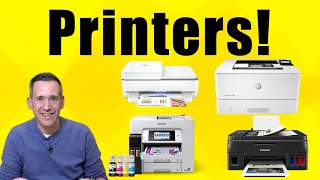

Price Tiers
Entry monochrome: Xerox B210DNI. The lowest-priced monochrome option in this roundup. Best overall monochrome: Brother HL-L2350DW. Fast, reliable, excellent toner economics. Ideal for home offices. Monochrome all-in-one: Canon imageCLASS D1620. Adds scanner and copier — eliminates the need for a separate scanner. Color laser (about $399–$539): Canon imageCLASS MF656Cdw, HP Color LaserJet Pro. Professional-grade color output for small businesses, marketing teams, or users who frequently print color presentations.
Common Mistakes
The most common mistake is buying a color laser printer when monochrome would suffice — paying 2x the toner cost for color you rarely use. Second: ignoring toner cartridge availability before buying — some budget brand laser printers use proprietary toner with limited availability and high replacement cost. Always verify Amazon has high-yield toner in stock for your exact model number before purchase. Third: not considering print volume — if you print fewer than 10 pages per month, an inkjet may actually cost less over two years despite higher per-page costs.
Watch Before You Buy
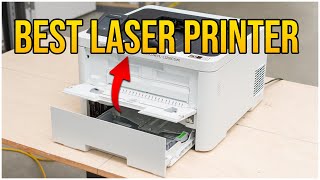
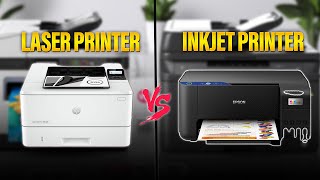
“Brother HL-L2350DW: the definitive home office monochrome laser printer — 32ppm, automatic duplex, Wi-Fi Direct, and among the lowest toner costs per page in its class at about $370.”
See Today’s Price →What we like
- 32 pages per minute laser speed
- Auto duplex printing
- Wireless and USB connectivity
- Long-lasting toner cartridges
Watch out for
- Monochrome only — no color printing
- Larger size than inkjet alternatives
Read Full Analysis
Brother HL-L2350DW is a compact wireless monochrome laser printer at about $370 — Brother's widely-adopted entry into the home office laser category. The HL-L2350DW handles up to 32 pages per minute on text documents and supports Wi-Fi Direct printing without requiring a router, making it practical for small desks and apartments where direct cable connections aren't convenient. At about $370, the Brother HL-L2350DW is an affordable dedicated monochrome printer in this comparison. The HP Color LaserJet MFP and Canon D1620 at $434.99 add scanning, copying, and higher output volumes, but for buyers whose workflow is almost entirely text documents and whose desk space is limited, those multifunction features aren't worth a $59-$169 premium. This makes the HL-L2350DW the right call for single-function speed over feature breadth. Buy the Brother HL-L2350DW if fast, reliable black-and-white printing is your primary need and you don't require scan, copy, or color output. Skip it if you share the printer across multiple office users with higher volume demands — the Canon D1620's 35ppm speed and 250-sheet input tray are better suited to that workload.
Skip this if: You need color printing — this is monochrome only. Step up to HP Color LaserJet Pro for color output.
“Xerox B210DNI: a compact monochrome laser printer with built-in Wi-Fi. Best choice for value-focused home offices that want dependable everyday printing without paying for features they won't use.”
See Today’s Price →Watch out for
- Advanced configuration may require technical knowledge to fully optimize
- Performance may lag behind premium models for intensive workloads

“HP Color LaserJet Pro: professional color laser printing with Wi-Fi, Ethernet, and mobile print support. Best choice for small businesses that print color presentations, brochures, or marketing…”
See Today’s Price →What we like
- Color laser printing at 25 pages per minute handles small office color document volume without inkjet running costs
- All-in-one with automatic duplex scanning and copying covers the full office print workflow in one machine
- USB, Ethernet, Wi-Fi, and Wi-Fi Direct connectivity works with every standard office network configuration
- High-yield color toner cartridges drop the cost per color page well below inkjet for document printing
Watch out for
- Premium pricing at $569 requires a meaningful budget commitment
- Advanced configuration may require technical knowledge to fully optimize
Read Full Analysis
HP Color LaserJet Pro MFP 3301fdw delivers full-color laser printing alongside scan, copy, and fax in a single device. Color laser technology produces sharp text and accurate graphics on presentations and marketing materials with a lower per-page cost than color inkjet refills, and HP's Pro designation signals hardware engineered for consistent small business throughput rather than occasional home use. The HP Color LaserJet Pro is the highest-priced device in this comparison, and the only one combining color laser output with all four multifunction capabilities including fax. Against the Brother HL-L2350DW at about $370, you pay about $169 more for color output and scan/copy integration — justified if your work regularly includes color documents or client presentations. The Canon D1620 is about $110 cheaper and faster on monochrome output, but cannot print in color. The HP is priced about $140 above the Canon Color model, with the HP adding fax capability as a differentiator. The HP Color LaserJet Pro MFP 3301fdw is the right choice if your office needs professional color prints, scanning, and occasional fax from a single device. Skip it if the vast majority of your printing is black-and-white — you will carry color capability you don't use, and the Brother model on this page delivers monochrome output more economically.
Skip this if: You primarily print text documents — color toner costs 2–3x more per page than monochrome, making it expensive for black-and-white printing.

“Canon imageCLASS D1620: built for shared office use with high paper capacity, fast warm-up, and excellent Canon driver support across Windows and macOS. Duplex printing and Ethernet standard.”
See Today’s Price →What we like
- 35 pages per minute output processes a 50-page document in under 90 seconds — significantly faster than entry-level laser printers that peak at 20-25 ppm
- 50-sheet automatic document feeder scans or copies multi-page documents in one unattended operation without flipping pages manually
- Wireless printing works from phones, tablets, and any WiFi-connected laptop without a USB cable
- Auto-duplex prints both sides of every sheet automatically to reduce paper consumption and per-page costs over time
Watch out for
- Advanced configuration may require technical knowledge to fully optimize
- Performance may lag behind premium models for intensive workloads
Read Full Analysis
Canon imageCLASS D1620 prints at 35 pages per minute — the fastest monochrome output in this comparison — and includes an automatic document feeder that handles multi-page scan and copy jobs without manual page loading. It targets small offices where two or more employees share a device and consistent document throughput matters more than color capability. The D1620 sits between the Brother HL-L2350DW at about $370 and the HP Color MFP at $569.98 in price. You pay about $59 more than the Brother entry model but gain scan, copy, an ADF, and meaningfully higher print speed. Against the HP, the Canon D1620 saves about $110 and delivers faster monochrome output — the right trade for offices that print predominantly text contracts, reports, and internal documents rather than color presentations. The D1620's higher paper capacity also reduces mid-day refills in busy environments. Buy the Canon imageCLASS D1620 if multiple users share the printer and you need consistent monochrome throughput with scan, copy, and ADF capabilities for multi-page documents. Skip it for the HP Color MFP if color printing is a regular workflow requirement — a premium of about $110 buys color laser output that the D1620 cannot provide.
Skip this if: You need a compact footprint — the D1620 is larger than home-focused models and better suited for a dedicated office space.

“Canon Color imageCLASS MF656Cdw: color laser all-in-one with scanner, copier, automatic duplex, and Wi-Fi. Combines everything in one unit for color-printing small offices.”
See Today’s Price →What we like
- Color laser printing keeps pages crisp without ink drying issues during low-use periods
- Wireless duplex printing prints both sides automatically over WiFi
- Toner cartridges yield 1500-2000 pages each — lower per-page cost than inkjet
- Auto document feeder scans, copies, and faxes multi-page documents unattended
Watch out for
- High upfront cost versus inkjet alternatives — breakeven requires 200+ color pages per month
- Toner cartridges are expensive replacements — factor ongoing cost into total cost of ownership
- Large physical footprint requires dedicated desk or shelf space — not suitable for small home offices
Read Full Analysis
Color laser toner produces sharp text and graphics without the smearing of inkjet during handling. Wireless duplex printing outputs double-sided color documents without manual page flipping. High upfront cost versus inkjet alternatives — breakeven requires 200+ color pages per month. Toner cartridges are expensive replacements — factor ongoing cost into total cost of ownership. What justifies the footprint is the all-in-one duty cycle: the automatic document feeder runs multi-page scan, copy, and fax jobs unattended, and toner cartridges rated at 1,500-2,000 pages keep per-page costs well below inkjet for regular color output. Laser toner also doesn't dry out — a printer that sits idle for weeks still produces crisp first pages, which is exactly where home inkjets fail. Canon backs the unit with a three-year warranty, unusual at this price tier. The realistic buyer profile: a small office printing a steady mix of color documents, with shelf space to dedicate. Volumes under a couple hundred color pages a month won't recover the upfront premium over a comparable inkjet — buy this for its running costs, not its sticker price.
Skip this if: Budget is a primary concern — color laser all-in-ones are a premium product category; Spigen or Brother monochrome models offer lower total cost if color isn't essential.
Frequently Asked Questions
Is a laser printer worth it for home use?
What is duplex printing and do I need it?
How long does laser toner last?
Should I buy an all-in-one (printer + scanner + copier)?
Can I use third-party toner cartridges in Brother or HP printers?
What should I expect to pay for a laser printer in mid-2026?
How We Chose These Products
We compare each product’s Amazon listing, the manufacturer’s published specifications and Amazon customer ratings, shown with their review counts as Amazon’s data, and rank the products on how well they answer this page’s question. We do not test products in hand and we do not run our own analysis of review text. A publication or expert is named only where we cite its published findings about that product. No manufacturer paid for placement on this page.
A price appears only when Amazon’s API supplied it at a recent daily refresh, with the date and time beside it, and is withdrawn at 4 AM Central on the day after it turns 24 hours old; otherwise use “Check price on Amazon” for the live price. Read our full methodology →
How We Score These Products
Each dimension score comes from evidence about the exact model listed — a published specification, a measurement by a named independent reviewer, or that product’s own buyer reviews, as described for each dimension below — not from a similar product in the same range. We do not test products ourselves, and we do not score a dimension we could not evidence. A dash means no evidence was found for that product, not that it performed badly.
Cost Per Page: From evidence about this exact model (specification, named reviewer or its own reviews).
Print Quality: From evidence about this exact model (specification, named reviewer or its own reviews).
Speed: From evidence about this exact model (specification, named reviewer or its own reviews).
The overall score is the mean of the dimensions we could evidence for that product, on a 10-point scale. Price is shown separately and is never folded into a score. Amazon star ratings are shown separately and are never part of any score.