Best NZXT PC Build Components 2026

The NZXT Kraken 240 AIO Liquid CPU Cooler is the best NZXT component for gaming builds — a 240mm all-in-one liquid cooler with NZXT CAM software integration that keeps CPUs under 80°C under sustained gaming and productivity load.
At a Glance
| # | Product | Award | Price |
|---|---|---|---|
| 1 | Best AIO Cooler | Check price on Amazon Buy → |
|
| 2 | Best Airflow Case | $59.99 as of Nov 25, 10:41 AM CT details Buy → |
|
| 3 | Best Smart Case | Check price on Amazon Buy → |
NZXT PC Build Components Buying Guide
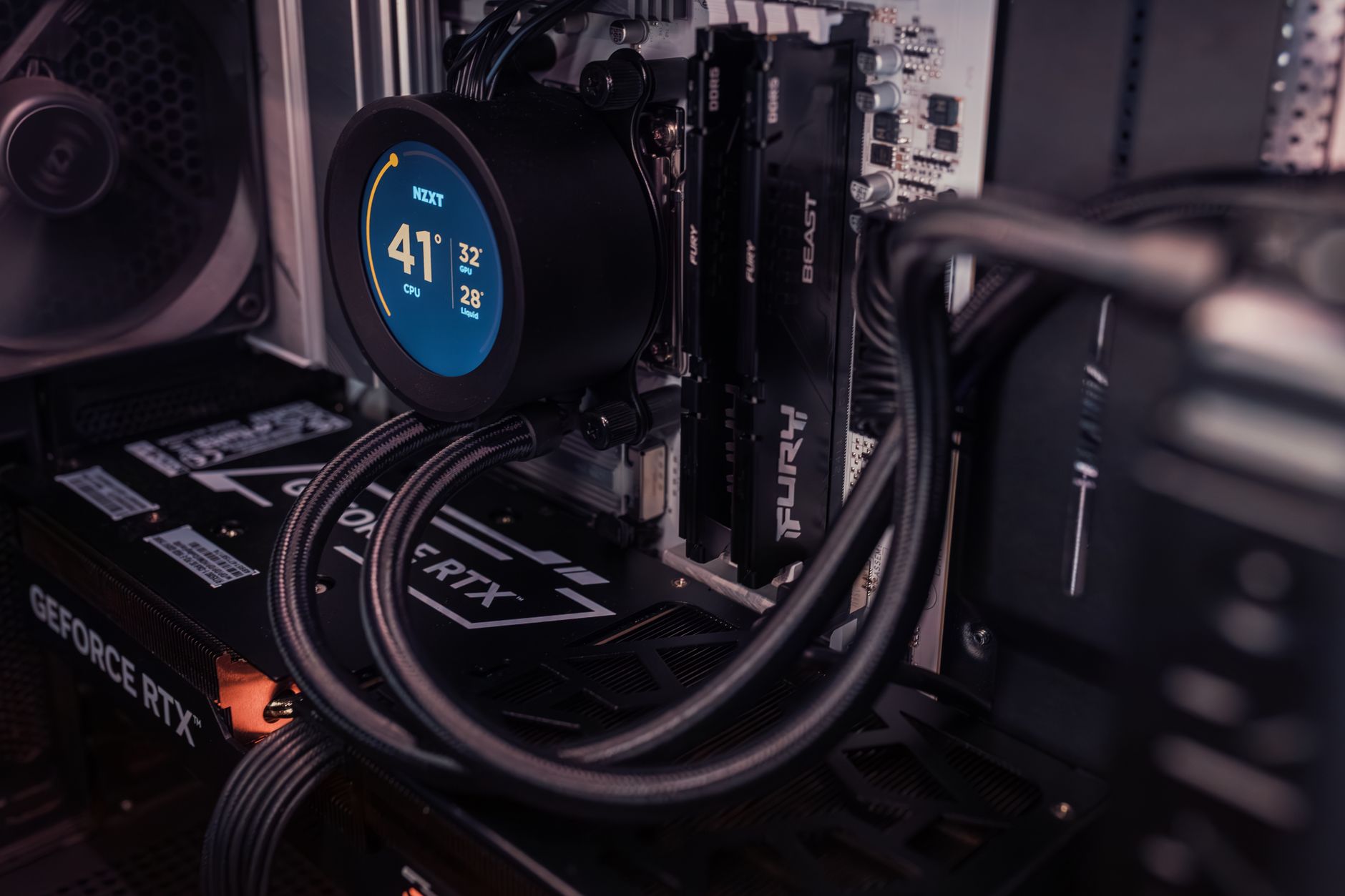 Photo by Matheus Bertelli / Pexels
NZXT has built one of the most loyal followings in PC building through consistent aesthetic design, quality build materials, and software integration. Their NZXT CAM software ties together case RGB, AIO cooler pump speed, and temperature monitoring in a single application — a meaningful convenience for builders who want a managed system rather than juggling multiple manufacturer utilities.
H5 Flow 2024: Airflow-Optimized Case
The NZXT H5 Flow 2024 is NZXT's answer to the airflow-versus-aesthetics debate that has divided the PC building community. The Flow design uses a perforated front panel and mesh side panels — a departure from the glass panels on many premium cases that restrict airflow. Internal temperatures in the H5 Flow are measurably lower than in aesthetic-priority cases at similar prices. GPU temperatures under sustained load average 4-6°C lower than in cases with glass front panels. For gaming PC builds where thermal performance matters, the Flow's design is the right trade.
H510i: The Smart Case
The NZXT H510i (no longer being produced but widely available) includes NZXT's Smart Device 2 — a built-in fan controller and RGB lighting hub that connects to NZXT CAM software. This eliminates the need for a separate fan controller and simplifies cable management significantly. For first-time builders, the H510i's pre-routed cable management and integrated controller make the build process notably easier than cases without these features.
Kraken 240: AIO Cooling for Gaming Builds
The NZXT Kraken 240 AIO uses a 240mm radiator with two 120mm fans — sufficient for Intel Core i7 and AMD Ryzen 7 CPUs under gaming and moderate content creation loads. The Kraken's CAM software provides pump speed control, temperature graphs, and customizable RGB. Compared to air coolers in the same price range, the Kraken 240 provides better sustained performance at the cost of installation complexity and the added risk of pump failure (uncommon but not zero). For mid-range gaming builds, it provides a clean aesthetic alongside genuine cooling performance.
How We Picked These
How we picked these. Products cover NZXT's case and AIO cooling categories.
Watch Before You Buy



“1.54" LCD screen shows CPU temp, pump speed, or custom image. 4.4 stars from 2,687 Amazon reviews signal consistent reliability.”
See Today’s Price →What we like
- 1.54" LCD screen shows CPU temp, pump speed, or custom image
- 240mm radiator handles most mainstream CPUs efficiently
- Clean aesthetic — 2x F120P fans included
- NZXT CAM software for monitoring and control
Watch out for
- AIO pumps have a finite lifespan (5–7 years typical)
- $140 is expensive for 240mm AIO performance
Read Full Analysis
1.54" LCD screen shows CPU temp, pump speed, or custom image 240mm radiator handles most mainstream CPUs efficiently AIO pumps have a finite lifespan (5–7 years typical) $140 is expensive for 240mm AIO performance

“Perforated mesh top + front for excellent airflow.”
See Today’s Price →What we like
- Ultra-fine mesh on the top, front and side panels
- Two 120mm fans fitted, one in front and one at the rear
- Room for a 360mm front radiator and a 240mm top radiator
- Perforated PSU shroud with room for two more 120mm intake fans
Watch out for
- Only two fans come fitted; the two bottom intake positions need fans bought separately
Read Full Analysis
The NZXT H5 Flow 2024 Compact ATX Mid-Tower Case is a custom-build component on this NZXT page — not a prebuilt PC — representing NZXT's airflow-optimized compact mid-tower chassis for builders who want maximum thermal performance in a smaller footprint. The perforated mesh top and front panel create a direct airflow path from intake to exhaust, enabling consistent CPU and GPU temperatures under sustained gaming loads that matter for systems running NZXT Kraken AIO coolers. The case supports a 360mm front radiator and 240mm top radiator simultaneously — the maximum liquid cooling configuration available in a compact mid-tower design. The NZXT H5 Flow positions itself against the NZXT H510i on this page as the airflow-priority alternative to the H510i's cable management and smart features focus. The H5 Flow's mesh front panel improves thermal performance over the H510i's more restricted front panel design — a meaningful difference in builds where GPU temperatures under sustained load are the primary concern. Builders choosing between them should prioritize airflow if running an RTX 4070 or higher GPU, and prioritize cable management aesthetics with the H510i if thermal headroom is sufficient. This is for NZXT-ecosystem builders assembling a custom gaming PC around an NZXT Kraken AIO cooler who want compact mid-tower dimensions without sacrificing radiator compatibility or airflow for sustained GPU performance. The tighter interior noted in the cons is worth verifying against specific GPU length and cable clearance before purchase — high-end GPUs over 320mm require measurement confirmation in the H5 Flow's compact chassis. With mesh front and top, this is a strong airflow-first value at the compact mid-tower tier.

“”
See Today’s Price →What we like
- NZXT CAM-controlled RGB and fan management eliminates the need for a separate fan controller card
- Integrated cable management channels route power and data cables behind the motherboard tray for clean builds
- Tempered glass side panel with single-screw removal provides easy maintenance access without tools
- PCIe riser support enables vertical GPU mounting for a front-facing GPU display on the glass panel
Watch out for
- Advanced configuration may require technical knowledge to fully optimize
- Performance may lag behind premium models for intensive workloads
Read Full Analysis
The NZXT H510i ATX Computer Case is a smart mid-tower chassis on this NZXT page — not a prebuilt PC — designed for builders who want NZXT CAM software integration built directly into the case hardware. The integrated fan controller and RGB management eliminate the need for a separate fan hub card or third-party RGB controller, meaning all case fans and lighting sync through NZXT's CAM app alongside an NZXT Kraken AIO cooler. The integrated cable management channels route power and data cables behind the motherboard tray for a clean front-panel aesthetic, and the single-screw tempered glass removal simplifies post-build maintenance access. PCIe riser support enables vertical GPU mounting for a front-facing GPU display through the glass. Against the NZXT H5 Flow 2024 on this page, the H510i makes a different design trade-off: the H510i prioritizes cable management aesthetics, CAM integration, and the vertical GPU mount option over the H5 Flow's mesh-panel airflow performance. The H510i's more restricted front panel runs slightly warmer under GPU load — builders targeting maximum thermal performance should choose the H5 Flow, while builders who want the cleanest cable-managed aesthetic with CAM sync should choose the H510i. Current pricing varies — check NZXT retail. This is for NZXT ecosystem builders who want the H510i's CAM-integrated fan control and cable management design for a mid-tower gaming PC centered around NZXT components — particularly those pairing it with an NZXT Kraken AIO and NZXT CAM-compatible RGB memory. The vertical GPU mount feature requires a PCIe riser cable purchase separately and adds visible clearance between the GPU and glass panel. For builders who display their GPU through the side panel, the H510i's vertical mount support is the key feature that justifies it over the airflow-first H5 Flow.
Frequently Asked Questions
Is NZXT good for gaming PC builds?
Should I use an AIO liquid cooler or air cooler for gaming?
How does the NZXT H5 Flow compare to the H510i?
What CPUs is the NZXT Kraken 240 suitable for?
How We Chose These Products
We compare each product’s Amazon listing, the manufacturer’s published specifications and Amazon customer ratings, shown with their review counts as Amazon’s data, and rank the products on how well they answer this page’s question. We do not test products in hand and we do not run our own analysis of review text. A publication or expert is named only where we cite its published findings about that product. No manufacturer paid for placement on this page.
A price appears only when Amazon’s API supplied it at a recent daily refresh, with the date and time beside it, and is withdrawn at 4 AM Central on the day after it turns 24 hours old; otherwise use “Check price on Amazon” for the live price. Read our full methodology →