How to Choose a Gaming Monitor: Refresh Rate, Panel Type, and Resolution in 2026
The LG UltraGear 27GR83Q is the top choice for competitive and immersive gaming — QHD 1440p at 260Hz delivers sharper detail than 1080p without the GPU demand of 4K, and the 1ms IPS panel eliminates motion blur without the washed-out colors of TN. Match to a mid-range GPU or better for full benefit.
How to Choose a Gaming Monitor Buying Guide
 Photo by Ron Lach / Pexels
Gaming monitors involve four interacting variables: resolution, refresh rate, panel type, and sync technology. Getting one right while mismatching another wastes money. This guide covers what each spec actually affects in gameplay and how to match them to your setup.
Refresh Rate: Where Diminishing Returns Set In
Refresh rate (Hz) = how many frames the monitor can display per second. Your GPU must output at least that many FPS for the spec to matter. The perceptible improvement curve:
- 60Hz → 144Hz: Massive, immediately visible improvement. Mouse movement appears smoother, competitive advantages in tracking moving targets are measurable. Everyone who plays games should prioritize 144Hz minimum.
- 144Hz → 240Hz: Significant improvement for competitive FPS players. Studies show aim accuracy improves measurably at 240Hz vs 144Hz in fast-twitch games. Requires your GPU to output 240+ FPS consistently (difficult at 1440p+).
- 240Hz → 360Hz: Marginal improvement detectable only in professional-level competition. Most players cannot perceive the difference in blind tests.
Resolution and refresh rate compete for GPU resources — a GPU running 1440p at 144Hz works as hard as 1080p at ~200Hz. Know your GPU's typical FPS in your games before choosing a panel.

Resolution: 1080p vs 1440p vs 4K
1080p (1920×1080): Easiest to drive — a mid-range GPU (RTX 4060, RX 7600) can hit 240+ FPS in competitive titles at 1080p. For pure competitive play (CS2, Valorant, Apex Legends): 1080p at 240Hz beats 1440p at 165Hz. Visual sharpness is lower, but most competitive players prefer the frame rate.
1440p (2560×1440): The mainstream sweet spot in 2026. Noticeably sharper than 1080p at 27 inches. A mid-high GPU (RTX 4070, RX 7700 XT) reliably hits 144Hz+ in most titles. 27-inch size + 1440p is the most common enthusiast setup.
4K (3840×2160): Requires high-end GPU (RTX 4080+, RX 7900 XTX) for 60+ FPS in demanding games. Overkill for competitive gaming — focus should be on fps, not resolution. Best for single-player visual showcases, content creation, and console gaming where 60fps is acceptable.

Panel Types: IPS vs VA vs OLED
IPS (In-Plane Switching): Best color accuracy and viewing angles. Gray-to-gray response time: 1–4ms. IPS glow (slight light bleed in corners) is visible in dark rooms. The default choice for most gaming setups. Price range: $150–500 for gaming panels.
VA (Vertical Alignment): Best contrast ratio (2500:1 to 5000:1 vs IPS's 1000:1) — blacks appear deeper. Historically suffered from slow response time (smearing on fast objects). Modern VA panels have closed the gap but still show more motion blur than IPS in fast-paced games. Best for: dark environments, story-driven games, HDR content where contrast matters. Not ideal for competitive FPS.
OLED (Organic LED): Effectively infinite contrast (true blacks), 0.01ms response time (faster than the display can be driven), wide color gamut. Concerns: burn-in risk for static elements (game HUDs, taskbars). Modern OLED monitors use pixel refresh cycles to mitigate this. Price: $500–1200+ for gaming-grade OLED. Best picks: LG UltraGear 27GR95QE-B (27-inch 1440p OLED 240Hz), Samsung Odyssey OLED G8 (34-inch ultrawide).
TN (Twisted Nematic): Fastest response times historically, but limited viewing angles and poor colors. Being phased out by fast IPS panels that match response times with better image quality. Avoid unless finding deep clearance discount.
G-Sync vs FreeSync: What You Actually Need
Variable refresh rate (VRR) syncs the monitor's refresh rate to your GPU's frame output — eliminates screen tearing without V-Sync's input lag. G-Sync (Nvidia) and FreeSync (AMD) are both excellent in 2026. Key notes:
- G-Sync requires an Nvidia GPU. G-Sync Ultimate adds HDR hardware ($100–200 monitor premium).
- FreeSync works with AMD GPUs. Nvidia GPUs also support FreeSync/Adaptive Sync monitors natively since 2019 (G-Sync Compatible certification).
- G-Sync Compatible monitors (AMD FreeSync monitors Nvidia-certified) are often the best value — skip the G-Sync module premium.
HDR: When It Actually Matters
Most "HDR" monitor certifications are misleading. DisplayHDR 400 (the minimum certification) barely improves on SDR. Meaningful HDR requires DisplayHDR 1000+ and local dimming. Monitors with genuine HDR: OLED panels (all), mini-LED panels with full-array local dimming (ASUS ROG Swift PG27UCDM, Samsung Odyssey Neo G8). Budget HDR monitors are marketing labels — disable HDR on DisplayHDR 400 monitors for better image quality.
Size Recommendations by Resolution
- 24-inch: 1080p — standard pixels-per-inch. 1440p on 24-inch is too dense for some (174 PPI).
- 27-inch: 1440p — the optimal pairing. 109 PPI — sharp without scaling.
- 32-inch: 1440p or 4K — 1440p at 32-inch starts to look soft up close; 4K preferred.
- 34-inch ultrawide (3440×1440): Equivalent to 1440p in vertical resolution, wider aspect ratio. GPU load similar to 1440p standard.
Watch Before You Buy
“260Hz refresh rate for ultra-smooth motion at 1440p.”
See Today’s Price →What we like
- 260Hz refresh rate for ultra-smooth motion at 1440p
- 1ms GTG response time eliminates motion blur
- VESA DisplayHDR 400 certification
- G-Sync Compatible and AMD FreeSync Premium
- Factory calibrated DCI-P3 98% coverage
Watch out for
- Not the most affordable 1440p 144Hz option
- No OLED — contrast ratio limited vs VA or OLED panels
Read Full Analysis
The LG UltraGear 27GR83Q-B combines three specifications that define the current performance ceiling for competitive gaming at 1440p: 260Hz refresh rate, 1ms GTG response time, and an IPS panel with 98% DCI-P3 coverage. It sits at a price point where the competing choices are clear — the Samsung Odyssey OLED G9 49" curved ultrawide at the same $549 takes the display real estate approach, while the Dell 144Hz FHD trades resolution and refresh rate for accessibility. The 260Hz figure matters specifically in competitive gaming contexts. Human perception registers frame-to-frame difference up to roughly 200-300Hz under controlled conditions, and at 1440p this monitor delivers near the perceptual limit. For esports titles — Valorant, CS2, Apex Legends — where frames-per-second directly correlates to reaction window precision, 260Hz versus 144Hz is measurable. The G-Sync Compatible and AMD FreeSync Premium dual certification ensures variable refresh rate works across both major GPU ecosystems without tearing or stuttering at any frame rate within the supported range. The IPS panel choice over VA or OLED defines the tradeoff in this build. IPS delivers accurate colors across wide viewing angles — the 98% DCI-P3 factory calibration makes it viable for content creation alongside gaming — but the contrast ratio sits at the IPS ceiling of approximately 1000:1, which is substantially lower than VA (3000:1) or OLED (effectively infinite). The DisplayHDR 400 certification is entry-level HDR by current standards; it won't produce the specular highlights that higher HDR tiers achieve. For buyers who prioritize color accuracy and refresh rate over contrast depth, the IPS at 260Hz is the correct specification. For buyers who prioritize contrast and visual immersion over competitive refresh, the OLED or VA alternatives warrant consideration.
“The Samsung Odyssey OLED G9 49-inch Curved Gaming Monitor is the definitive big-screen immersive gaming experience with a 32:9 ultrawide aspect ratio and OLED panel for deep blacks. It is best…”
See Today’s Price →Watch out for
- Premium pricing at $549 requires a meaningful budget commitment
- Large monitors require adequate desk space and may cause ergonomic issues without proper positioning
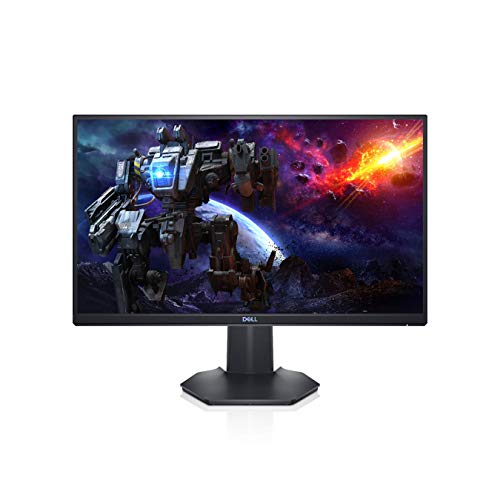
“The Dell FHD Gaming Monitor delivers a crisp full HD display with fast response times suitable for competitive gaming. Its Dell reliability and affordable price make it a practical choice for gamers…”
See Today’s Price →Watch out for
- Large monitors require adequate desk space and may cause ergonomic issues without proper positioning
- High refresh rate and resolution panels draw more power than standard monitors
Frequently Asked Questions
Is 144Hz or 240Hz better for gaming?
Is 1440p or 4K better for gaming?
Is OLED worth it for gaming monitors?
What's the difference between G-Sync and FreeSync?
What size monitor should I get for gaming?
How We Chose These Products
We compare each product’s Amazon listing, the manufacturer’s published specifications and Amazon customer ratings, shown with their review counts as Amazon’s data, and rank the products on how well they answer this page’s question. We do not test products in hand and we do not run our own analysis of review text. A publication or expert is named only where we cite its published findings about that product. No manufacturer paid for placement on this page.
A price appears only when Amazon’s API supplied it at a recent daily refresh, with the date and time beside it, and is withdrawn at 4 AM Central on the day after it turns 24 hours old; otherwise use “Check price on Amazon” for the live price. Read our full methodology →