How to Choose a Soldering Iron (2026 Buying Guide)
For electronics work: the PINE64 Pinecil is the best budget entry. For regular use, the Hakko FX-888D is the long-term investment — PID temperature control, fast recovery, replaceable tips.
How to Choose a Soldering Iron Buying Guide
 Photo by www.kaboompics.com / Pexels
Soldering irons range from $10 pencil irons to $300 soldering stations, and the difference is not just price — it is temperature control, tip longevity, and whether you can rework a joint without destroying the board. This guide covers what those specs mean and what level of equipment matches your actual work.
Pencil Iron vs Soldering Station
A pencil iron is a single fixed-wattage tool: you plug it in, it heats to a fixed temperature (usually 750-850°F), and you solder. Simple, inexpensive ($10-30), and adequate for through-hole electronics, hobbyist kits, and occasional use. The problem: you cannot adjust temperature, the tip takes 60-90 seconds to reach temperature, and temperature drops when you touch a large thermal mass (ground plane, heavy wire). A soldering station has a separate base unit with temperature control (adjustable from 200-900°F), fast recovery (temperature bounces back within seconds of heat loss), and interchangeable tips. For anyone working on electronics beyond occasional hobby kits — PCB rework, SMD components, wire splicing — a station is worth the step up.
Wattage: How Much Power Do You Need?
Wattage determines how quickly the iron recovers temperature after touching a joint. A 40W pencil iron struggles on large components and ground planes — the iron cools faster than it can recover. A 60W station recovers quickly. For fine electronics work (SMD components, 0.8mm pitch ICs): 40-60W with temperature control. For wire and connector work (heavy gauge, automotive): 80W minimum. For stained glass or copper pipe (not typical electronics): 100-200W irons designed for that work. The Hakko FX-888D at 65W is the electronics benchmark — fast recovery, precise control, available at most retailers for $110-130. For hobby kits: the TS100 portable iron at $89.99 offers excellent control at 65W in a compact form.
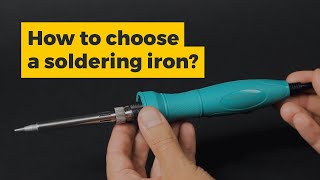

Temperature Control and What It Prevents
Uncontrolled temperature means the iron is always running at maximum — often 800-900°F when most electronics solder melts at 360-420°F. Running too hot burns solder flux immediately (visible as brown/black smoke), lifts PCB pads, and damages heat-sensitive components. Temperature control lets you work at 650-700°F for most electronics solder, stepping up only for large thermal masses. This is not a luxury feature — it is the reason boards survive rework. The minimum acceptable temperature control is a dial potentiometer (cheap stations) — though analog dials drift. Digital display with PID (proportional-integral-derivative) control is accurate to ±5°F and is what the Hakko FX-888D and Weller WE1010 use.
Tips and Their Shapes
Soldering tips are consumables and the right shape makes the difference between a 2-second joint and a 15-second struggle. Conical (pointed): precise, good for small components, poor thermal contact with larger pads. Chisel (flat): good thermal mass transfer, the most versatile tip for general work. Bevel (angled chisel): drags solder across pads quickly — the preferred tip for drag-soldering IC pins. Fine point: for 0402 SMD components and tight pitch work. Keep tips tinned (coated with fresh solder) when not in use — an oxidized tip transfers heat poorly. Tip replacement costs $5-15 per tip for quality irons; cheap iron tips corrode within months.
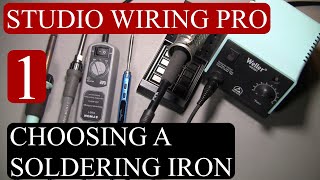
For Beginners: What to Buy
Under $50: the TS100 portable iron ($89.99 with adapter) or PINE64 Pinecil ($89.99) — both are USB-C powered, digital temperature display, fast heating (20 seconds to working temp). The Pinecil is the best budget entry point in 2026. $100-150: the Hakko FX-888D ($110-130) — the long-term investment that outlasts cheaper stations. Avoid the Weller SP40L ($104.99 pencil iron) for anything beyond a one-time soldering job — it will frustrate anyone doing real electronics work. See our best soldering irons for beginners, best soldering stations, and best soldering kits.
What to Avoid
Avoid: no-name iron kits under $20 — the tips corrode within weeks and temperature control is fake (a dial that does nothing). Avoid: irons without replaceable tips — the iron is disposable when the tip fails. Avoid: 100W+ irons for electronics work — these are for plumbing and metalwork. Avoid: leaving the iron unattended at temperature without a station that has auto-shutoff.
Watch Before You Buy
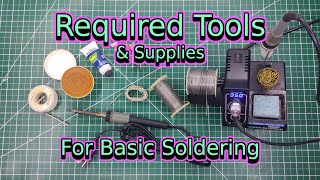
“The MINIWARE TS100 Smart Soldering Iron Mini Kit features smart temperature control with oled. Best suited for makers and field technicians who want a portable smart iron with oled interface.”
See Today’s Price →What we like
- Smart temperature control with OLED
- DC 12-24V input (also USB-C with adapter)
- Compact and portable
- Wide tip selection
Watch out for
- DC barrel jack requires a 12–24V DC power supply — not compatible with laptop USB-C chargers unlike the PINECIL which powers from any USB-C PD source
- OLED menu exposes 8 configurable parameters including PID tuning and sleep timeout — no single physical temperature preset button for quick mid-session adjustments
Read Full Analysis
Portability defines the MINIWARE TS100's position on this page — it is the iron built for makers, field technicians, and anyone who solders away from a permanent bench setup. The OLED interface displays exact tip temperature and input voltage in real time, with PID control maintaining set temperature against ambient variation and thermal load. The TS-series tips (B2, TS-BC2, TS-K and others) give it flexibility from fine SMD point work to larger chisel tips for through-hole joints. The power input is the configuration detail that matters most: the TS100 requires a DC barrel jack at 12–24V (a dedicated power brick, a laptop-style DC supply, or a field battery bank). It is not compatible with standard USB-C laptop chargers — the barrel connector requires a separate adapter or a USB-C PD supply with a trigger cable. Buyers expecting to power it directly from a laptop charger should confirm their supply's output and connector before purchasing. It falls just under the $50 threshold for required detail review — but on a specialized soldering guide like this one, it is clearly an enthusiast purchase where the buyer is comparing iron specifications carefully. The OLED menu exposes 8 configurable parameters, which is useful for makers who want to tune sleep timeout, boost temperature, and PID behavior, but is genuinely more configuration than most casual solderers need. Among the options here, MINIWARE TS100 is Best Compact: the pick for portability, field use, and maker projects where carrying a full station is impractical.

“The Hakko FX-600 Adjustable Temperature Soldering Iron features hakko t-series compatible. 4.5 stars from 623 Amazon reviews signal consistent reliability.”
See Today’s Price →What we like
- Hakko T-series compatible
- Analog control at budget price
- 70W power
Watch out for
- No station base
- Analog vs digital FX-888D
Read Full Analysis
Hakko's FX-600 holds rank 1 on this soldering iron guide through a combination that few irons at its price match: 70W power output with an analog temperature dial that gives direct, no-menu control over tip temperature. The 70W rating matters for joint quality — a 25W or 40W iron struggles to maintain temperature when it contacts a large copper pad or ground plane, which causes prolonged heat soak and cold joints. The FX-600 recovers temperature quickly enough to maintain consistent results across an extended soldering session. The analog dial is the deliberate tradeoff against digital stations: there is no LED display, no preset memory, no PID readout. Temperature is set by feel and dial position, which is how most experienced solderers work anyway — and the lack of electronics in the control interface means fewer failure points. The T-series tip compatibility is significant: these are the same tips used in the Hakko FX-888D station and FX-951, so a tip investment made with the FX-600 carries over if you later upgrade to a full station. What it lacks is a base. The FX-600 ships tool-only with no iron holder or tip cleaner, which means budgeting for a separate stand and solder brass/sponge setup. And rank 1 on this page, the Hakko FX-600 is the pick for hobbyists and professionals who want Hakko's reliability and tip ecosystem in a single-iron format without paying station prices — particularly strong for through-hole work, wire splicing, and any application where 70W thermal mass is a practical advantage.

“Weller's WLSKD7012A: a 70W digital soldering station that heats to 650 degrees F in about 15 seconds, with a preset temperature, a standby mode and an integrated safety rest.”
See Today’s Price →What we like
- 70W digital station with a temperature display in Fahrenheit or Celsius
- Heats from 212 to 650 degrees F in about 15 seconds, per Weller
- Preset temperature and a standby mode
- Integrated safety rest for the iron
- Quick tip changes and a molded pencil grip
Watch out for
- Its listing describes no solder, tip cleaner or spare tips in the box
- A corded 120-volt station: it stays on the bench
Read Full Analysis
Weller's reputation in professional electronics soldering spans decades, and the Digital Soldering Iron carries that lineage into a pen-style iron with the key feature its rank describes: a digital temperature display that shows exact tip temperature rather than a dial-and-guess setup. For repeatable precision work — surface-mount component rework, fine gauge wire connections, calibration-sensitive assemblies — knowing the actual tip temperature (not the approximate dial position) is the difference between reliable joints and rework cycles. The 200–850°F range is wider than most consumer irons: the low end reaches temperatures safe for heat-sensitive connectors and fine-pitch SMD pads; the high end handles heavier copper wire, large through-hole pads, and leaded solder on thicker boards. Weller tip compatibility is a practical benefit — replacement tips are stocked at most electronics retailers (Micro Center, Fry's, and online), which matters when a tip needs replacing mid-project rather than waiting on a shipping order. The professional-grade heating element's thermal recovery rate is worth naming: cheap irons drop tip temperature during each joint and recover slowly, causing operators to slow their pace or reheat each joint. The Weller's recovery speed supports a continuous workflow at production cadence rather than a pause-and-wait rhythm. Among the soldering irons on this guide, Weller Best Digital is the pick for electronics repair professionals and enthusiasts who need accurate tip temperature readout and professional thermal recovery — and who work from a fixed bench where the corded format is not a constraint.
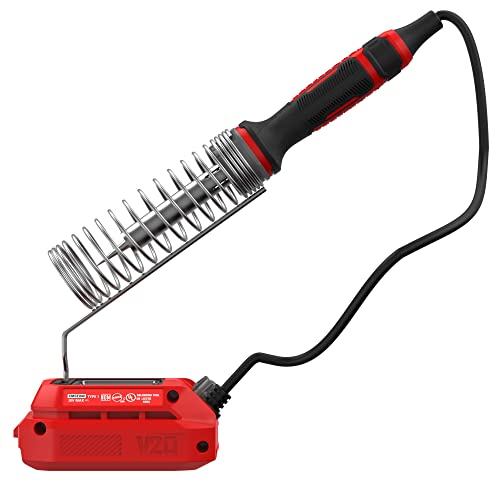
“”
See Today’s Price →What we like
- 20V cordless reaches stained glass, automotive wiring, and outdoor repairs without a power outlet
- Heats to working temperature in under 20 seconds from a 20V Craftsman battery
- Compatible with Craftsman V20 battery platform — no separate charger needed if you own other V20 tools
- Eliminates the cord trip hazard during intricate hand-positioning work
Watch out for
- Battery adds weight compared to a corded iron — fatiguing for precision PCB work held at length
- 20V battery sold separately; initial cost climbs if you don't already own the V20 platform
Read Full Analysis
Craftsman's V20 Cordless Soldering Iron earns Best Cordless on this guide by solving the constraint every other iron on this page shares: the power cord. Automotive wiring under a dashboard, stained glass work on a large panel, outdoor equipment repair at the job site, or interior rough-in where the nearest outlet is across the room — all of these become tractable with a cordless iron and impractical with a corded one. The V20 platform reaches working temperature in under 20 seconds from a standard 20V battery, which is fast enough for field use without extended wait time. For buyers already in the Craftsman V20 ecosystem — which covers circular saws, drills, impact drivers, and outdoor equipment — the soldering iron slots in without an additional battery investment. That battery-platform leverage is the value argument for Craftsman-loyal shoppers; buyers starting fresh will factor in battery cost separately. The honest tradeoff is weight and mass: a 20V battery adds grip-end weight compared to a corded iron's light handle, which matters for precision PCB work held at extension for extended periods. The cordless format is optimized for occasional field repairs and short-session work, not all-day SMD rework at a bench. At rank 4 on this page, the Craftsman V20 Cordless Iron is the clear pick for V20 platform users who need a soldering iron for away-from-bench applications — and a reasonable standalone option for anyone who prioritizes cordless convenience over the finer temperature control of the Hakko or Weller above it.
Frequently Asked Questions
What wattage soldering iron do I need for electronics?
Is a soldering station worth the money over a basic iron?
What temperature should I solder at?
How do I know if a soldering joint is bad?
What solder should I use?
How We Chose These Products
We compare each product’s Amazon listing, the manufacturer’s published specifications and Amazon customer ratings, shown with their review counts as Amazon’s data, and rank the products on how well they answer this page’s question. We do not test products in hand and we do not run our own analysis of review text. A publication or expert is named only where we cite its published findings about that product. No manufacturer paid for placement on this page.
A price appears only when Amazon’s API supplied it at a recent daily refresh, with the date and time beside it, and is withdrawn at 4 AM Central on the day after it turns 24 hours old; otherwise use “Check price on Amazon” for the live price. Read our full methodology →