How to Choose a Dash Cam in 2026
Match resolution to your use case (1080p for most drivers, 1440p for highway plate capture), choose dual-channel if you park on city streets, use a U3-rated microSD card, and hardwire parking mode with a low-voltage cutoff to protect your car battery.
At a Glance
| # | Product | Award | Price |
|---|
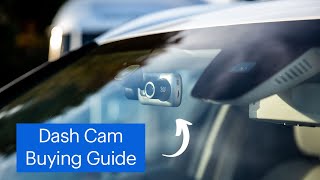
How to Choose a Dash Cam Buying Guide
 Photo by Connor Scott McManus / Pexels
How we picked these. We evaluated dashcam selection criteria across resolution needs, night vision aperture, GPS requirement, cloud vs. local storage, and parking mode technology, cross-referencing The Drive dashcam buying guide and verified consumer installation reviews.
A dash cam is one of the most practical car accessories you can add — it provides documented evidence after accidents, deters vandalism in parking lots, and can reduce insurance premiums. The market ranges from $25 budget units to $400 premium systems, and the right choice depends on how and where you drive. Here is what to prioritize.
Resolution: What Footage You Actually Need
For reading license plates at normal following distances, 1080p at 60fps is a practical floor. The step to 1440p (2K) meaningfully improves plate legibility beyond 30 feet — a realistic distance in highway rear-end scenarios. 4K offers the sharpest footage but generates large files that fill storage faster and runs hotter in confined mounting spots. More important than raw resolution is dynamic range performance: a 1080p camera with good HDR often captures more usable footage in mixed-light conditions than a poorly-tuned 4K model. See our full roundup of the best dash cams of 2026 for real-world comparisons across resolution tiers and price points.
Single vs. Dual Channel
A front-only camera captures collisions where you hit another vehicle or someone hits you from the front. A rear camera adds documentation for being rear-ended in parking lots and at intersections — statistically the most common collision type in city driving. Dual-channel systems run a cable from the main unit to a rear camera routed along the headliner, a 30 to 60 minute install. Budget dual-channel options have improved substantially; our picks for best budget dash cams include solid front-and-rear systems under $100. Rideshare and delivery drivers benefit most from dual-channel coverage since it documents passenger interactions and roadway incidents simultaneously.
Storage: Card Size and Loop Recording
All dash cams use loop recording — when the card fills, the oldest footage is overwritten automatically. At 1080p, a 32GB card holds roughly 4 to 6 hours; 128GB holds 16 to 24 hours. Use microSD cards rated U3 or V30, which are optimized for the continuous write cycles that loop recording demands. Standard Class 10 cards work but wear out faster. Replace the card every 12 to 18 months under daily use regardless of apparent functionality — worn cards can corrupt critical footage without warning. Cards marketed specifically as endurance or dash cam cards are worth the modest premium over standard options.
Parking Mode: How It Works and What It Requires
Parking mode records when the car is parked and triggers on motion or an impact detected by the G-sensor. It is the feature that captures hit-and-run damage and break-in attempts. The limitation: parking mode requires power when the car is off. Options are a hardwire kit with a constant-power fuse connection and low-voltage cutoff (most effective), an external battery pack, or a capacitor-based camera. Hardwired parking mode works indefinitely but needs a low-voltage cutoff set between 11.8 and 12.2 volts to prevent draining your car battery. Monitoring battery condition with an automotive battery tester is recommended if you run parking mode long-term.
GPS, Wi-Fi, and App Connectivity
Built-in GPS logs your speed and coordinates alongside footage — useful for insurance claims and for drivers who want objective speed data. Wi-Fi lets you pull clips to your phone without removing the SD card, which matters when you need footage immediately after an incident. App quality varies significantly: search for the specific model name plus app reviews before purchasing, as some cameras pair excellent hardware with frustrating software. Models without GPS or Wi-Fi are cheaper and fully functional if you can remove the card to access footage. See our best dash cams under $100 guide for models that include both GPS and Wi-Fi without overspending. For general vehicle upkeep between road trips, a quality car vacuum cleaner pairs well with any recording setup.
Installation Methods: Hardwire vs. OBD vs. Plug-In
How a dash cam gets power determines parking mode capability and cabin aesthetics. Cigarette lighter (12V socket) installation is the simplest — plug in and route the cable. It requires no tools and produces a dangling cable unless you tuck it under the headliner trim, which takes 5-10 extra minutes. OBD-II power adapters plug into the diagnostic port beneath the dashboard and provide constant power — they are the easiest path to parking mode without hardwiring but block access to the OBD-II port for diagnostic tools. Hardwiring to the fuse box provides the cleanest install and the most reliable parking mode. A hardwire kit ($10-20) connects to a switched fuse (active only when the car is on) and an always-on fuse (for parking mode), with a low-voltage cutoff relay to prevent battery drain. Hardwiring requires 30-60 minutes and basic confidence with fuse boxes — many installers charge $50-80 if you prefer professional installation.
Night Vision: What Makes a Dash Cam Useful After Dark
The majority of accidents and incidents happen in low light, and a dash cam that captures useful footage in darkness is meaningfully more valuable than one that produces blurry footage at night. Camera aperture (f/1.6, f/1.8, f/2.0) determines how much light the sensor captures — a lower f-number means a wider aperture and better low-light performance. This is more important than sensor resolution for night footage. Sony STARVIS and STARVIS 2 sensor designations indicate camera sensors specifically designed for low-light performance — the STARVIS sensor in mid-range dash cams produces dramatically better night footage than standard sensors at the same resolution. HDR (High Dynamic Range) processing handles high-contrast scenes (headlights in darkness, bright daylight entering a tunnel) without blowing out highlights or losing shadow detail — critical for capturing license plates when headlights are in frame. For night-specific performance, comparing sample footage from the specific model on YouTube is more informative than spec comparisons alone.
Common Dash Cam Mistakes
First: positioning the camera where it blocks the driver view. The camera must be mounted behind the rearview mirror in the mirror shadow zone — not below it where it obstructs forward sightlines. Many jurisdictions prohibit windshield-mounted devices outside the mirror shadow area. Second: not checking footage until after an incident when the card has failed. Test your camera monthly: confirm it powers on, footage records, and the microSD card reads without errors. A camera that silently fails because of a worn card is functionally useless. Third: skipping the parking mode hardwire to save $20. Parking lot damage is the most common claim-generating incident for many drivers — and it is exactly what parking mode captures. Fourth: buying a 32GB card for a dual-channel 4K setup. At 4K dual channel, 32GB fills in 2-3 hours. Use 128GB minimum for high-resolution dual-channel recording. Fifth: not saving important footage immediately after an incident. Dash cams overwrite old footage — if you are in an accident, pull the card or use the app to save the clip before driving further and risk overwriting it in the loop.
Frequently Asked Questions
What resolution dash cam do I need to read license plates?
Will a dash cam drain my car battery?
Is a dash cam legal?
What SD card should I use?
How do I hide the dash cam wires?
What is the difference between a capacitor and battery dash cam?
Do I need front and rear coverage or just front?
How We Analyze Products
We analyze Amazon review data — often thousands of reviews per product — to surface patterns that individual buyers miss. Our process aggregates star ratings, review counts, and buyer sentiment at scale, identifying which strengths and weaknesses appear consistently across the largest review samples available.
Each product earned its placement through data: total review volume, average rating, and the specific praise and complaints that repeat most often across buyers. No manufacturer paid for placement on this page. Products appear here because buyers endorsed them at scale, not because a company asked us to feature them.
We use AI to summarize review sentiment — not to fabricate opinions, but to condense what thousands of buyers actually wrote into a readable format. The pros and cons you see reflect the most common themes found in verified purchaser reviews, paraphrased for clarity. We do not claim to have accessed Reddit, YouTube, or specific publications in generating these summaries.
Prices shown reflect Amazon pricing at the time this page was last generated. Click “See Today’s Price” to get the current live price on Amazon. Read our full methodology →