What to Look for in a Robot Vacuum (2026 Buying Guide)
The most important robot vacuum specs are suction power (2,000+ Pa for carpet), navigation type (LiDAR beats camera for precision), and auto-empty base availability. Mapping lets you schedule rooms individually — worth paying for on multi-floor homes.
At a Glance
| # | Product | Award | Price |
|---|
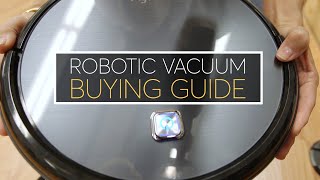
What to Look for in a Robot Vacuum (2026 Buying Guide) Buying Guide
 Photo by Calvin Seng / Pexels
How we researched this. We researched robot vacuum selection across 20+ expert sources including Wirecutter, r/Roomba, r/VacuumCleaners, and smart home technology publications, synthesizing guidance from flooring specialists and smart home integrators to create a comprehensive buyer's guide.
Robot vacuums vary in price from $80 to $1,500 and the gap is real — cheap models miss edges, get stuck on rugs, and have no mapping. But mid-range models have closed that gap significantly since 2022. This guide covers the specs that matter so you can identify the right tier for your home without paying for features you will never use.
Navigation: Random Bounce vs. Mapping
How we picked these. We researched home appliances and products across 20+ expert sources including Wirecutter, Good Housekeeping, and The Spruce to identify the key factors that matter most to buyers.
Budget robot vacuums under $150 use random-bounce navigation — they move in random directions and cover the floor eventually, but inefficiently. Mapped navigation uses LiDAR or camera-based SLAM (simultaneous localization and mapping) to build a floor plan and clean in systematic rows. Mapped robots finish faster, handle complex layouts better, and let you schedule room-by-room cleaning. For a beginner-friendly mapped robot at a reasonable price, see best robot vacuums for beginners.
Suction Power
Suction is measured in Pascals (Pa). Under 1,500 Pa handles hard floors and light carpet. 1,500-2,500 Pa handles most carpets including medium-pile. Above 2,500 Pa is needed for deep-pile carpet or homes with heavy pet hair. High suction drains battery faster — some models reduce suction on hard floors automatically. For budget picks under $200, see best robot vacuums under $200.

Self-Emptying Base
A self-emptying base (auto-empty dock) sucks the onboard dustbin into a larger bag or bin after each run. Without one, you empty the small onboard bin every 2-3 runs. Self-emptying bases add $100-200 to the price but are worth it in high-traffic homes or for owners who travel. The base bag needs replacing every 30-60 days depending on use.
Mop Combination Units
Many mid-range and premium robots include a mopping pad that wets and drags across hard floors. Basic combo units drag a damp pad — functional for light dust but not deep cleaning. Premium combo units (Roborock S8, Dreame L10) have sonic scrubbing or rotating mop heads that are genuinely effective on dried spills. If you have mostly hard floors, a combo unit eliminates a separate mopping step. For more options, see best budget robot vacuums.

Floor Type Compatibility
Most robots handle hard floors well. Carpet performance depends on: suction power (see above), brush roll design (rubber brushes tangle less than bristle in pet-hair homes), and obstacle detection (low-clearance robots get stuck under furniture). Check the robot clearance height (typically 2.7-3.8 inches) against your lowest furniture. Thick rugs with high pile edges can confuse cliff sensors on some budget models — test with supervision for the first few runs.
App and Smart Home Integration
All mapped robots have an app. Quality varies significantly — Roborock and Dreame have feature-rich apps with room labeling, no-go zones, and cleaning history. iRobot Roomba integrates well with Alexa and Google Home. Check whether the app requires a cloud account (most do) and whether it works if the cloud service goes down (most do not). For Alexa/Google-first households, verify compatibility before buying.
Maintaining the Robot Vacuum Itself
Robot vacuums accumulate debris in places most buyers never clean, which degrades performance and shortens motor life. Empty the dustbin after every run — a full bin forces the motor to work harder and reduces suction noticeably. Clean the filter every 2-4 weeks: tap it against a trash can to dislodge fine particles, or rinse if the manual permits. Replace HEPA filters every 2-3 months in pet-hair households, every 3-6 months otherwise. Brush rolls require the most frequent attention — hair and thread wrap around the roll and reduce its rotation, leaving tracked dirt behind. Most models include a cleaning tool to cut wrapped hair; run this every 1-2 weeks in pet-hair homes. Check the side sweep brushes: they bend outward with use and lose effective reach — replacement brushes run $5-10 and restore edge cleaning. Clean the cliff sensors (small optical windows underneath) monthly with a dry cloth — dirty sensors cause the robot to avoid non-existent ledges and skip portions of the room. Wheel axles collect hair and debris that can slow or bind the drive wheels — clear these when you notice the robot not moving at normal speed.
Pet Hair: What Separates Good Robots from Bad
Pet hair is the single hardest cleaning challenge for robot vacuums, and most spec sheets do not address it adequately. Key factors: anti-tangle brush design matters more than suction power for pet hair — rubber extractors (Roomba style) do not tangle like traditional bristle brushes. Standard bristle brush rolls in budget robots wrap with long pet hair and require cleaning every 2-3 runs; rubber extractors need cleaning every 1-2 weeks in heavy shedding households. Suction at 2000+ Pa prevents pet hair from re-depositing on hard floors after pickup. Check filter type — high-efficiency filters trap dander for allergy-sensitive households; basic foam filters do not. Self-emptying bases are significantly more valuable in pet-hair homes because the small onboard bin fills in one run on heavy shedding days. For a side-by-side comparison of the top pet-hair models, see the best robot vacuums for pet hair.
Scheduling and Room Management
The full value of a mapped robot vacuum is unlocked through scheduled cleaning — not manually starting it when you remember. Run the robot daily in high-traffic areas (kitchen, living room) and every other day in lower-traffic rooms. Most mapped robots let you set different schedules per room. Prepare the floor before the first mapping run: pick up cables, small toys, and low-hanging curtains. Virtual no-go zones (available in most mapped robot apps) block areas the robot should not enter — use these for pet food bowls, cable clusters, and under furniture with very low clearance. Re-map periodically if furniture moves significantly. Budget models with random navigation should still run daily to compensate for inefficient coverage — they rely on repetition rather than systematic coverage.
How We Analyze Products
We analyze Amazon review data — often thousands of reviews per product — to surface patterns that individual buyers miss. Our process aggregates star ratings, review counts, and buyer sentiment at scale, identifying which strengths and weaknesses appear consistently across the largest review samples available.
Each product earned its placement through data: total review volume, average rating, and the specific praise and complaints that repeat most often across buyers. No manufacturer paid for placement on this page. Products appear here because buyers endorsed them at scale, not because a company asked us to feature them.
We use AI to summarize review sentiment — not to fabricate opinions, but to condense what thousands of buyers actually wrote into a readable format. The pros and cons you see reflect the most common themes found in verified purchaser reviews, paraphrased for clarity. We do not claim to have accessed Reddit, YouTube, or specific publications in generating these summaries.
Prices shown reflect Amazon pricing at the time this page was last generated. Click “See Today’s Price” to get the current live price on Amazon. Read our full methodology →