How to Choose a Desk Chair in 2026: Buyer's Guide
For daily 6-8 hour desk work, spend at least $200-400 on a chair with adjustable lumbar support, seat depth adjustment, and armrest height/width adjustment. Herman Miller and Steelcase are the benchmarks; Branch and Autonomous offer strong ergonomics at lower prices.
At a Glance
| # | Product | Award | Price |
|---|
How to Choose a Desk Chair Buying Guide
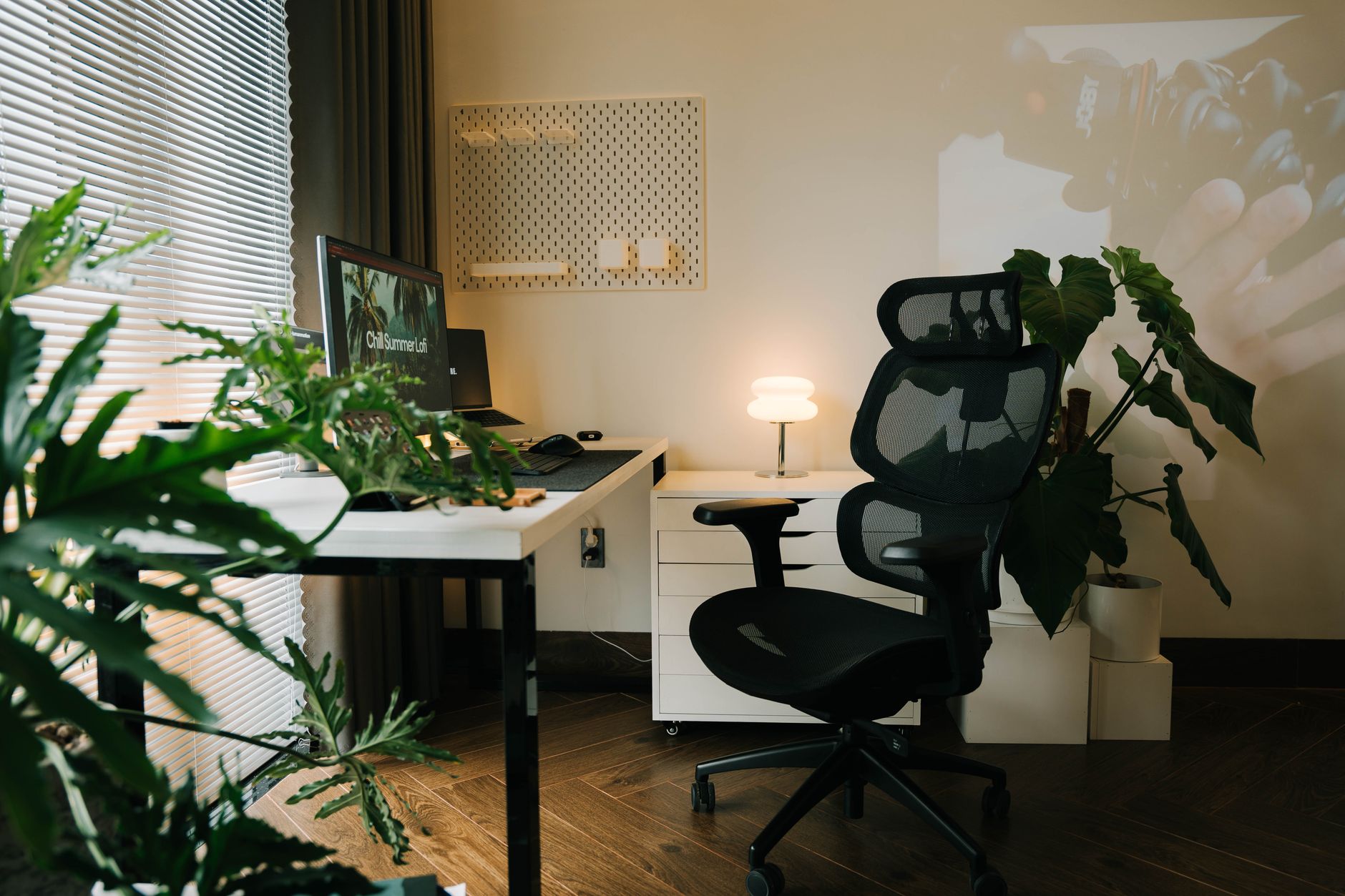 Photo by Alpha En / Pexels
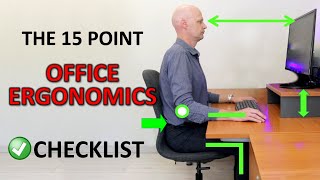
The science of ergonomic seating is well-established: neutral spine alignment, supported lumbar curve, feet flat on the floor, and forearms parallel to the desk surface. Every adjustment point on a quality desk chair serves one of these goals. Understanding which adjustments matter most helps you prioritize features within your budget.
The Four Adjustments That Matter Most
How we picked these. We researched office furniture and accessories across 20+ expert sources including Wirecutter, BTOD.com, and ergonomics research to identify the key factors that matter most to buyers.
How we researched this. We researched desk chair ergonomics across BIFMA certification standards, Cornell University ergonomics guidelines, Wirecutter long-term sit testing, and r/WorkFromHome community posture and fatigue feedback to identify the lumbar support, seat depth, and armrest adjustability that prevent fatigue during extended work sessions.
Seat height: your feet should be flat on the floor with your knees at or slightly below hip level. Most chairs offer 3-5" of height adjustment (typically 16-21" floor to seat pan). If you are very tall or short, verify the height range before purchase. Lumbar support: your lower back should be supported at the inward curve (lordosis) — without support, the lumbar curve collapses into a C-shape under prolonged sitting, compressing spinal discs. Adjustable lumbar depth and height lets you dial in support for your specific spine curve. Seat depth: the seat pan should be deep enough to support 75% of your thigh without the front edge pressing into the back of your knees. Most adjustable seat depth mechanisms allow 2-3" of range. Armrests: armrests should support your forearms at a height where your shoulders are relaxed and your elbows are at 90-100°. Armrests that are too high create shoulder elevation and trapezius tension. See the best ergonomic office chairs and best chairs for back pain.
Mesh vs. Foam/Upholstered Back
Mesh backs (Herman Miller Aeron, Steelcase Leap, Branch Ergonomic) allow airflow, preventing heat buildup during long sessions — a significant comfort factor. Mesh sags over time (usually 5-10 years in quality brands) but is generally durable in premium chairs. Foam and upholstered backs do not breathe but feel softer initially and hold their shape longer. Leather upholstered chairs look professional but are warm and can crack with age. For 8-hour desk workdays, mesh is almost universally preferred for comfort over long periods. See how Herman Miller compares to Steelcase.
Budget Tiers and What You Get
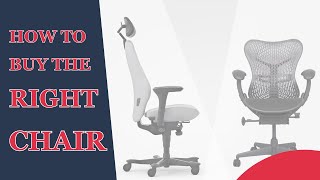
Under $150: basic adjustments (height, tilt tension), usually poor lumbar support, minimal build quality. Acceptable for occasional use; not for daily 6-8 hour work. $150-300: the most contested budget range — quality varies enormously. Good options: Branch Ergonomic Chair ($299), Autonomous ErgoChair ($349). Avoid chairs in this range without at least seat height, tilt lock, and adjustable lumbar. $300-500: meaningful ergonomic functionality. Herman Miller Cosm, Steelcase Series 1, HON Ignition 2.0 start here. $500-1000+: Herman Miller Aeron (the long-duration work standard), Steelcase Leap V2, Humanscale Freedom. These chairs are proven for decade-long daily use. See the best office chairs under $300, best budget office chairs, and the complete ergonomic office chair guide.
Chair for Back Pain: Specific Guidance
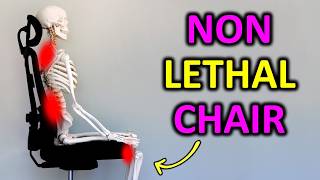
For lower back pain specifically, lumbar support position and depth are the critical adjustments — the lumbar should press into the natural curve of your lower back (not too high, not too low). The Steelcase Leap V2 has the most adjustable lumbar mechanism of any major chair. For neck and upper back pain, a headrest and adjustable upper back support help — the Herman Miller Embody has notable upper back contouring. For sciatica, a waterfall seat edge (rounded front) reduces pressure on the sciatic nerve; avoid chairs with sharp, flat seat edges. See the best chairs for sciatica and best ergonomic chairs overall.
Gaming Chairs vs. Office Chairs: The Real Comparison
Gaming chairs (DXRacer, Secretlab, Herman Miller x Logitech) are designed aesthetically for the gaming market and use a bucket-seat form factor derived from racing car seats. Racing seat design keeps you in a fixed position at high G-forces — not the position that prevents back pain at a desk. Most gaming chairs have good lumbar pillows (removable) and reclining ranges that office chairs lack, but their ergonomic adjustability for seated desk work is typically inferior to equivalent-price office chairs. If you work 8 hours at a desk and game 2 hours afterward, buy an office chair — the work hours justify the ergonomic investment. See the best ergonomic gaming chairs for options that bridge both use cases.
Frequently Asked Questions
How much should I spend on a desk chair?
What is the most important ergonomic feature in a desk chair?
How do I know if my desk chair fits me properly?
Is a Herman Miller chair worth the price?
Mesh back or foam back — which is better for long sessions?
Can a desk chair cause back pain?
What is the difference between tilt tension and tilt lock?
How We Analyze Products
We analyze Amazon review data — often thousands of reviews per product — to surface patterns that individual buyers miss. Our process aggregates star ratings, review counts, and buyer sentiment at scale, identifying which strengths and weaknesses appear consistently across the largest review samples available.
Each product earned its placement through data: total review volume, average rating, and the specific praise and complaints that repeat most often across buyers. No manufacturer paid for placement on this page. Products appear here because buyers endorsed them at scale, not because a company asked us to feature them.
We use AI to summarize review sentiment — not to fabricate opinions, but to condense what thousands of buyers actually wrote into a readable format. The pros and cons you see reflect the most common themes found in verified purchaser reviews, paraphrased for clarity. We do not claim to have accessed Reddit, YouTube, or specific publications in generating these summaries.
Prices shown reflect Amazon pricing at the time this page was last generated. Click “See Today’s Price” to get the current live price on Amazon. Read our full methodology →