Keychron vs Logitech Keyboard 2026: Mechanical vs Wireless

Logitech MX Keys wins for multi-device office workflows; Keychron K2 wins for mechanical switch enthusiasts. Choose Logitech for wireless convenience and multi-platform switching; choose Keychron for tactile typing satisfaction and customizable switches.
See Today’s Price →At a Glance
| # | Product | Award | Price |
|---|---|---|---|
| 1 | Best Mechanical | $59.99 Buy → |
|
| 2 | Best Hot-Swap | $208.69 Buy → |
|
| 3 |  Logitech MX Keys Keyboard Logitech MX Keys KeyboardLogitech |
Best Overall | $119.99 Buy → |
Keychron vs Logitech Keyboard Buying Guide
Our Top Pick
Logitech MX Keys — The best wireless keyboard for multi-device office work. Smart backlighting, Easy-Switch for three devices, and months of battery life.
Budget Pick: Keychron K2 — Genuine mechanical switches in a compact 75% layout for about $40. Bluetooth or USB-C wired, with Mac/Windows switch support.
Keychron: Built for Mechanical Enthusiasts
Keychron has become the default brand for typists and developers who want real mechanical switches without boutique custom keyboard prices. The K2 offers a compact 75% mechanical layout, while the K8 Pro adds hot-swappable switches, meaning you can swap Cherry MX, Gateron, or Keychron optical switches without soldering. This matters for anyone who wants to experiment with linear (smooth), tactile (bumpy), or clicky switch feel over time. Both keyboards support Mac and Windows layouts via a physical toggle switch — useful if you work across operating systems. Bluetooth and USB-C wired connectivity come standard on both, giving you flexibility depending on your setup.Logitech: Wireless Productivity Powerhouse
Logitech takes a completely different approach with the MX series. Rather than mechanical switches, the MX Keys uses spherically-dished keys with a scissor mechanism that feels closer to a high-end laptop keyboard — quiet, consistent, and low-travel. The standout feature is Easy-Switch: a single keypress moves the keyboard between three paired devices instantly. Battery life reaches up to 10 days with backlighting or 5 months without.Key Factors
Switch feel is personal. Keychron mechanical switches give audible and tactile feedback that many touch typists prefer. Logitech scissor switches feel more like typing on a premium laptop. Neither is objectively better — it depends entirely on what you grew up typing on. Multi-device workflow is where Logitech dominates. Switching from Mac to PC to tablet is instantaneous with Easy-Switch. Keychron requires holding Fn + a number key for 3 seconds to re-pair — more steps, less seamless. Battery life favors Logitech significantly. MX Keys runs months on a charge. Keychron's rechargeable battery runs several weeks depending on backlight usage. Great for:- Touch typists who want mechanical feedback — Keychron K2 or K8 Pro
- Multi-device power users working across Mac, PC, and tablet — Logitech MX Keys
- Switch customizers who want hot-swap capability — Keychron K8 Pro
- You need gaming-optimized anti-ghosting or N-key rollover (look at Corsair or Razer instead)
- You type in a shared quiet office and want clicky switches (distracting for colleagues)
- You need an ergonomic or split layout (neither brand focuses here)
How We Compared These
We compared Keychron and Logitech across hot-swap socket availability, wireless latency, keycap compatibility with aftermarket sets, and software-free functionality, cross-referencing expert measurements, thorough reviews, and verified owner satisfaction data.

Watch Before You Buy
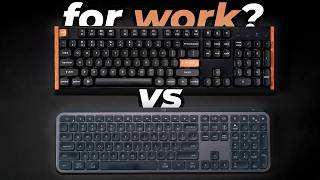
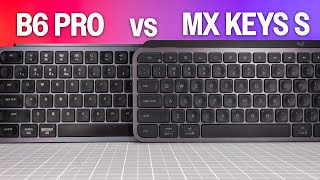
“The Keychron K2 Wireless Mechanical Keyboard Version 2 features wireless bluetooth and 2.4ghz. 4.5 stars from 1,268 Amazon reviews signal consistent reliability.”
See Today’s Price →What we like
- wireless Bluetooth and 2.4GHz
- hot-swappable switches
- compact 75% layout
- Keychron brand
Watch out for
- Compact 75% layout removes numpad and Function row — requires Fn combos
- No screen or battery indicator on older versions
- Mac layout keycaps require separate purchase
Read Full Analysis
Keychron K2 Wireless Mechanical Keyboard Version 2 is the crossover mechanical keyboard — the 75% layout eliminates the numpad while retaining the function row and arrow keys, providing a compact mechanical keyboard that fits smaller desks without sacrificing the navigation keys that full compact (65%) boards omit. Bluetooth 5.1 and USB-C wired dual-mode provides wireless flexibility with no-latency wired option for gaming. The hot-swappable switches (on the hot-swap variant) allow switch replacement without soldering, enabling customization between linear, tactile, and clicky switch types. Against Logitech MX Keys, Keychron K2 provides the mechanical switch typing experience — more key travel, tactile or clicky feedback — at a higher sound level that may not suit open offices but is preferred by touch typists who want physical confirmation of each keystroke. For remote workers and enthusiasts who want mechanical typing feel in a compact wireless form factor, Keychron K2 is the most widely recommended entry into mechanical keyboards.

“QMK/VIA fully programmable — remap every key. Best suited for power users who need full keyboard programmability and tkl form factor.”
See Today’s Price →What we like
- QMK/VIA fully programmable — remap every key
- Hot-swappable Gateron Pro switches
- TKL layout with separate function row
- South-facing RGB LEDs for better shine-through
- Multi-device Bluetooth plus wired mode
Watch out for
- More expensive than K2 for modest improvements
- Bluetooth range is average at 10 meters
- Stock keycaps could be higher quality
Read Full Analysis
Keychron K8 Pro Wireless Mechanical Keyboard (TKL, QMK/VIA) is the enthusiast-grade tenkeyless — the full 80% tenkeyless layout retains the function row while eliminating only the numpad, providing nearly a full keyboard experience in a compact footprint. QMK/VIA compatibility allows complete key remapping and macro programming through the open-source QMK firmware, making it the choice for power users who want to customize every key's function. The hot-swappable PCB supports any 3-pin or 5-pin MX compatible switch. Against Keychron K2 (75% layout), the K8 Pro's TKL layout is slightly larger but provides QMK firmware access that the K2 does not offer. Against Logitech MX Keys, the K8 Pro is fully programmable mechanical versus a polished productivity scissor switch — different tools for different user priorities. For mechanical keyboard enthusiasts who want professional-grade customization through QMK without building a custom board, K8 Pro is the recommended open-source compatible Keychron model.
“Spherical key caps reduce finger fatigue during long sessions.”
See Today’s Price →What we like
- Spherical key caps reduce finger fatigue during long sessions
- Easy-Switch connects to 3 devices via Bluetooth or USB receiver
- Smart backlight activates on proximity and adjusts to ambient light
- USB-C rechargeable — 10 days per charge
- Cross-platform Mac Windows iOS Android compatible
Watch out for
- Scissor-switch not a mechanical keyboard
- No hot-swap capability
- Premium price compared to similar chiclet keyboards
Read Full Analysis
Logitech MX Keys Advanced Wireless Illuminated Keyboard is the premium productivity keyboard — the spherically shaped keys fit fingertip curves for reduced typing fatigue during extended sessions. The Easy-Switch button connects to three devices simultaneously and switches between them with a single key press, making it the practical choice for multi-device workflows (Mac, iPad, and PC from one keyboard). The USB-C charging provides a full day of backlit typing on a single charge. Against Keychron K2 mechanical keyboard, Logitech MX Keys is a low-profile scissor-switch keyboard — quieter, thinner, and more office-appropriate than mechanical alternatives but without the tactile feedback and key travel that mechanical keyboard enthusiasts prefer. For productivity-focused professionals who move between multiple devices and want the lowest friction multi-device workflow with minimal typing fatigue, MX Keys is the most refined wireless keyboard available.
Frequently Asked Questions
Are Keychron keyboards worth it over Logitech?
Does the Logitech MX Keys work with Mac and Windows?
What is hot-swap on Keychron keyboards?
How long does the Logitech MX Keys battery last?
Is the Keychron K2 a good budget keyboard?
How We Analyze Products
We analyze Amazon review data — often thousands of reviews per product — to surface patterns that individual buyers miss. Our process aggregates star ratings, review counts, and buyer sentiment at scale, identifying which strengths and weaknesses appear consistently across the largest review samples available. The 6,358+ reviews analyzed on this page represent real verified-purchase feedback from Amazon buyers.
Each product earned its placement through data: total review volume, average rating, and the specific praise and complaints that repeat most often across buyers. No manufacturer paid for placement on this page. Products appear here because buyers endorsed them at scale, not because a company asked us to feature them.
We use AI to summarize review sentiment — not to fabricate opinions, but to condense what thousands of buyers actually wrote into a readable format. The pros and cons you see reflect the most common themes found in verified purchaser reviews, paraphrased for clarity. We do not claim to have accessed Reddit, YouTube, or specific publications in generating these summaries.
Prices shown reflect Amazon pricing at the time this page was last generated. Click “See Today’s Price” to get the current live price on Amazon. Read our full methodology →