Best Budget Cameras for Live Streaming 2026
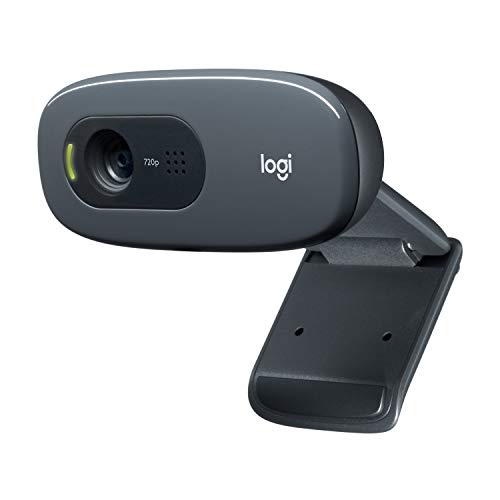
The Logitech C270 is our pick for starting out: a plug-and-play 720p/30fps webcam with RightLight 2 light correction, a noise-reducing mic and a universal clip. Choose the Logitech C920x if your stream needs 1080p; it records Full HD at 30fps with autofocus and dual stereo mics.
Holiday shopping




At a Glance
| # | Product | Award | Price | Resolution |
|---|---|---|---|---|
| 1 | Our Top Pick | $18.99 as of Nov 25, 10:40 AM CT details Buy → |
— | |
| 2 | Best Autofocus 1080p | $54.99 as of Nov 25, 10:41 AM CT details Buy → |
1080p / 720p | |
| 3 | Best 1080p with Privacy Cover | $23.74 as of Nov 25, 10:41 AM CT details Buy → |
1080p | |
| 4 | Best AI Tracking Camera | $229 as of Nov 25, 10:41 AM CT details Buy → |
— |
Score Breakdown
| Logitech C270 720p We… | Logitech C920x HD Pro… | NexiGo N60 1080P Webc… | OBSBOT Tiny 2 Webcam … | |
|---|---|---|---|---|
| Field Of View | 35 | – | 70 | – |
| Video Quality | 40 | – | 72 | – |
| Mic Capability | 50 | – | 55 | – |
Scores 0–100 from published specifications and independent reviewers' measurements. Amazon star ratings are shown separately and are never part of a score. 0 = feature not present. – = insufficient data. How we score →
Related guides we’ve checked
 Best Portable External SSDs 2026: 1TB Drives ComparedTop pick: Samsung T9 Portable SSD 1TB
 Best HDMI Switches 2026: More Sources, One TVTop pick: UGREEN HDMI 2.1 Switch 3 in 1 Out
 Best Monitors for Mac 2026: 4K USB-C and Thunderbolt PicksTop pick: Dell UltraSharp U2725QE 27-Inch 4K UHD IPS Black Monitor
Gift shopping? Holiday Gift Guide 2026: checked picks for everyone on your list.
Budget Cameras for Live Streaming Buying Guide
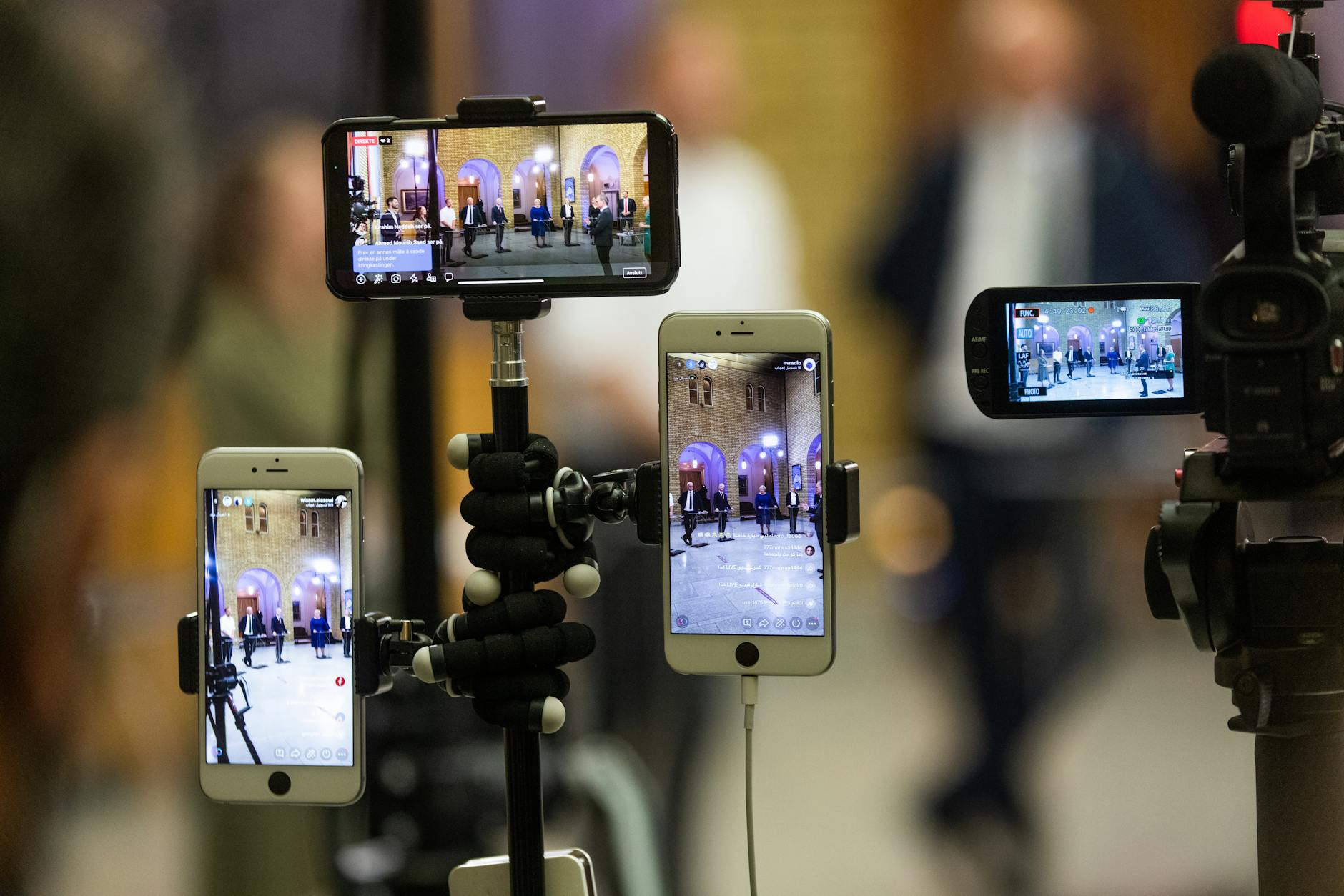 Photo by Wisam Alazawi / Pexels
A webcam is the cheapest way to start live streaming: it plugs into a USB port and works with streaming software without a capture card. This page runs from Logitech's 720p C270, a plug-and-play way to start, through two 1080p webcams, the Logitech C920x and the NexiGo N60, to the OBSBOT Tiny 2, a 4K camera that physically follows you.
Resolution and frame rate
Most viewers watch streams at 1080p or lower, so 1080p at 30 frames per second is the sensible target for a first streaming camera. The C920x and the N60 both record 1080p at 30fps. The C270 is a 720p/30fps camera: fine for video calls and a first test stream, but visibly softer on a full-screen 1080p stream. The OBSBOT Tiny 2 records 4K and lists 60fps, which matters mainly if you move a lot on camera or want room to crop in.
Focus and low light
Fixed-focus webcams such as the N60, whose lens is set for subjects about 20 inches to 13 feet away, keep you sharp at a desk but cannot pull focus to an object you hold up. The C920x has autofocus and automatic HD light correction, and the C270 uses Logitech's RightLight 2 to brighten a dim room. The OBSBOT pairs a large 1/1.5-inch sensor, which helps in dark rooms, with all-pixel autofocus that OBSBOT says locks on in 0.3 seconds. Whatever camera you buy, a lamp facing you does more for picture quality than any spec.
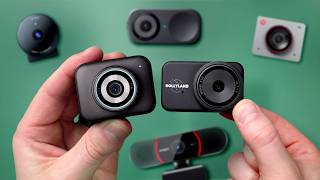
Microphones and privacy
Every camera here has a built-in microphone: the C270's noise-reducing mic reaches about 1.5 meters, the C920x has dual mics for stereo, and the N60 has a noise-cancelling mic. They are fine for a start, but a separate microphone is the first upgrade most streamers make. Of these listings, only the N60's mentions a privacy cover, and Logitech's listing for the C920x says plainly that it has no privacy shutter.
AI tracking and when it is worth it
The OBSBOT Tiny 2 is a different class of camera: a motorized pan-and-tilt head with AI tracking that follows you as you move, voice commands such as "Hi, TINY", gesture control, and modes for whiteboards, desks and groups. It also supports Stream Deck and hotkeys. Its data transfer supports USB 3.0, OBSBOT recommends a 7th-generation Intel Core i5 or later with 8GB of RAM for a PC and lists macOS 11 or later, and it can get warm in use. It makes sense once you stream regularly and move around on camera.
Which one to buy
Start with the Logitech C270 if you want a plug-and-play 720p camera to try streaming or mostly make video calls. Choose the C920x for 1080p with autofocus and stereo mics, the NexiGo N60 for 1080p with a privacy cover, and the OBSBOT Tiny 2 if you stream standing up or moving around and want the camera to follow you.
How we picked: we compared each product's own listing - what it is, what comes in the box, the specifications its maker states and the warranty - and ranked them on how well they answer this page's question. We have not tested these products in hand.
Watch Before You Buy
“Logitech's C270 is a plug-and-play 720p/30fps webcam with RightLight 2 light correction, a noise-reducing mic and a universal clip.”
See Today’s Price →What we like
- 720p at 30 fps with a diagonal 55° view
- RightLight 2 adjusts to the room's lighting
- Noise-reducing mic clear up to 1.5 meters away
- Clip folds so the webcam can sit on a shelf
Watch out for
- Video tops out at 720p
Read Full Analysis
The C270 is the plug-and-play way to start: a USB webcam that records 720p at 30 frames per second with a diagonal 55-degree field of view, which frames one person at a desk without showing much of the room. Logitech's RightLight 2 adjusts to the lighting to brighten a dim room, and the built-in noise-reducing mic picks up your voice up to about 1.5 meters away. The universal clip fits a monitor or laptop, or folds flat so the camera can sit on a shelf. It works with Skype, Zoom and other common platforms, and with the Nintendo Switch 2's GameChat mode. For streaming its limit is resolution: 720p looks soft on a full-screen 1080p stream, so step up to the C920x or the NexiGo N60 once you stream regularly.
Skip this if: Your stream needs 1080p video

“Logitech's C920x records Full HD 1080p at 30fps with autofocus, automatic HD light correction and dual stereo mics.”
See Today’s Price →What we like
- Full HD 1080p at 30fps
- Autofocus with automatic HD light correction
- Dual microphones for stereo audio
- Works with Zoom, Teams, Google Meet and OBS on Windows and macOS
- 3-month XSplit VCam license for background removal
Watch out for
- No privacy shutter
- 30fps only, with no 60fps mode
Read Full Analysis
The C920x is the 1080p step up from the C270. It records and streams Full HD at 30 frames per second, with autofocus and automatic HD light correction that brightens the picture in poor light, and two microphones for stereo sound. It works with Zoom, Microsoft Teams, Skype, Google Meet and OBS on Windows and macOS, and comes with a three-month license for XSplit VCam, which removes or blurs your background without a green screen. Two limits: it has no privacy shutter, and it tops out at 30fps, so fast movement looks less smooth than on a 60fps camera such as the OBSBOT Tiny 2. Choose it over the NexiGo N60 if you want autofocus and stereo mics.
Skip this if: You want a built-in privacy shutter

“NexiGo's N60 is a 1080p/30fps USB webcam with a fixed-focus glass lens, a noise-cancelling mic and a privacy cover.”
See Today’s Price →What we like
- Video up to 1920 x 1080 at 30fps
- Privacy cover blocks the lens when not in use
- Noise-canceling mic reduces ambient noise
- Lists Linux and Chrome OS as well as Mac and Windows
Watch out for
- Listing asks owners to contact support for a firmware update if audio delays appear
Read Full Analysis
The N60 is the fixed-focus route to 1080p. Its 2-megapixel sensor records 1920 by 1080 at 30 frames per second through a 3.6 mm glass lens with fixed focus, set for subjects from about 20 inches to 13 feet away, which suits a streamer sitting at a desk. A noise-cancelling microphone is built in, and a privacy cover blocks the lens when you are not live. It works over USB 2.0 or 3.0 without drivers on Windows, macOS, Chrome OS, Linux and Android, and NexiGo names OBS, Twitch and YouTube among its uses; it does not work with Xbox or PlayStation. Fixed focus means it will not refocus on an object you hold up to the camera; the C920x's autofocus will.
Skip this if: You show products up close and need autofocus

“OBSBOT's Tiny 2 is a 4K PTZ webcam with a 1/1.5-inch sensor, AI tracking that follows you, voice and gesture control and 0.3-second autofocus.”
See Today’s Price →What we like
- 4K video from a 1/1.5-inch sensor, with 60 FPS in its title
- PTZ head with AI tracking, plus upper-body, close-up, hand and zone tracking modes
- Voice commands such as 'Hi, TINY' and gesture control 2.0
- All-pixel autofocus in 0.3 seconds, by OBSBOT's figure
- Works with Stream Deck, global hotkeys and OBSBOT's SDK
Watch out for
- Supports USB 3.0; for a PC, OBSBOT recommends a 7th-gen Intel Core i5 or later and 8GB of RAM
- OBSBOT's listing says it can get hot during use
Read Full Analysis
The Tiny 2 works differently from the others: a motorized pan-and-tilt head with AI tracking that follows you around the frame, with extra modes for upper body, close-up, hand tracking and zone tracking. You can control it by voice, with commands such as 'Hi, TINY' and 'Track Me', or by gesture. Its 1/1.5-inch sensor is large for a webcam and helps in dim rooms, all-pixel autofocus locks on in about 0.3 seconds by OBSBOT's figure, and it records in 4K. Beauty, desktop, whiteboard, portrait and group modes cover teaching and meetings as well as streams. It supports Stream Deck, hotkeys and OBSBOT's SDK, and its data transfer supports USB 3.0. OBSBOT recommends a 7th-generation Intel Core i5 or later with 8GB of RAM for a PC, lists macOS 11 or later for a Mac, and notes it can get warm in use. It suits streamers who stand, move or demonstrate on camera; for a seated desk stream, a 1080p webcam does the job.
Skip this if: You stream seated at a desk and stay in one spot
Frequently Asked Questions
Do I need a DSLR camera for live streaming or will a webcam work?
What resolution do I need for live streaming?
Why is my webcam video blurry during streams?
What is AI framing in a webcam?
Can I use my phone as a streaming camera?
How We Chose These Products
We compare each product’s Amazon listing, the manufacturer’s published specifications and Amazon customer ratings, shown with their review counts as Amazon’s data, and rank the products on how well they answer this page’s question. We do not test products in hand and we do not run our own analysis of review text. A publication or expert is named only where we cite its published findings about that product. No manufacturer paid for placement on this page.
A price appears only when Amazon’s API supplied it at a recent daily refresh, with the date and time beside it, and is withdrawn at 4 AM Central on the day after it turns 24 hours old; otherwise use “Check price on Amazon” for the live price. Read our full methodology →
How We Score These Products
Each dimension score comes from evidence about the exact model listed — a published specification, a measurement by a named independent reviewer, or that product’s own buyer reviews, as described for each dimension below — not from a similar product in the same range. We do not test products ourselves, and we do not score a dimension we could not evidence. A dash means no evidence was found for that product, not that it performed badly.
Field Of View: From evidence about this exact model (specification, named reviewer or its own reviews).
Video Quality: From evidence about this exact model (specification, named reviewer or its own reviews).
Mic Capability: From evidence about this exact model (specification, named reviewer or its own reviews).
The overall score is the mean of the dimensions we could evidence for that product, on a 10-point scale. Price is shown separately and is never folded into a score. Amazon star ratings are shown separately and are never part of any score.