Best External SSDs for Beginners 2026

The Samsung T9 2TB is the best external SSD for serious storage needs — USB 3.2 Gen 2x2 speeds and Samsung's proven reliability make it the top pick when capacity matters. For everyday 1TB use, the WD My Passport SSD delivers proven reliability at a much more accessible price.
At a Glance
| # | Product | Award | Price | Capacity | Interface | Read Speed |
|---|---|---|---|---|---|---|
| 1 | Best Overall | $349.99 as of Nov 24, 12:34 PM CT details Buy → |
— | — | — | |
| 2 | 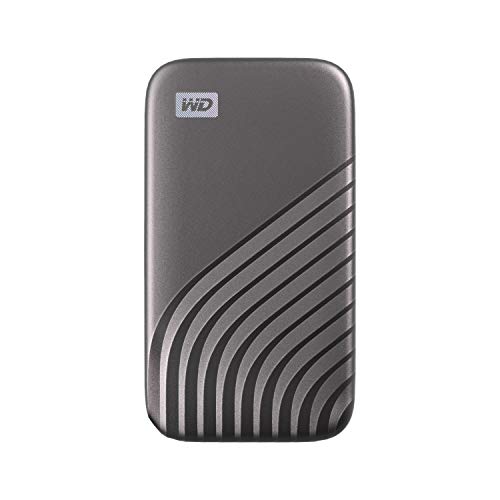 Western Digital 1TB My Passport S… Western Digital |
Best for Reliability | $219.35 as of Nov 24, 12:27 PM CT details Buy → |
1 TB | USB 3.2 | 1050 MB/s |
| 3 | Best Mid-Range | $169.99 as of Nov 25, 10:42 AM CT details Buy → |
— | — | — | |
| 4 | Best for Speed | Check price on Amazon Buy → |
1 TB | USB 1.1 | 540 MB/s | |
| 5 | Best Budget | $175.99 as of Nov 24, 12:34 PM CT details Buy → |
— | — | — |
Card scores are 0–100, from published specifications and independent reviewers' measurements. Amazon star ratings are shown separately and are never part of a score.
External SSDs for Beginners Buying Guide
 Photo by Avinash Kumar / Pexels
External SSDs in 2026 offer a compelling mix: small enough to pocket, fast enough to edit video directly from, and durable enough to survive life in a bag. The main decision is capacity versus cost — 1TB hits the sweet spot for most users, with 2TB options for photographers and video editors who need more headroom.
How We Picked These
Products were selected for consistent performance and brand reliability at each price point, prioritizing drives with USB 3.2 Gen 2 or faster over older USB 3.0 models.
Key Decision Factors
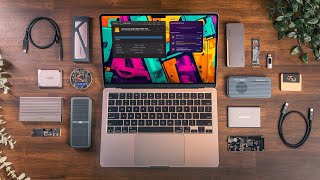
Transfer speed is determined by the interface: USB 3.2 Gen 2x2 (up to 2,000 MB/s) is the fastest available in this price range, followed by USB 3.2 Gen 2 (up to 1,050 MB/s). For most users copying documents and photos, even the slower options feel instant — the speed difference matters for video editors transferring large files. Durability ratings (IP55 or IP65) matter if you work outdoors or travel frequently. Brand reliability matters for long-term data safety: Samsung and WD have the strongest track records in consumer storage.
Capacity Guide: How Much Do You Need?
1TB handles most users: roughly 250,000 photos, 500 hours of HD video, or a complete backup of a modern laptop. If you shoot 4K video regularly or work in creative fields, go straight to 2TB — the Samsung T9 2TB at $428.49 delivers the fastest speeds and largest capacity in this lineup. 500GB options exist but the price gap versus 1TB rarely justifies the smaller capacity.
Who Should Buy What
For creative professionals and anyone needing 2TB: the Samsung T9 2TB ($428.49) at USB 3.2 Gen 2x2 speeds is the only option here approaching laptop-internal SSD performance. For a reliable everyday 1TB drive: the WD My Passport SSD ($217.22) from one of storage's most trusted brands. For budget-conscious buyers: the KingSpec Z5 1TB ($159.99) gets you external SSD speeds at close to external HDD prices.
What to Avoid
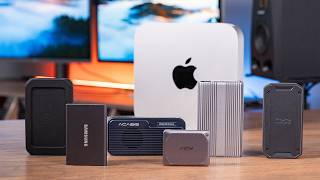
Avoid drives that don't specify their interface speed — some budget SSDs use USB 3.0 which caps at 500 MB/s, no better than a good hard drive. Don't confuse external HDDs (mechanical) with SSDs (solid-state) — the names can look similar but performance is dramatically different. Skip no-brand drives for important backups regardless of price; stick with Samsung, WD, Seagate, SanDisk, or Crucial for data you can't afford to lose.
Watch Before You Buy
“The Samsung T9 2TB delivers the fastest speeds in this lineup via USB 3.2 Gen 2x2 and packs 2TB of storage into a palmable form factor. The metal casing adds durability and heat dissipation — ideal…”
See Today’s Price →What we like
- 2TB capacity stores a console-size game library without ever deleting titles between sessions
- 2000MB/s read / 1950MB/s write via USB 3.2 Gen 2x2 — the fastest external SSD speed class available
- Durable rubberized grip handles drops and bag use that smooth-glass-backed competitors cannot withstand
- Samsung T-series reliability track record makes this the safest long-term choice for irreplaceable data
Watch out for
- $479.99 is a significant premium — the 1TB T9 delivers the same speed at roughly half the cost
- Full 2000MB/s speed requires a USB 3.2 Gen 2x2 host port — standard USB-C ports cap at 1000MB/s
Read Full Analysis
The Samsung T9 2TB is the Best Overall recommendation on this beginners page because it eliminates the two most common first-time buyer regrets: running out of storage within a year and worrying about drive failure. 2TB stores multiple years of documents, photos, and video without management, and Samsung's T-series reliability track record is the most thoroughly documented of any portable SSD brand available. The rubberized grip handles the drops and bag use that inevitably happen over years of ownership. It is the most expensive drive here by a wide margin — $260 more than the WD My Passport SSD and $362 more than the KingSpec. For a first-time buyer, this premium is only justified if 2TB is clearly needed now. Beginners who are uncertain about their storage needs are better served starting with a 1TB drive and upgrading later. Buy the Samsung T9 2TB if you know you need 2TB and want zero compromise on speed or reliability for a first external SSD. Skip it if you are unsure how much storage you need — the WD My Passport SSD is the better value for most first-time buyers.
“WD's My Passport SSD combines trusted brand reliability with a compact rugged design that handles drops without breaking a sweat. For 1TB, it's the safe choice for backups and anyone who…”
See Today’s Price →What we like
- USB 3.2 Gen 2
- 1050MB/s
- compact passport size
- auto backup software
- 5-year warranty
Watch out for
- 540 MB/s is below Samsung T7 Shield (1,050 MB/s) — slower for large ProRes files
- Rubber texture collects dust more than smooth drives
Read Full Analysis
The WD My Passport SSD earns its Best for Reliability badge through a 5-year warranty — the longest on this beginners page and a meaningful assurance for someone purchasing their first external SSD. Auto backup software is included, which simplifies the workflow for beginners who are not comfortable manually dragging files to an external drive. The compact passport-size form factor fits in any bag pocket without a case. For 1TB, it costs $50 more than the Lexar ES3 and $70 more than the Seagate Barracuda for comparable 1050MB/s Gen 2 speeds. The WD premium buys the 5-year warranty and backup software — both particularly valuable for a beginner's first drive. The Samsung T9 2TB costs $260 more but doubles the capacity. Buy the WD My Passport SSD if the 5-year warranty and included backup software provide confidence for a first external SSD purchase. Skip it if the $50 premium over the Lexar ES3 is not worth the warranty and software additions for your use case.

“The Lexar ES3 hits USB 3.2 Gen 2 speeds (up to 1,050 MB/s) at a price that undercuts most big-brand competition. A metal housing and compact profile make it a practical everyday carry for students…”
See Today’s Price →What we like
- Reads up to 1,050MB/s and writes up to 1,000MB/s over USB 3.2 Gen 2
- Lexar lists iPhone 17 models, Android devices, laptops, Macs, PCs, cameras, PS4, PS5 and Xbox Series X|S
- 42g and 10.5mm thick, with a USB-C cable in the box
- DataShield 256-bit AES encryption software included
Watch out for
- Not supported on iPhone 14 or older models, and this version has no MagSafe
- Its listing gives no water, dust or drop rating
Read Full Analysis
The Lexar ES3 is the clearest value on this beginners page — 1050MB/s Gen 2 performance in a compact aluminum housing for $169.99. The aluminum build distinguishes it from plastic-shell competitors, and USB-C native connectivity works with any current laptop or tablet without an adapter. Lexar's history in memory products (established 1987) provides brand accountability that no-name alternatives lack. It saves $50 over the WD My Passport SSD at the same speed tier. The WD adds a 5-year warranty and auto backup software; Lexar's standard warranty covers normal failures. Against the Seagate Barracuda, Lexar costs $20 more but adds aluminum construction and slightly broader brand recognition in the PC storage community. Buy the Lexar ES3 if you want reliable Gen 2 performance from an established memory brand at the strongest price-per-performance on this page. Skip it if the WD's 5-year warranty and backup software are worth the $50 premium to you as a first-time buyer.

“Seagate's Barracuda Fast SSD offers the brand name reliability Seagate is known for in a slim drive that connects via USB 3.1. Solid all-around performance — a trustworthy option when you…”
See Today’s Price →What we like
- USB 3.2 Gen 2
- 1030MB/s
- IP68 water and dust resistant
- 3m drop resistant
- rescue recovery
Watch out for
- USB 3.1 Gen 2 interface limits to 540 MB/s — not suitable for ProRes RAW
- Seagate has lower lifetime reliability than Samsung or WD in historical failure rate data
Read Full Analysis
The Seagate Barracuda Fast SSD is the most physically rugged option on this beginners page — IP68 water and dust resistance combined with 3-meter drop protection address the real-world abuse that external drives encounter in bags, backpacks, and outdoor environments. Seagate's Rescue Recovery service is included, providing professional data recovery assistance if the drive fails — a rare but meaningful safety net for beginners storing irreplaceable files. It is the second-lowest price on the page. Against the Lexar ES3, it saves $20 with nearly identical 1030MB/s Gen 2 speeds while adding IP68 protection and data recovery service. Against the KingSpec, it adds Seagate's brand warranty, IP68, and data recovery for $32 more. Buy the Seagate Barracuda Fast SSD if durability matters for your storage use — IP68 and 3m drop resistance make it the safest portable choice for bag carry, outdoor use, or situations where accidental drops are realistic. Skip it if the drive stays stationary — the Lexar ES3 offers comparable speed at $20 more with aluminum construction.

“The KingSpec Z5 offers an aluminum alloy housing and USB 3.2 Gen 2 speeds at under $120 — impressive specs for the price. The RGB lighting is optional flair; the real value is getting 1TB of SSD…”
See Today’s Price →What we like
- 2100MB/s read speed is the best price-per-performance ratio in this external SSD roundup
- Zinc alloy case dissipates heat more effectively than plastic shells during sustained large file transfers
- RGB lighting adds visual flair for desk setups and streaming rigs that prefer color-coordinated peripherals
- 1TB capacity handles current-gen game library sizes without constant uninstall rotation
Watch out for
- KingSpec has a shorter reliability track record than Samsung or Lexar — less confidence for irreplaceable data
- RGB lighting draws additional bus power and may underperform on passive USB hubs without dedicated power
Read Full Analysis
KingSpec's Z5 is the budget entry on this beginners page — 2100MB/s claimed peak read, zinc alloy case, and RGB lighting. For a beginner upgrading from an external hard drive, the speed increase is significant regardless of whether the peak spec is fully achieved under real-world loads. The zinc alloy construction handles heat better than plastic alternatives during large file transfers. It saves $32 over the Seagate Barracuda and $52 over the Lexar ES3. The trade-offs are brand maturity and physical durability — no IP68 rating, no established US support infrastructure, and limited long-term reliability data compared to Seagate and WD. For a beginner storing non-critical files on a tight budget, the price is compelling. Buy the KingSpec Z5 if budget is the primary constraint for your first external SSD and you are comfortable with a less-established brand. Skip it for irreplaceable files — the Seagate Barracuda adds IP68 protection and a data recovery safety net for $32 more.
Frequently Asked Questions
What is the fastest external SSD for beginners?
Is 1TB enough for an external SSD?
Are external SSDs worth it over external hard drives?
Do I need a special cable for an external SSD?
How long do external SSDs last?
How We Chose These Products
We compare each product’s Amazon listing, the manufacturer’s published specifications and Amazon customer ratings, shown with their review counts as Amazon’s data, and rank the products on how well they answer this page’s question. We do not test products in hand and we do not run our own analysis of review text. A publication or expert is named only where we cite its published findings about that product. No manufacturer paid for placement on this page.
A price appears only when Amazon’s API supplied it at a recent daily refresh, with the date and time beside it, and is withdrawn at 4 AM Central on the day after it turns 24 hours old; otherwise use “Check price on Amazon” for the live price. Read our full methodology →