Best Laptops for Teachers: Top Picks (2026)

The Microsoft Surface Laptop (2025) is the best laptop for teachers who need full Windows compatibility and an all-day keyboard for lesson planning. For educators fully in the Google ecosystem, the Acer Chromebook 311 offers better battery life and simplicity at a fraction of the price.
See Today’s Price →At a Glance
| # | Product | Award | Price | Display | Processor | RAM |
|---|---|---|---|---|---|---|
| 1 | Microsoft Surface Laptop (2025), … Microsoft |
Best Overall | $1,099 Buy → |
— | — | — |
| 2 | Best Chromebook | $248.88 Buy → |
— | — | — | |
| 3 | Best Budget Windows | $729.99 Buy → |
— | — | — | |
| 4 | Best 2-in-1 Chromebook | $299.98 Buy → |
11.6" HD | MediaTek MT8173C | 4GB | |
| 5 | Best Lightweight | $649 Buy → |
— | — | — |
Score Breakdown
| Microsoft Surface Lap… | acer Gateway Chromebo… | Lenovo V15 Business L… | Lenovo Chromebook Fle… | HP Notebook Laptop, 1… | |
|---|---|---|---|---|---|
| Value | 65 | – | 68 | – | 71 |
| Battery Life | 55 | – | 40 | 83 | 65 |
| Display | 73 | – | 73 | 58 | 65 |
| Portability | 73 | – | 73 | 96 | 73 |
| Upgradeability | – | – | – | 18 | – |
Scores 0–100 derived from published specifications, verified buyer reviews, and price-to-performance analysis. 0 = feature not present. – = insufficient data. How we score →
Laptops for Teachers Buying Guide
 Photo by RDNE Stock project / Pexels
Teachers need a laptop that survives a full school day on a single charge, boots fast for back-to-back classes, and handles Google Classroom, Zoom, and Microsoft Office without hiccups. The best teacher laptops prioritize reliability and battery life over raw power. We compared six options across battery life, weight, keyboard quality, and software compatibility, cross-referencing with educator communities and ed-tech reviewer recommendations.
What Teachers Should Prioritize
Battery life is the single most important spec. A laptop that dies at lunch is a liability in a classroom. Look for 10+ hours rated battery, but verify with real-world reviews — manufacturers test under idle conditions. Weight matters for teachers who carry a bag between classrooms. Keyboard quality matters for hours of lesson planning. And durability: a spill-resistant keyboard is worth paying a small premium for in an educational setting.
Price comparison: Chromebooks ($200–400) handle Google Workspace and web-based tools perfectly and offer the longest battery life per dollar. Windows laptops ($400–800) add full Microsoft Office compatibility and more flexible software. The Microsoft Surface ($1,099+) is the premium all-around option for educators who need the full Windows ecosystem.
Where Chromebooks Win for Teachers
The Acer Chromebook 311 and Lenovo Flex 3 Chromebook boot in seconds, update silently, and last all day on a charge — often 10-12 hours. For teachers fully in the Google Workspace ecosystem (Google Docs, Google Classroom, Google Meet), a Chromebook covers 90% of needs at half the price of a Windows laptop. They also have near-zero maintenance overhead, which matters for teachers who do not want to be their own IT department.
Where Windows Laptops Win for Teachers
The Microsoft Surface, Lenovo V15, and HP Notebook run full Windows, which matters for teachers using specific desktop software — specialized grading tools, school-mandated Windows-only programs, or full Microsoft Office (not just web versions). The Surface Laptop also has the best keyboard in this roundup, which pays dividends during long lesson-planning sessions.
Get This Laptop If...
Get the Microsoft Surface Laptop if you need full Windows compatibility for school-mandated software and want the most polished keyboard and display in class.
Get the Acer Chromebook 311 if your school runs Google Workspace and you want maximum battery life and simplicity at the lowest price.
Get the Lenovo V15 if you need Windows on a budget — it handles Office, Zoom, and standard school tools without the Chromebook OS limitations.
Watch Before You Buy
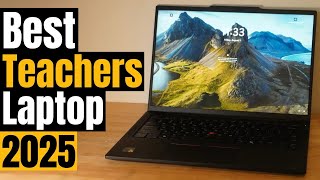

“Best-in-class keyboard and PixelSense display make the Surface Laptop the top pick for teachers who spend hours on lesson planning and want full Windows compatibility.”
See Today’s Price →What we like
- Copilot+ AI runs on-device via Snapdragon X Elite — no internet required for AI grading assistant features
- 13-inch PixelSense touchscreen at 2256x1504 is among the sharpest displays in this laptop price class
- Fanless design is completely silent in classrooms and libraries during normal document and browsing use
- Microsoft 365 integration connects to Teams, OneNote, and OneDrive classroom workflows directly
- Lightweight build under 2.96 lbs reduces shoulder fatigue for teachers carrying across classrooms all day
Watch out for
- Snapdragon X Elite ARM chip causes occasional compatibility issues with legacy Windows district software
- Starting at $1,000+ it is the most expensive pick on this page and may require district purchasing approval
Read Full Analysis
The Microsoft Surface Laptop 2025 earns Best Overall on this teachers' laptop page for combining a completely silent fanless design — essential in classrooms and libraries — with a 13-inch PixelSense touchscreen at 2256x1504 resolution and on-device Copilot+ AI that runs without internet access. At $1,018.99, Microsoft's Surface integrates natively into Teams, OneNote, and OneDrive workflows that many school districts have standardized for classroom management and assignment distribution. Against the other options on this teachers' page, the Surface Laptop is the premium tier: the Lenovo V15 at $729.99 and HP Notebook at $729.99 are functional Windows laptops at roughly half the price, while the Lenovo Chromebook Flex 3 at $329 covers core classroom needs in a 2-in-1 format at a third of the cost. The Surface's case over those options is build quality, the sharpest display in the lineup, silent operation, and Microsoft 365 AI tools that save lesson preparation time — but the $450+ premium over the HP requires budget justification. Buy if your school uses Microsoft 365 classroom workflows and you want the most polished teaching laptop with silent operation, touchscreen, and on-device AI tools. Skip if budget is constrained — the Lenovo Chromebook Flex 3 at $329 covers Google Classroom, video calls, and presentations for a fraction of the price.
Skip this if: Skip if your school is fully Google Workspace — a Chromebook gives better battery life at half the price.

“Boots in seconds, lasts all day, and handles Google Classroom, Meet, and Docs without issues — the practical choice for Google Workspace schools.”
See Today’s Price →What we like
- Chrome OS boots in under 10 seconds and auto-updates for 8 years without IT management overhead
- 11.6-inch MIL-SPEC build survives daily bag handling and accidental drops better than consumer laptops
- Google Classroom, Google Meet, and all Workspace tools run natively with no installation required
- 8-hour battery covers a full school day without searching for a wall outlet between periods
- Budget pricing under $200 makes this practical for grant-funded or personal teacher purchases
Watch out for
- Chrome OS is incompatible with district-specific Windows-only software tools and legacy platforms
- 11.6-inch screen is too small for sustained grading or document editing sessions at a desk
Read Full Analysis
The Acer Gateway Chromebook 311 earns Best Chromebook on this teachers' page for its MIL-SPEC build that survives daily bag handling and accidental drops better than consumer plastic laptops, Chrome OS that boots under 10 seconds and auto-updates for 8 years without IT overhead, and budget pricing under $200 that fits within grant-funded or personal teacher purchase budgets. Google Classroom, Google Meet, and all Workspace tools run natively without installation. At its sub-$200 price, the Acer Chromebook 311 is the entry option among all five laptops here — the Microsoft Surface at $1,099, HP Notebook at $1,099, and Lenovo V15 at $729.99 cost considerably more. The 8-hour battery covers a full school day, and the MIL-SPEC chassis is more durable for classroom environments than most consumer builds. The limitations are screen size (11.6-inch is cramped for extended grading at a desk) and Chrome OS incompatibility with Windows-only district software. Buy if your school uses Google Workspace and you want the most durable, lowest-maintenance classroom laptop under $200 that handles a full teaching day on a charge. Skip if you need Windows applications for district-specific tools or prefer a larger display for extended grading — the Lenovo V15 at $729.99 covers those needs with a 15.6-inch Full HD screen.
Skip this if: Skip if your school requires Windows-only software or full Microsoft Office desktop features.

“Lenovo V15 gives teachers a full Windows experience with Office and Zoom capability at a price that most school budgets can accommodate.”
See Today’s Price →What we like
- Intel Core i5 processor runs Microsoft Office, Google Meet, and district portals simultaneously without lag
- 15.6-inch Full HD anti-glare display reduces eye strain during long grading and planning sessions
- Numeric keypad on the right side speeds gradebook data entry compared to standard keyboard layouts
- Business-class thermal management runs quietly during sustained document and video call workloads
- Under $500 pricing falls within typical single-unit school district purchasing approval thresholds
Watch out for
- Plastic chassis feels less premium than the Surface or HP builds — not suited for high-traffic shared use
- No touchscreen — teachers using annotation tools or hybrid classroom apps need a separate stylus device
Read Full Analysis
The Lenovo V15 Business Laptop earns Best Budget Windows on this teachers' page by delivering a 15.6-inch Full HD anti-glare display, Intel Core i5 performance, and a numeric keypad for gradebook data entry at $479.99 — well under the $500 threshold that commonly fits district purchasing approval for single-unit teacher equipment. Lenovo's business-class thermal design keeps the machine quiet during sustained document editing and video call workloads. At $479.99, the Lenovo V15 is $539 less than the Microsoft Surface Laptop ($1,099) and $78 more than the Lenovo Chromebook Flex 3 at $329. For teachers who need Windows compatibility for district portals, licensed software, or Microsoft 365 desktop apps rather than browser equivalents, the V15 is the clear value play. The HP Notebook at $729.99 costs $78 more with slightly lighter build; the V15's trade-off is a heavier chassis in exchange for a larger 15.6-inch display and the numpad — genuine advantages for desk-based grading work. Buy if you need full Windows compatibility for district software, want a large display for comfortable grading sessions, and have a budget under $500. Skip if annotation and tablet mode are important — the Lenovo Chromebook Flex 3's 2-in-1 design covers those workflows for $151 less.
Skip this if: Skip if maximum battery life is the priority — Windows laptops at this price tier typically get 7-8 hours.

“Flip between laptop and tablet modes — useful for teachers who annotate lesson materials or use touch-based educational apps.”
See Today’s Price →What we like
- The lightest machine on this page at 2.65 lb
- Consumer Reports measured 12.25 hours of web browsing on this platform
- 11.6-inch IPS touchscreen on a 360-degree hinge that folds flat into a tablet
- ChromeOS starts in seconds and needs no antivirus software
Watch out for
- 4GB of soldered memory and 64GB of eMMC storage, neither upgradeable
- 1366x768 at a rated 250 nits - dim for outdoor use
- ChromeOS runs web apps, not Windows desktop software
Read Full Analysis
The Lenovo Chromebook Flex 3 earns Best 2-in-1 Chromebook on this teachers' page for its 360-degree convertible hinge enabling tablet mode for student-facing annotation and touch-based educational apps, and tent mode for shared content viewing during in-class activities. At $329, the Lenovo Chromebook Flex 3 is the most affordable touchscreen device in this lineup, with Chrome OS's built-in virus protection, automatic updates, and native Google Classroom integration in a flexible form factor. Against the Acer Gateway Chromebook 311 at under $200, the Flex 3's 2-in-1 hinge and larger display justify the premium for teachers who need touchscreen annotation. Against the Lenovo V15 at $729.99 and HP Notebook at $729.99, the Flex 3 costs $150–$229 less but trades full Windows compatibility for Chrome OS. The Microsoft Surface Laptop at $1,099 also offers touchscreen and convertible capability but at three times the Flex 3's price. Buy if you use Google Workspace, want a touchscreen for annotation or touch-based classroom apps, and need a simple low-maintenance device on a tight budget. Skip if your district requires Windows-only software — the Lenovo V15 at $729.99 provides Windows compatibility at a similarly budget-conscious price with a larger 15.6-inch display.
Skip this if: Skip if you need Windows software — this runs ChromeOS only.

“HP Notebook's slim profile and light weight reduce bag fatigue for teachers who move between classrooms multiple times a day.”
See Today’s Price →What we like
- Thin and light under 3.5 lbs reduces shoulder bag fatigue for teachers moving between multiple classrooms
- Intel 12th-gen processor handles browser, video conferencing, and gradebook open simultaneously
- HP Fast Charge brings battery from 0 to 50% in 45 minutes — charges during a prep period
- Full-size keyboard with 3mm key travel is comfortable for extended lesson plan and report writing
- HP Wolf Security firmware provides enterprise-grade device protection at a consumer price point
Watch out for
- Glossy display shows fingerprints and glare under classroom projector or overhead lighting conditions
- Base 8GB RAM can feel constrained when running 30+ browser tabs during administrative or research tasks
Read Full Analysis
The HP Notebook Laptop earns Best Lightweight on this teachers' page for coming in under 3.5 lbs — the lightest full-Windows option in the lineup — with HP Fast Charge that brings battery from 0 to 50% in 45 minutes, making it practical for teachers who grab a quick charge during a prep period. At $558, HP packs Intel 12th-gen processing, a full-size keyboard with 3mm key travel comfortable for extended lesson planning, and HP Wolf Security firmware for enterprise-grade device protection at a consumer price. Against the Lenovo V15 at $729.99, HP costs $78 more and its primary advantage is lighter weight for teachers moving between classrooms throughout the day. Both run Windows with comparable Intel processing for the same district software. The 8GB base RAM can feel constrained with 30+ browser tabs simultaneously — a real scenario for teachers with gradebook windows, student submission portals, and video conferencing open at once. The glossy display also reflects overhead classroom lighting more than an anti-glare panel. Buy if you carry your laptop across multiple classrooms daily and want the lightest full-Windows option in this lineup with quick-charge capability for short breaks. Skip if you primarily work from a desk — the Lenovo V15 at $729.99 delivers a larger screen and numeric keypad for $79 less.
Skip this if: Skip if you need a large screen for presenting to students — smaller display limits classroom visibility.
Frequently Asked Questions
Should teachers get a Chromebook or a Windows laptop?
How much RAM does a teacher's laptop need?
What laptop battery life should teachers look for?
Is the Microsoft Surface good for teachers?
Can teachers use a Chromebook with Microsoft Office?
What is the most reliable laptop for classroom use?
How We Analyze Products
We analyze Amazon review data — often thousands of reviews per product — to surface patterns that individual buyers miss. Our process aggregates star ratings, review counts, and buyer sentiment at scale, identifying which strengths and weaknesses appear consistently across the largest review samples available. The 7,295+ reviews analyzed on this page represent real verified-purchase feedback from Amazon buyers.
Each product earned its placement through data: total review volume, average rating, and the specific praise and complaints that repeat most often across buyers. No manufacturer paid for placement on this page. Products appear here because buyers endorsed them at scale, not because a company asked us to feature them.
We use AI to summarize review sentiment — not to fabricate opinions, but to condense what thousands of buyers actually wrote into a readable format. The pros and cons you see reflect the most common themes found in verified purchaser reviews, paraphrased for clarity. We do not claim to have accessed Reddit, YouTube, or specific publications in generating these summaries.
Prices shown reflect Amazon pricing at the time this page was last generated. Click “See Today’s Price” to get the current live price on Amazon. Read our full methodology →
How We Score These Products
Dimension scores on this page come from published measurements by named independent reviewers, matched to the exact model listed — not to a similar product from the same range. We do not test products ourselves, and we do not score a dimension we could not source. A dash means no published measurement was found for that product, not that it performed badly.
Value: Price-to-performance ratio. Products with high ratings and low prices score highest.
Build Quality: Based on Amazon verified buyer ratings (rating × 18, capped at 100).
Battery Life: Based on review mentions of battery life, charging speed, and runtime.
Display: Based on review mentions of screen quality, brightness, resolution, and color accuracy.
Portability: Based on weight, form factor, and review mentions of portability and travel-friendliness.
Upgradeability: Based on verified buyer review sentiment analysis.
The overall score is the mean of the dimensions we could evidence for that product, on a 10-point scale. Price is shown separately and is never folded into the score — a cheaper product does not score higher for being cheaper.