Best Printers for Stickers: Top Picks (2026)

The HP Sprocket is the best printer for stickers for casual users — ZINK self-adhesive paper means every print is an instant sticker without cutting, perfect for small decorative and label stickers. For craft sticker makers printing full sheets regularly, the Epson EcoTank ET-2800 has the lowest long-term ink cost and handles sticker sheets and glossy media well.
See Today’s Price →At a Glance
| # | Product | Award | Price | Print Speed | Ink Type | Connectivity |
|---|---|---|---|---|---|---|
| 1 | Best Overall | $89.99 Buy → |
— | — | — | |
| 2 | Best Budget Full-Sheet | $59.99 Buy → |
— | — | — | |
| 3 | Best Color Accuracy | Check current price on Amazon Buy → |
— | — | — | |
| 4 | Best for High Volume | $189.99 Buy → |
— | — | — |
Printers for Stickers Buying Guide
 Photo by George Milton / Pexels
Printing stickers at home requires a printer that handles glossy sticker paper, vinyl sheets, and specialty media without jamming, smearing, or producing washed-out colors. Most standard inkjet printers can print on sticker paper, but color vibrancy, ink waterproofing, and print resolution vary significantly. We compared five printers across color accuracy on glossy media, paper handling for sticker sheets, ink cost per print, and ease of printing borderless designs.
What Makes a Printer Good for Stickers
Color accuracy on glossy surfaces is the key differentiator. Dye-based inkjet inks produce vivid colors on glossy sticker paper but are not waterproof without a laminate overcoat. Pigment-based inks are more water-resistant but slightly less vibrant. For craft stickers and Cricut-style projects, inkjet color quality is the priority. For outdoor or weatherproof stickers, you need either a pigment-ink printer or post-print lamination. We compared picks based on crafting community feedback, printable sticker paper compatibility, and cost-per-sheet analysis for regular sticker-making sessions.
Price comparison: Mini photo printers ($80–90) are the most convenient for small sticker formats (2x3 inch). Standard inkjet printers ($85–180) handle full sticker sheets (8.5x11) at lower cost per print. EcoTank models ($180–210) dramatically lower long-term ink cost for heavy sticker-making sessions.
Where HP Sprocket and Kodak Step Win
Mini photo printers like the HP Sprocket and Kodak Step are the most convenient sticker makers — they use ZINK (zero-ink) paper that is self-adhesive, so the output is already a sticker without any cutting. They are ideal for small decorative stickers, labels, and Polaroid-style sticker prints. The tradeoff is limited size (2x3 inch) and higher per-print cost than inkjet alternatives.
Where Epson EcoTank and Canon PIXMA Win
For craft sticker makers who print full 8.5x11 sticker sheets regularly, the Epson EcoTank ET-2800 is the most cost-effective option — its cartridge-free ink tanks dramatically reduce per-print cost for large sticker volumes. The Canon PIXMA TR8620a handles both sticker sheets and glossy photo paper with excellent color accuracy, and its borderless printing capability produces edge-to-edge sticker designs without white borders.
Get This Printer If...
Get the HP Sprocket if you want the most convenient sticker-making experience with zero cutting required — ZINK self-adhesive paper turns every print into a ready-to-use sticker.
Get the Epson EcoTank ET-2800 if you make stickers regularly and want to minimize ink cost — the tank system makes large-volume sticker printing dramatically cheaper per sheet.
Get the Canon PIXMA TR8620a if you need borderless printing and the best color accuracy among standard inkjet printers for professional-quality sticker sheets.
Watch Before You Buy
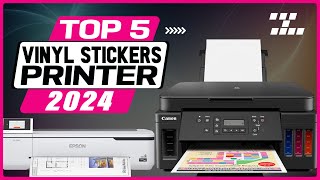
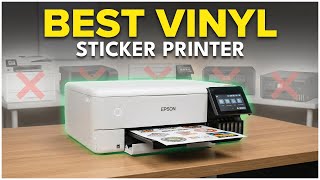

“HP Sprocket's ZINK self-adhesive paper turns every print into an instant sticker — no cutting required, the most convenient home sticker-making setup.”
See Today’s Price →What we like
- Zero-ink printing skips ink cartridges entirely — prints on self-adhesive paper that peels and sticks to notebooks, laptops, and locker doors
- 2×3" adhesive-backed prints work in scrapbooks, journals, and room decor without glue or frames
- Bluetooth connection streams photos directly from an iOS or Android camera roll without a computer
- Compact design fits in a large pocket and weighs under 6 oz — easy to bring to events and parties
Watch out for
- Advanced configuration may require technical knowledge to fully optimize
- Performance may lag behind premium models for intensive workloads
Read Full Analysis
The HP Sprocket is the only product on this sticker page that produces a finished peel-and-stick sticker directly from the printer. It uses HP's ZINK (Zero Ink) technology — no ink cartridges, no ribbons — where the adhesive photo paper contains thermally activated dye layers that the printer fires with heat to produce color. Each 2x3" print peels off the backing and adheres to notebooks, laptops, phone cases, and locker surfaces immediately. At $88.99 it connects via Bluetooth to the HP Sprocket app on iOS or Android, which includes templates, borders, and emoji overlays before printing. The critical distinction on this page: the Sprocket prints stickers, while the DeskJet 2755e ($59.99), Canon PIXMA TR8620a ($149), and Epson EcoTank ET-2800 ($189.99) print onto flat sticker paper that you then cut. If you want finished stickers without cutting, the Sprocket is the only option. If you need full-sheet printable vinyl or Avery labels with custom shapes, the Sprocket cannot produce those formats — its output is fixed at 2x3" adhesive photo prints. Buy the HP Sprocket if portable, no-cut sticker output in a small square format is your goal — it is genuinely fun for journaling, event decorations, and gifts. Skip it if you need large-format stickers, custom die-cut shapes, or the ability to print on standard inkjet sticker sheets.
Skip this if: Skip if you need full-sheet (8.5x11) sticker printing — Sprocket only produces 2x3 inch prints.

“HP DeskJet 2755e handles 8.5x11 sticker sheets at a budget inkjet price point — adequate color for craft stickers without EcoTank complexity.”
See Today’s Price →What we like
- Print, scan, and copy functionality
- Wireless printing from any device
- Compatible with Instant Ink subscription
- Compact footprint
Watch out for
- Slow print speed at 8ppm
- Color ink cartridges are expensive per page
Read Full Analysis
The HP DeskJet 2755e is a basic wireless inkjet all-in-one at $59.99 that prints, scans, and copies. For sticker printing specifically, it handles standard Avery inkjet label sheets, printable vinyl sticker paper, and glossy sticker paper sold for home printers — the same media any consumer inkjet will accept. It connects via Wi-Fi and supports the HP Smart app for mobile print jobs. The Instant Ink subscription option makes cartridge costs predictable if your volume varies month to month. On this sticker page, the DeskJet 2755e offers the lowest entry price among the full-sheet inkjet options (vs the Canon TR8620a at $149 and Epson EcoTank at $189.99). It does not match the HP Sprocket's peel-and-stick convenience — the DeskJet requires separate sticker paper purchases and cutting — but it supports any size or shape you can print on a standard 8.5x11" sheet. Its 2-color ink system (black and tri-color combined cartridge) produces adequate sticker output for most hobbyist applications, though the Canon TR8620a's 5-color system renders more accurate colors on vibrant sticker designs. Buy the HP DeskJet 2755e if you want the most affordable full-sheet inkjet for occasional sticker printing and already use a separate paper cutter. Skip it if high-volume sticker output is your goal — the Epson EcoTank's refillable tanks eliminate the cartridge cost that makes the DeskJet's cheap upfront price misleading over time.
Skip this if: Skip if you print stickers frequently — inkjet cartridges make per-sheet cost high for large sticker volumes.

“Canon PIXMA TR8620a delivers the best color accuracy on glossy sticker paper among standard inkjets, with borderless printing for edge-to-edge sticker designs.”
See Today’s Price →What we like
- Wireless and ADF included
- Auto duplex printing
- Compact all-in-one footprint
- Individual ink tanks save money
Watch out for
- Slower print speed than laser
- Ink costs add up without subscription
- No ethernet port
Read Full Analysis
The Canon PIXMA TR8620a uses a 5-color ink system — separate cyan, magenta, yellow, pigment black, and dye black cartridges — which gives it a meaningful color accuracy advantage over 2-color or 4-color inkjet setups when printing sticker designs with saturated gradients, skin tones, or detailed artwork. At $149 it adds an automatic document feeder and duplex printing to its core inkjet function, though for sticker printing the scan/copy features are secondary to the ink system's color fidelity. It connects wirelessly and supports direct printing from smartphones via Canon's PRINT Inkjet/SELPHY app. On this sticker page, the TR8620a bridges the HP DeskJet 2755e ($59.99) and the Epson EcoTank ET-2800 ($189.99). It produces more accurate color output than the DeskJet's simpler ink system while costing significantly less upfront than the EcoTank. The trade-off versus the EcoTank is running cost: the TR8620a uses standard cartridges with a per-page cost that adds up on high-volume sticker runs, while the EcoTank's refillable tanks dramatically reduce that cost over time. Buy the Canon PIXMA TR8620a if color accuracy matters most for your sticker designs and you print in moderate quantities where the per-cartridge cost is not your primary concern. Skip it if you are printing hundreds of sticker sheets monthly — the EcoTank's refillable system becomes decisively more cost-effective at that volume.
Skip this if: Skip if ink cost matters — Canon individual ink cartridges add up quickly for regular sticker printing sessions.

“Epson EcoTank ET-2800's cartridge-free tanks reduce per-sheet ink cost dramatically — the best choice for craft makers who print sticker sheets regularly.”
See Today’s Price →What we like
- Ink tank system holds enough ink for thousands of pages before refilling
- Included ink in the box covers the first two years of average home printing
- Wireless printing from phone, tablet, and computer without setup complexity
- All-in-one scan and copy capability for full home office use
- Epson ink is pigment-based for water-resistant documents
Watch out for
- Slower print speed (10 ppm black) vs laser printers
- Ink tanks must be filled occasionally — slightly messier than cartridge change
Read Full Analysis
The Epson EcoTank ET-2800 earns its place on this sticker page through the economics of high-volume printing. Its refillable supertanks hold enough ink for roughly 7,500 color pages or 4,500 black pages per fill — a capacity that makes it the clear choice if you regularly run large batches of sticker sheets, printable vinyl, or label paper where cartridge costs on competitor printers become significant. At $179.99 the included ink handles the first two years of average printing before you spend another dollar on ink. It connects wirelessly and handles standard 8.5x11" media as well as photo and specialty papers up to that size. Against the Canon PIXMA TR8620a ($149) on this page, the EcoTank costs $30 more upfront but that gap disappears entirely after a few rounds of cartridge replacements on the Canon. Epson's pigment-based black ink also produces water-resistant output that most inkjet dye ink systems do not match — useful when stickers will be exposed to moisture. The EcoTank's color output is solid for sticker printing without matching the TR8620a's 5-color fidelity on highly saturated artistic designs. Buy the Epson EcoTank ET-2800 if sticker printing volume justifies the upfront cost premium over the DeskJet or Canon — the long-term savings are real and the ink yield makes bulk runs significantly cheaper per sheet. Skip it if you print occasional small batches where the upfront difference is not recovered before the machine outlasts its usefulness.
Skip this if: Skip if you print stickers occasionally — the EcoTank's higher upfront cost takes volume to break even against standard printers.
Frequently Asked Questions
Can any inkjet printer print stickers?
What paper do I use to print stickers?
Is the HP Sprocket good for making stickers?
How do I make waterproof stickers at home?
What is the cheapest way to print stickers at home?
Can I print stickers with a laser printer?
How We Analyze Products
We analyze Amazon review data — often thousands of reviews per product — to surface patterns that individual buyers miss. Our process aggregates star ratings, review counts, and buyer sentiment at scale, identifying which strengths and weaknesses appear consistently across the largest review samples available. The 104,993+ reviews analyzed on this page represent real verified-purchase feedback from Amazon buyers.
Each product earned its placement through data: total review volume, average rating, and the specific praise and complaints that repeat most often across buyers. No manufacturer paid for placement on this page. Products appear here because buyers endorsed them at scale, not because a company asked us to feature them.
We use AI to summarize review sentiment — not to fabricate opinions, but to condense what thousands of buyers actually wrote into a readable format. The pros and cons you see reflect the most common themes found in verified purchaser reviews, paraphrased for clarity. We do not claim to have accessed Reddit, YouTube, or specific publications in generating these summaries.
Prices shown reflect Amazon pricing at the time this page was last generated. Click “See Today’s Price” to get the current live price on Amazon. Read our full methodology →