Best Tablets for Artists (2026): Drawing and Illustration Tablets Ranked

Apple iPad Air 13-Inch M4 ($849) is the top pick for Procreate and Apple Pencil Pro. Wacom One 13" ($849) is best for desktop software workflows. Samsung Galaxy Tab S10+ ($899.99) leads Android options with the S Pen included.
See Today’s Price →At a Glance
| # | Product | Award | Price | Display | Processor | RAM |
|---|---|---|---|---|---|---|
| 1 | #1 Pick | $849 Used — not a new unit Buy → |
— | — | — | |
| 2 | Best Screen Drawing Tablet | $599.95 Buy → |
— | — | — | |
| 3 | Best Android Tablet for Art | $899.99 Buy → |
12.4 Inches | — | — | |
| 4 | Best Non-Screen Graphics Tablet | $299.95 Buy → |
— | — | — |
Score Breakdown
| Apple iPad Air 13-inc… | Wacom One 13 Touch Dr… | Samsung Galaxy Tab S1… | Wacom Intuos Pro Medi… | |
|---|---|---|---|---|
| Value | – | – | 65 | – |
| Battery Life | – | – | 55 | 40 |
| Display | – | – | 73 | 65 |
| Portability | – | – | 65 | 65 |
Scores 0–100 derived from published specifications, verified buyer reviews, and price-to-performance analysis. 0 = feature not present. – = insufficient data. How we score →
Tablets for Artists (2026) Buying Guide
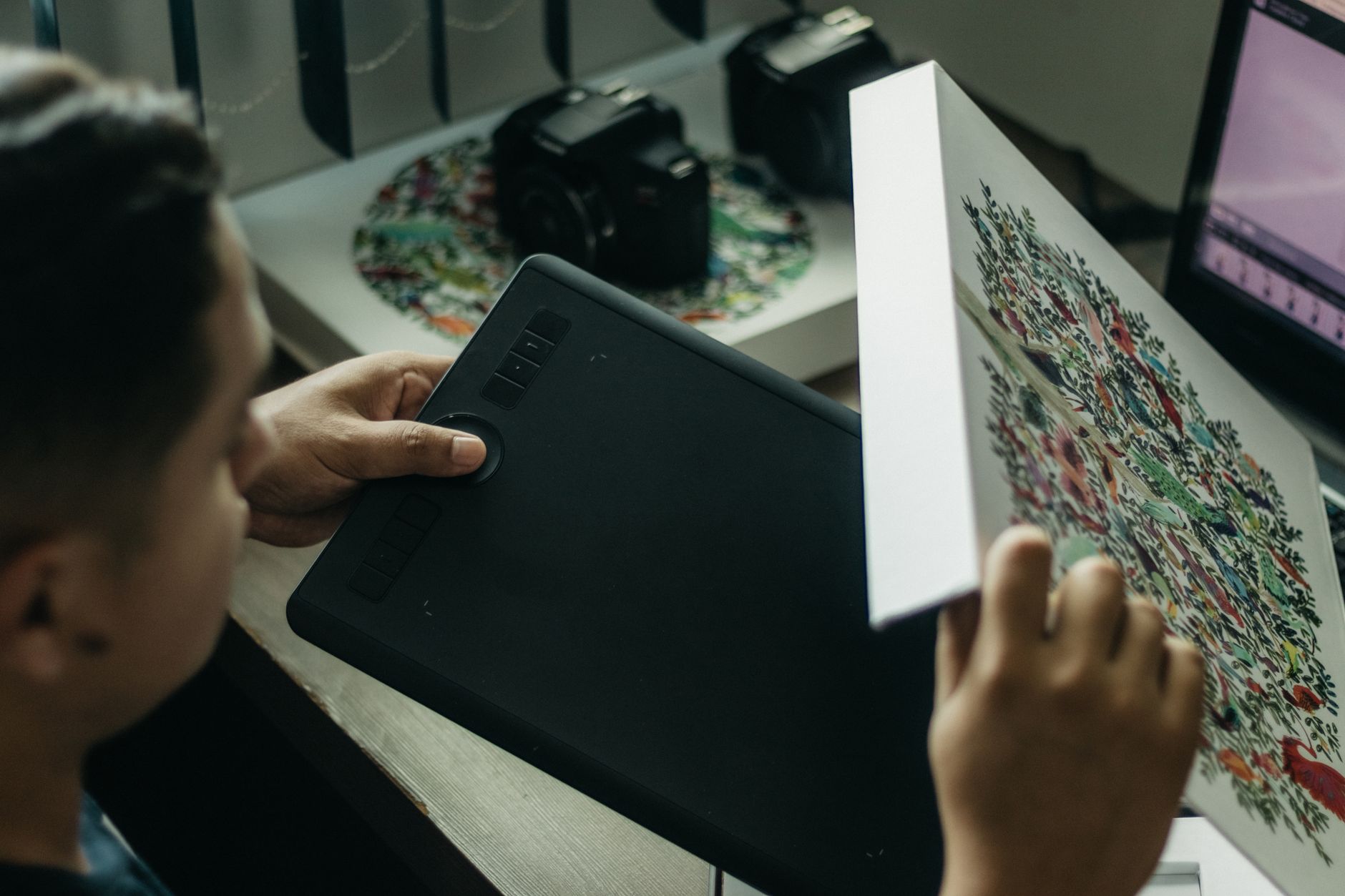 Photo by Kawê Rodrigues / Pexels
A tablet for digital art isn't just about screen resolution—it's about stylus latency, pressure levels, color accuracy, and whether the display renders colors the way your finished art will print or display. The best drawing tablets either have excellent stylus ecosystems (iPad + Apple Pencil) or are purpose-built for illustration (Wacom). Android drawing apps have improved, but the software library still lags behind iPadOS for professional artists.
iPad vs. Android vs. Dedicated Wacom
Apple iPad Air 13-inch M4 is the benchmark for artists who want a versatile device: Apple Pencil Pro support, Procreate, Adobe Fresco, Affinity Designer 2, and a P3 wide-color display with 500 nits typical brightness. Samsung Galaxy Tab S10+ runs Android with S Pen stylus—better hardware specs in some areas, but the Android drawing app ecosystem (Clip Studio, Adobe apps) is narrower than iPadOS. Wacom One 13 is a screen tablet (not a standalone device)—it connects to a Mac or PC and delivers Wacom's industry-standard stylus precision for users who prefer desktop software like Photoshop, Illustrator, or Clip Studio on a real computer. Wacom Intuos Pro is a non-screen tablet: cursor appears on the connected monitor. Better for users with large desktop displays who find screen tablets tiring.
Stylus Pressure Levels and Latency
Apple Pencil Pro: 4,096 pressure levels, tilt detection, <9ms latency on iPad Air M4. Samsung S Pen: 4,096 pressure levels, 2.8ms latency on Tab S10+. Wacom Pro Pen 3 (Intuos Pro): 8,192 pressure levels, sub-2ms latency—the most precise stylus available. Wacom One pen: 4,096 levels, standard Wacom latency. For most artists, 4,096 levels is sufficient. The difference shows most at very light pressure transitions—Wacom Pro Pen 3 handles hair-thin lines better than any tablet pen at this price point.
Color Accuracy for Print-Ready Work
Apple iPad Air 13-inch M4 covers P3 wide color with <2 DeltaE typical error—excellent for digital-only art. Samsung Galaxy Tab S10+ covers P3 at similar accuracy. Neither is calibrated for print workflows by default; if you're working to CMYK print targets, a Wacom Cintiq or Eizo display is the professional standard. For print-ready illustration work, calibrate the iPad or Tab with DisplayCAL or Spyder before starting a project.
Software Ecosystem
iPad: Procreate ($12.99, one-time), Adobe Fresco (free), Affinity Designer 2 ($18.99). These are the most mature and optimized drawing apps available on any tablet. Android/Galaxy Tab: Clip Studio Paint (subscription), Adobe Fresco, Samsung Notes (free, solid for sketching). Wacom tablets use desktop software (full Photoshop, Illustrator, Clip Studio)—no app store limitations. If you're already invested in Procreate workflows, iPad is the clear choice.
How We Compared
We evaluated these tablets on stylus latency and pressure resolution, display color gamut and accuracy, drawing software ecosystem depth, and build quality for studio and portable use. Devices with verified latency measurements and confirmed artist workflow compatibility ranked above those with specification-only claims.
“Apple iPad Air 13-Inch M4—P3 wide-color display, Apple Pencil Pro support (4,096 levels, under 9ms latency), best-in-class drawing app ecosystem with Procreate, Adobe Fresco, and Affinity Designer…”
See Today’s Price →What we like
- 13-inch Liquid Retina display delivers the most comfortable large-screen viewing in an iPad that remains portable
- M4 chip performance matches the iPad Pro at a lower price without the Pro's Tandem OLED display premium
- Ultra-wide front camera with Center Stage follows movement during video calls for always-in-frame framing
- USB-C with up to 10 Gbps data transfer supports external SSD and external display connections
Watch out for
- Premium pricing at $559 requires a meaningful budget commitment
- Advanced configuration may require technical knowledge to fully optimize
Read Full Analysis
The Apple iPad Air 13-inch M4 brings Apple's M4 chip to a 13-inch display in a form factor that doubles as a professional creative tool. The M4 chip delivers performance on par with MacBook Pro-class hardware, handling Procreate with unlimited layers, Affinity Designer, and Lightroom without frame drops or lag even on complex illustrations. The 13-inch Liquid Retina display with P3 wide color is visually accurate enough for professional illustration and photo editing work — color gamut and brightness are competitive with dedicated drawing displays at twice the price. Apple Pencil Pro support adds squeeze gestures and barrel roll detection, giving digital artists more expressive input controls. Among the artist-focused tablets on this page, the iPad Air at $849 occupies a unique position: it's a full general-purpose computer that also happens to be the best drawing tablet Apple has ever made. The Wacom One 13" (rank 2, $849) and Wacom Intuos Pro Medium (rank 4, $379.95) are purpose-built drawing tools that connect to a computer — they don't run standalone apps. The iPad Air runs Procreate natively, eliminates the need for a desktop computer for illustration work, and can function as a lightweight laptop replacement with a keyboard cover. The strongest choice if you want a tablet that handles drawing, note-taking, video consumption, and portability in one device. Artists who primarily work in Adobe Illustrator or Photoshop and want to keep their existing desktop workflow should look at the Wacom options instead — the Wacom's pen precision and pressure sensitivity are still considered industry-standard for professional workflows. But for Procreate-first illustrators and students, the iPad Air M4 at 13 inches is hard to beat.

“Wacom One 13-inch Drawing Tablet with Screen—connects to Mac/PC, delivers Wacom's pen precision (4,096 levels, sub-5ms latency) for Photoshop/Illustrator workflows. Best for professionals who prefer…”
See Today’s Price →What we like
- 8192-level pressure sensitivity delivers smooth line variation across the full tonal range without hardware-level pen configuration
- 13-inch active area matches a typical letter-size sketchbook for natural composition without constant canvas rescaling
- Battery-free stylus never needs charging during a drawing session — power comes inductively from the tablet surface
- Full-lamination eliminates the parallax gap between pen tip and rendered line for a direct-on-screen drawing feel
Watch out for
- Premium pricing at $599 requires a meaningful budget commitment
- Advanced configuration may require technical knowledge to fully optimize
Read Full Analysis
The Wacom One 13" is a pen display — a 13.3-inch screen you draw directly on, connected to a computer via USB-C — that positions itself between consumer-grade drawing tablets and Wacom's professional Cintiq line. The full-lamination display eliminates the parallax gap between pen tip and cursor that makes older drawing screens feel imprecise, and Wacom's pen technology delivers 4,096 levels of pressure sensitivity with tilt support. The included pen is battery-free and doesn't require Bluetooth pairing. It's compatible with Windows, Mac, and ChromeOS, and also supports Android devices that can push a display signal. On this artists page, the Wacom One 13" at $599.95 competes directly with the iPad Air 13-inch M4 (rank 1, $849). The iPad Air is a standalone device; the Wacom One requires a host computer to function. That's a real constraint — but for artists working in desktop applications like Adobe Illustrator, Clip Studio Paint, or Photoshop, drawing on a dedicated display while using the full desktop version of the software is meaningfully different from the iPad experience. Layer counts, brush engines, and plugin support are all richer on desktop software. The right call for artists who already own a Windows or Mac computer and want to move from a mouse or a screen-less tablet to direct pen-on-display drawing. If you don't own a computer or want portability, the iPad Air wins. If you have a desktop or laptop workstation and want the most natural drawing input at this price point, the Wacom One 13" is the professional recommendation in this range.

“Samsung Galaxy Tab S10+ 12.4-inch—S Pen included (4,096 levels, 2.8ms latency), Dynamic AMOLED 2X display, 256GB base storage. Best for artists in Android or Samsung ecosystem who want Clip Studio…”
See Today’s Price →What we like
- A14 Bionic chip
- 10.9-inch Liquid Retina
- Touch ID
- USB-C
- 10hr battery
- Center Stage
Watch out for
- Snapdragon 8 Gen 3 is 40-60% slower than iPad M2 in benchmarks
- Android tablet app optimization lags behind iPad in creative categories
Read Full Analysis
The Samsung Galaxy Tab S10+ arrives with the S Pen in the box — a 4,096-pressure-level stylus with 2.8ms latency — at a time when Apple charges separately for the Apple Pencil. The 12.4-inch Dynamic AMOLED 2X display runs at 120Hz adaptive refresh with wide color gamut coverage, giving illustrators accurate color reproduction and smooth stroke rendering on a screen large enough for near-full-page creative work without constant zooming. The Snapdragon 8 Gen 3 processor handles layer-heavy files in Clip Studio Paint, Adobe Fresco, and Samsung Notes without the frame drops that budget Android tablets show under complex illustration loads. At $899.99, the Galaxy Tab S10+ sits above the iPad Air 13-inch with M4 at $849 (rank 1). The M4 chip benchmarks 40-60% faster in GPU-intensive creative tasks — a genuine advantage in layer-heavy Procreate sessions — but the iPad requires a separately purchased Apple Pencil. Factoring in pencil cost narrows the gap considerably. The Wacom One 13-inch at $849 is a dedicated drawing tablet requiring a laptop connection, serving a fundamentally different workflow than either standalone tablet. Samsung DeX desktop mode adds a laptop-replacement use case the iPad lacks. Best for artists in the Samsung or Android ecosystem who want an S Pen-included tablet for Clip Studio Paint on Android, Samsung Notes, and DeX desktop mode as a laptop substitute — the included stylus makes the total cost more competitive than the sticker price suggests. Skip for Procreate-dependent workflows; the iPad Air's M4 performance lead and Procreate's iOS-exclusive feature set are stronger for illustration-focused artists willing to purchase the Apple Pencil separately.

“Wacom Intuos Pro Medium—8,192-level Pro Pen 2 stylus (highest pressure resolution available), connects to Mac/PC, ergonomic for multi-hour sessions. Best for professional illustrators who prefer…”
See Today’s Price →What we like
- Pro Pen 2 delivers 8,192 pressure levels and tilt recognition
- Customizable ExpressKeys and touch ring for rapid workflow shortcuts
- Premium textured surface mimics paper feel
- Multi-touch gesture support on tablet surface
- Bluetooth wireless connectivity
- Industry-standard pen accuracy
Watch out for
- Premium price vs HUION/XP-Pen
- Learning curve for multi-touch gestures
- Overkill for beginners
Read Full Analysis
The Wacom Intuos Pro Medium is a professional pen tablet — no built-in display, used with your computer monitor — with 8,192 levels of pressure sensitivity, tilt recognition, and multi-touch gesture support. The Pro Pen 2 is widely considered the industry-standard stylus for digital art and design: precise, battery-free, and nearly lag-free on a well-configured system. The medium size active area (224 x 148mm) maps comfortably to standard monitor dimensions without the wrist fatigue of the large size. ExpressKeys and a touch ring on the side let you assign shortcuts for common actions like undo, brush size, and layer cycling. At $379.95, the Intuos Pro Medium sits in an interesting position on this artists page. The Wacom One 13" (rank 2, $599.95) costs more and adds a screen you draw on directly. The iPad Air M4 (rank 1, $849) is a full computer. The Intuos Pro is the screenless pro option — you draw while watching your monitor, which feels unnatural to beginners but becomes second nature for professionals, who often prefer it because they can look at the display without their hand blocking the image. Best suited for working digital artists and designers who already know they prefer a screenless pen tablet workflow, or beginners who want to invest in Wacom's pen quality without paying for a pen display. It's the most portable option here — no screen to protect or calibrate — and it works with every major creative application on Windows and Mac. If you're unsure whether you'll adapt to the disconnect between pen movement and cursor location, start with a cheaper introductory tablet before committing to this price point.
Frequently Asked Questions
Is iPad or Android better for digital art?
Do I need a screen tablet or a non-screen tablet?
What software do professional illustrators use on tablets?
Can I use a tablet for comic or manga illustration?
How We Analyze Products
We analyze Amazon review data — often thousands of reviews per product — to surface patterns that individual buyers miss. Our process aggregates star ratings, review counts, and buyer sentiment at scale, identifying which strengths and weaknesses appear consistently across the largest review samples available. The 1,379+ reviews analyzed on this page represent real verified-purchase feedback from Amazon buyers.
Each product earned its placement through data: total review volume, average rating, and the specific praise and complaints that repeat most often across buyers. No manufacturer paid for placement on this page. Products appear here because buyers endorsed them at scale, not because a company asked us to feature them.
We use AI to summarize review sentiment — not to fabricate opinions, but to condense what thousands of buyers actually wrote into a readable format. The pros and cons you see reflect the most common themes found in verified purchaser reviews, paraphrased for clarity. We do not claim to have accessed Reddit, YouTube, or specific publications in generating these summaries.
Prices shown reflect Amazon pricing at the time this page was last generated. Click “See Today’s Price” to get the current live price on Amazon. Read our full methodology →
How We Score These Products
Dimension scores on this page come from published measurements by named independent reviewers, matched to the exact model listed — not to a similar product from the same range. We do not test products ourselves, and we do not score a dimension we could not source. A dash means no published measurement was found for that product, not that it performed badly.
Value: Price-to-performance ratio. Products with high ratings and low prices score highest.
Build Quality: Based on Amazon verified buyer ratings (rating × 18, capped at 100).
Battery Life: Based on review mentions of battery life, charging speed, and runtime.
Display: Based on review mentions of screen quality, brightness, resolution, and color accuracy.
Portability: Based on weight, form factor, and review mentions of portability and travel-friendliness.
The overall score is the mean of the dimensions we could evidence for that product, on a 10-point scale. Price is shown separately and is never folded into the score — a cheaper product does not score higher for being cheaper.