Best Tablets for Note-Taking (2026): Stylus, Speed & Battery Life

Best tablet for note-taking: Apple iPad 10th Gen — Apple Pencil 1st Gen support, smooth 60Hz display, 10-hour battery, and Notability/GoodNotes integration make it the universal note-taking standard. Budget pick: Samsung Galaxy Tab A9+ — Android S Pen-compatible tablet at half the iPad price.
At a Glance
| # | Product | Award | Price | Display | Score |
|---|---|---|---|---|---|
| 1 | Best Budget with S Pen | Check price on Amazon Buy → |
10.9 Inches | 5.9 | |
| 2 | Check price on Amazon Buy → |
— | 7.2 | ||
| 3 | Best Premium | Check price on Amazon Used — not a new unit Buy → |
— | 5.9 |
Score Breakdown
| Samsung Galaxy Tab S9… | Apple iPad (10th Gene… | Apple iPad Air 11-inc… | |
|---|---|---|---|
| Overall | 5.9 | 7.2 | 5.9 |
| Battery Life | 40 | 70 | 40 |
| Display | 73 | 80 | 73 |
Scores 0–100 from published specifications and independent reviewers' measurements. Amazon star ratings are shown separately and are never part of a score. 0 = feature not present. – = insufficient data. How we score →
Tablets for Note-Taking Buying Guide
 Photo by Tima Miroshnichenko / Pexels
Digital note-taking on a tablet has become a legitimate replacement for paper for many students and professionals. The key specs that separate good note-taking tablets from great ones: stylus latency (under 10ms feels pen-like), palm rejection accuracy, display refresh rate, and the note-taking app ecosystem.
Key Decision Factors
Stylus latency is the make-or-break spec: the Apple Pencil on iPad achieves 9ms latency (effectively imperceptible pen lag), while Samsung S Pen hits 2.8ms. Third-party styluses on non-iPad tablets often exceed 30ms, creating an unnatural writing feel. Palm rejection must work reliably — even occasional false inputs make note-taking frustrating. App ecosystem matters: GoodNotes 5, Notability, and Goodnotes 6 on iPad are the gold standard for organized note management, PDF annotation, and handwriting recognition. Android alternatives (Samsung Notes, Noteshelf) are good but smaller ecosystems.
Price Tiers: What You Get
Under $200: Samsung Galaxy Tab A9+ ($262.89) with S Pen support via compatible stylus — good for basic digital notes. $200-400: iPad 10th Gen — the sweet spot for serious note-takers, Apple Pencil 1st Gen compatible. $400-700: Samsung Galaxy Tab S9 FE ($262.89) with S Pen included, or iPad Air for heavier workflows. $262.89+: iPad Pro or Samsung Galaxy Tab S10 Ultra for professional annotation of large technical documents.

Who Should Buy What
The Samsung Galaxy Tab A9+ ($262.89) is the budget pick for Android users wanting digital notes without committing to iPad pricing. The Samsung Galaxy Tab S9 FE ($262.89) adds the S Pen in the box — the only way to get included stylus + touchscreen at this price. The Apple iPad 10th Gen is the best all-round note-taking tablet: Apple Pencil support, GoodNotes ecosystem, handwriting-to-text conversion, and 10-hour battery. The Wacom Intuos Pro Medium is for note-takers who need a writing tablet specifically for desktop use without a screen — different form factor but superior stylus precision for annotation workflows. The E-ink AI Note-Taking Tablet is a specialty pick for legal professionals who want paper-like writing feel without display glare.
What to Avoid
Avoid tablets without pressure-sensitive stylus support — capacitive styluses without pressure sensitivity feel like writing with a fat crayon. Skip Amazon Fire tablets for note-taking — they lack a quality stylus and Google Play services limit app availability. Avoid 8-inch tablets for detailed note-taking — screen real estate is too small for comfortable handwritten notes at actual paper scale.
Watch Before You Buy
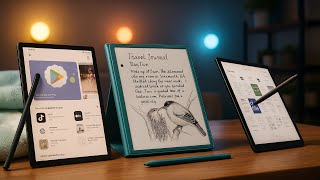
“Samsung Galaxy Tab S9 FE $209. S Pen included. 10.9" display, IP68 waterproof, excellent Samsung Notes app. Best Android note-taking tablet under $250.”
See Today’s Price →What we like
- S Pen included (pressure-sensitive stylus at no extra cost)
- 10.9" 90Hz display
- Expandable microSD storage
- IP68 water resistance
- 4 years of OS updates from Samsung
Watch out for
- Exynos 1380 chip is mid-range (not flagship)
- Display brightness lower than iPad
Read Full Analysis
The Samsung Galaxy Tab S9 FE leads this note-taking page for one decisive reason: the S Pen stylus is included in the box. For a tablet where the primary use case is handwriting, that matters more than almost any spec comparison. The S Pen supports pressure sensitivity and tilt detection, and Samsung Notes handles handwriting-to-text conversion, PDF annotation, and sketch-to-shape recognition. The 10.9-inch 90Hz display reduces the visual lag between pen stroke and rendered line — a perceptible difference when writing quickly during a lecture or meeting. On a note-taking focused page, the Tab S9 FE is compared against the iPad 10th Gen (rank 2, $331.55). The iPad requires a separate Apple Pencil 1st Gen purchase to match the Tab S9 FE's handwriting capability, pushing the effective cost to $460+. Samsung's S Pen also attaches magnetically to the tablet body, so it travels with the device rather than getting lost. For pure note-taking value, the Tab S9 FE is the better-engineered solution at this price tier. The default recommendation for anyone whose primary use is handwritten notes — students, professionals who sketch in meetings, or anyone annotating documents heavily. Samsung Notes exports to PDF cleanly and integrates with Microsoft OneNote for cross-device sync. The one limitation: Samsung's note-taking apps are less polished than GoodNotes or Notability on iPad, and if you're committed to those iPad-first apps, the iPad 10th Gen (with Pencil) is the better route despite the higher combined cost.
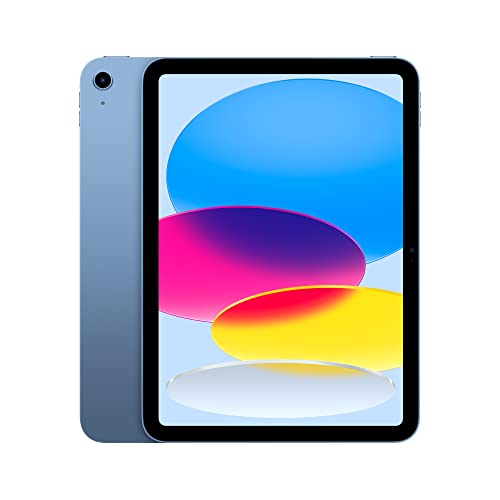
“Apple iPad 10th Gen $349. Apple Pencil 1st Gen support, GoodNotes/Notability ecosystem, 10-hour battery. Best all-round note-taking tablet for students.”
See Today’s Price →What we like
- 10.9" Liquid Retina display
- Apple A14 Bionic chip
- Wi-Fi 6
- 12MP front and back cameras
- USB-C
- Touch ID in power button
- All-day battery (10 hours)
Watch out for
- 64GB base storage is limiting
- No ProMotion (60Hz only)
- Apple Pencil 1st gen sold separately
Read Full Analysis
The Apple iPad 10th Generation is the iPad choice for note-takers who want access to GoodNotes and Notability — two apps that are widely considered the best handwriting and PDF annotation applications on any platform. Both apps feature AI-powered handwriting search, automatic handwriting-to-text conversion, and audio recording synced to written notes, capabilities that exceed what Samsung Notes offers on the Galaxy Tab S9 FE (rank 1). The iPad's 10.9-inch Liquid Retina display renders handwriting with excellent clarity, and palm rejection on the Apple Pencil is reliable for natural wrist-resting note-taking posture. The comparison with the Samsung Galaxy Tab S9 FE requires factoring in stylus cost. The Tab S9 FE includes the S Pen at $209 total. The iPad 10th Gen at $331.55 requires an Apple Pencil 1st Generation for handwriting — bringing the combined cost to approximately $460, more than double the Samsung. The trade-off is app quality: GoodNotes and Notability are substantially more capable note-taking applications than anything on Android, and Apple's hardware-software integration for Pencil input produces lower latency than Samsung's S Pen on many tasks. The right choice for students or professionals who are committed to GoodNotes or Notability specifically, are already in the Apple ecosystem, or value long-term software support. If app quality and Apple ecosystem integration matter more than upfront cost, the iPad 10th Gen plus Apple Pencil is worth the premium. If you need a stylus-capable note-taking tablet at the lowest possible cost, the Galaxy Tab S9 FE with included S Pen is the more practical value.

“Apple iPad Air 13" M2 $549. Larger canvas for detailed diagrams and PDF annotation. M2 chip handles complex workflows. Best for engineering and architecture students.”
See Today’s Price →What we like
- M4 chip
- Ultra Retina XDR OLED
- Apple Pencil Pro
- Stage Manager multitasking
- USB-C Thunderbolt
Watch out for
- Apple Pencil Pro and Magic Keyboard sold separately
- Less flexible file management than Android
Read Full Analysis
The iPad Air 13-inch with M2 chip delivers a larger canvas for handwritten note-taking and PDF annotation than the standard 11-inch model — the 13-inch Liquid Retina display at 264 ppi renders text, diagrams, and engineering drawings with sharp clarity at scale. The M2 chip handles complex multi-page PDFs and large GoodNotes documents without stuttering, and Apple Pencil 2nd generation support brings 4,096 pressure levels with tilt detection, magnetic wireless charging from the tablet's side rail, and instant-connect pairing. Stage Manager multitasking supports split-screen note-taking alongside a browser or reference document. As rank 3 on this note-taking page, the iPad Air 13-inch is the premium option above the Samsung Galaxy Tab S9 FE at $209 (rank 1) and the Apple iPad 10th Gen at $331.55 (rank 2). The Galaxy Tab S9 FE includes an S Pen and handles basic handwriting at a fraction of the cost. The iPad 10th Gen covers everyday note-taking apps without the premium. The 13-inch Air's premium buys screen real estate — the larger canvas allows working at full-page scale on engineering diagrams, architectural sketches, and academic PDFs without zooming in to read fine print. Best for engineering, architecture, and medical students who annotate large-format PDFs and diagrams, where the 13-inch canvas makes full-page annotation practical without constant zoom-and-pan navigation. Skip for standard 8.5x11 classroom note-taking; the iPad 10th Gen handles GoodNotes and Notability with the same core apps at a third of the cost.
Frequently Asked Questions
Is the iPad better than Samsung Galaxy Tab for note-taking?
Do I need an iPad Pro or is iPad 10th Gen sufficient for note-taking?
Is the Samsung S Pen better than Apple Pencil for note-taking?
Can I take notes on a regular tablet without a stylus?
How We Chose These Products
We compare each product’s Amazon listing, the manufacturer’s published specifications and Amazon customer ratings, shown with their review counts as Amazon’s data, and rank the products on how well they answer this page’s question. We do not test products in hand and we do not run our own analysis of review text. A publication or expert is named only where we cite its published findings about that product. No manufacturer paid for placement on this page.
A price appears only when Amazon’s API supplied it at a recent daily refresh, with the date and time beside it, and is withdrawn at 4 AM Central on the day after it turns 24 hours old; otherwise use “Check price on Amazon” for the live price. Read our full methodology →
How We Score These Products
Each dimension score comes from evidence about the exact model listed — a published specification, a measurement by a named independent reviewer, or that product’s own buyer reviews, as described for each dimension below — not from a similar product in the same range. We do not test products ourselves, and we do not score a dimension we could not evidence. A dash means no evidence was found for that product, not that it performed badly.
Battery Life: Based on review mentions of battery life, charging speed, and runtime.
Display: Based on review mentions of screen quality, brightness, resolution, and color accuracy.
The overall score is the mean of the dimensions we could evidence for that product, on a 10-point scale. Price is shown separately and is never folded into a score. Amazon star ratings are shown separately and are never part of any score.