Best Drawing Tablet Under $50 (2026)

The XP-Pen Deco Mini 4 is the best value — 8,192 pressure levels, 4 express keys, and a compact form factor that works on any desk. Go up to the Wacom Intuos if you want bundled software and brand support.
At a Glance
| # | Product | Award | Price | Screen Size | Target Audience | Operating System | Score |
|---|---|---|---|---|---|---|---|
| 1 | Best Budget Pick | Check price on Amazon Buy → |
4 Inches | Teacher | Compatibility: Windows 10/8/7 and Mac OS X 10.10 (and higher OS) and Andriod 6.0 or Above OS | 6.4 | |
| 2 | Most Beginner-Friendly | $37.04 as of Nov 24, 12:24 PM CT details Used — not a new unit Buy → |
— | Student, Teacher | OS X 10.10 Yosemite, Windows 10, Windows 7, Windows 8.1 | 6.4 | |
| 3 | Best Software Bundle | $39.95 as of Nov 24, 12:21 PM CT details Buy → |
— | Teacher | Works with Windows, Mac OS, Android | — | |
| 4 | Largest Active Area | $37.99 as of Nov 24, 12:26 PM CT details Buy → |
6.25 Inches | Artist, Beginer, Student, Teacher | Android 6.0 or later, Windows 7 or later, macOS 10.12 or later | — | |
| 5 | Most Portable | $26.58 as of Nov 25, 10:41 AM CT details Buy → |
6 Inches | Art Student, Artist, Designer, Teacher | Android 6.0 and above, Linux(Ubuntu), Mac OS 10.12 and above, Windows 7 and above | 6.2 | |
| 6 | Best Mid-Budget XP-Pen | Check price on Amazon Buy → |
10 Inches | Artist, Student, Teacher | Android 10.0 or later), Chrome OS 88 (or later), Linux, Windows 7 (or later), mac OS 10.13 (or later) | 6.2 |
Card scores are 0–100, from published specifications and independent reviewers' measurements. Amazon star ratings are shown separately and are never part of a score.
Drawing Tablet Under $50 Buying Guide
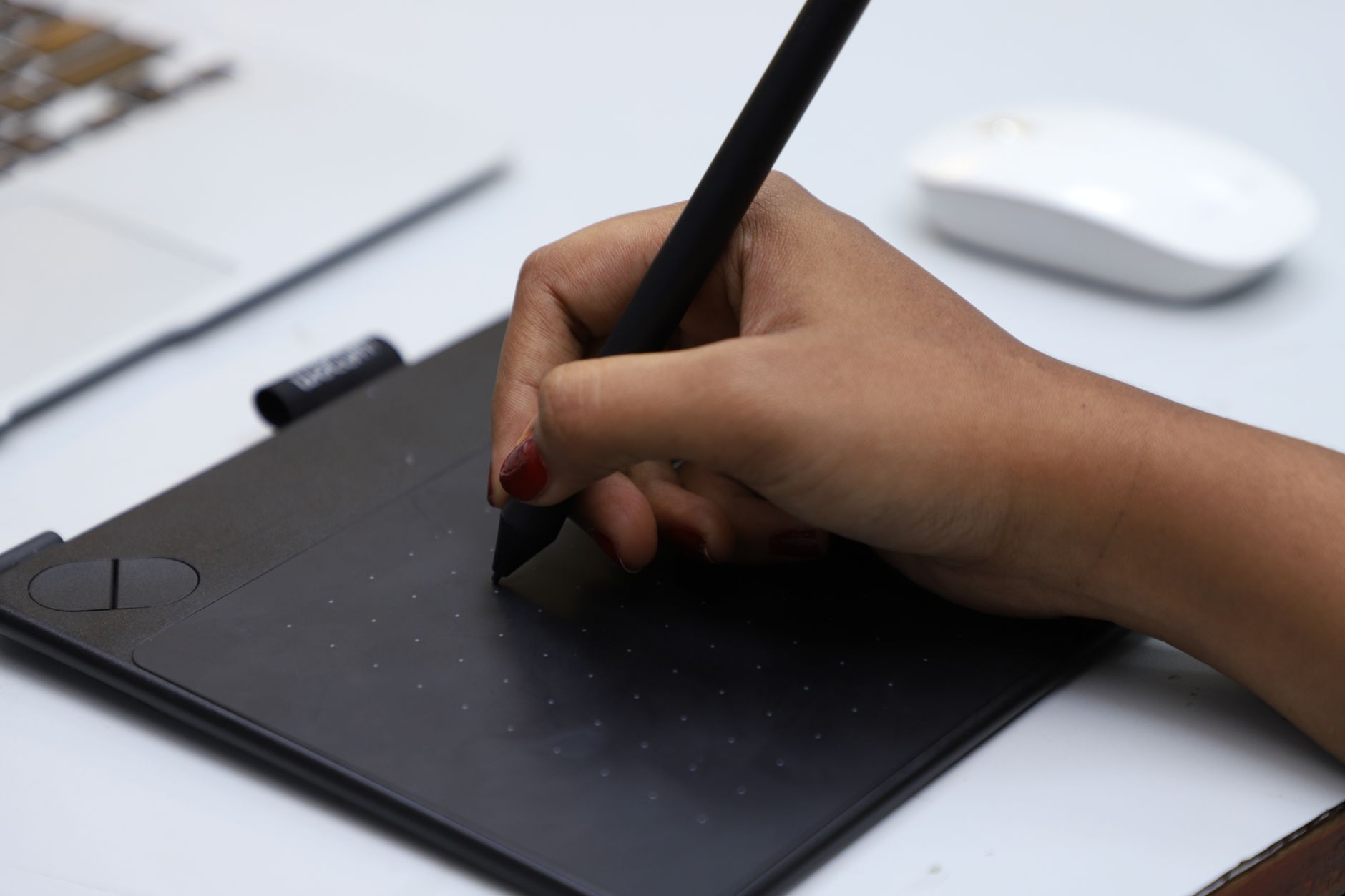 Photo by VARAN NM / Pexels
The $30–50 drawing tablet tier has gotten genuinely competitive. A few years ago, Wacom owned the entry level — now XP-Pen, HUION, and GAOMON offer tablets at this price with comparable pressure sensitivity and larger active areas. The differences that still matter at this price: active area size, driver stability, and what software gets bundled.
What 8,192 Pressure Levels Actually Means
Every tablet in this list supports 8,192 levels of pressure — the industry standard that detects subtle variations in how hard your stylus presses. At this sensitivity level, line variation in digital art is indistinguishable from more expensive tablets. What you're paying more for above $50 isn't pressure sensitivity — it's screen (display tablets), active area size, and tilt recognition, which most tablets in this tier lack.
Wacom vs. XP-Pen vs. HUION at This Price
Wacom's One and Intuos have the most reliable drivers and the largest user community for troubleshooting. XP-Pen and HUION tablets offer larger active areas per dollar — the GAOMON M10K PRO gives you a 10 x 6.25-inch drawing surface, and the HUION H640P packs a 6 x 4-inch area into a body 0.3 inches thin. If you plan to use Clip Studio Paint or Krita, any of these will work identically.
What You're Giving Up Under $50
No tilt recognition (stylus angle not tracked), no touch input, smaller active areas on Wacom options, and bundled stylus pens have battery in the tip or require a separate charge on some models. Multi-touch gestures, customizable shortcut buttons, and wireless connectivity don't appear until the $100+ tier.
Best Pairings by Use Case
Photo editing and casual sketching: Wacom Intuos Small with its bundled software. Illustration and comic work: the GAOMON M10K PRO for its larger active area. Sketching on the go: the HUION H640P, 0.3 inches thin and 0.61 lbs. Strict budget / first tablet: XP-Pen Deco Mini 4 — lowest risk if you're not sure digital art is for you.
Worth the Upgrade?
If you're serious about digital art, the $100–150 range (HUION Kamvas, Wacom Intuos Pro) adds tilt recognition and a much larger area. But most beginners won't hit the limits of these tablets for 12–18 months. See our full Best Drawing Tablets for Beginners guide for options across all price tiers.
Which one to buy
Under $50 the XP-PEN CR Deco Mini 4 Graphics Tablet 4 x 3 Inch Pen Tablet with 8192 Levels Pressure Sensitivity Battery-Free Stylus and 6 Customizable ... is the one to start with: 8,192 pressure levels and a battery-free stylus are the two things that separate a usable drawing tablet from a toy at this price, and the 4 x 3 inch active area is enough for line work even though it is small for painting. Step up to the One by Wacom if you want a larger 8.3 x 5.7 inch surface and Wacom's driver support, which is the more reliable of the two on older machines. The Wacom Intuos Small sits between them and adds customisable express keys.

Watch Before You Buy

Showing 6 of 6 products
“At $35.99, the XP-Pen Deco Mini 4 delivers 8,192 pressure levels and a battery-free stylus in a compact, portable form — remarkable value for a budget tablet. The smaller active area and…”
See Today’s Price →What we like
- 8192 pressure levels at $39 price
- Compact and portable design
- Battery-free stylus
- Good driver support for major software
Watch out for
- Smaller active area than Wacom Intuos
- Software bundle is less valuable than Wacom
- Driver can require manual updates
Read Full Analysis
The XP-Pen Deco Mini 4 delivers 8,192 pressure levels at the lowest price point on this page — $7 less than the nearest competitor. The battery-free stylus works without charging interruptions, and driver support covers Photoshop, Illustrator, and Clip Studio Paint without configuration. The trade-off is active area — the Deco Mini 4's compact footprint is noticeably smaller than the 10×6-inch surface on the GAOMON. Students with crowded desks will appreciate the size; those who draw full figures or large compositions will want one of the larger tablets for $10-$12 more. Buy this if you want maximum pressure sensitivity at minimum spend. Skip it if working area matters more — the GAOMON offers a 10 x 6.25-inch surface.
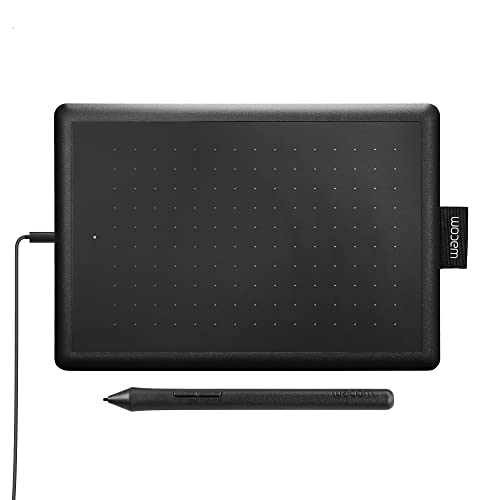
“At $39.95, One by Wacom brings Wacom's renowned reliability and driver stability to the entry level, with a lightweight design that works with all major creative software. There are no express keys…”
See Today’s Price →What we like
- Wacom reliability at $39
- Lightweight and portable
- Standard battery-free pen included
- Works with all major creative software
Watch out for
- No express keys
- No tilt support
- No software bundle included
Read Full Analysis
The One by Wacom is the entry point to Wacom's brand reputation — the name digital artists have trusted for driver stability and pen feel for decades. This small version includes Wacom's standard battery-free pen and works with every major creative application without the driver conflicts that occasionally affect third-party tablets. It sits $8 above the XP-Pen Deco Mini 4 but $2 below the Wacom Intuos. The Intuos adds a software bundle worth Clip Studio Paint and Corel Painter Essentials — more value than the $2 difference. For pure hardware the One by Wacom delivers equivalent performance to the Intuos at a slight discount, making it the pick for buyers who already own digital art software. Buy this if Wacom driver stability matters and you do not need the Intuos software bundle. First-time buyers who are undecided should compare it directly against the Wacom Intuos at $39.95 before deciding.
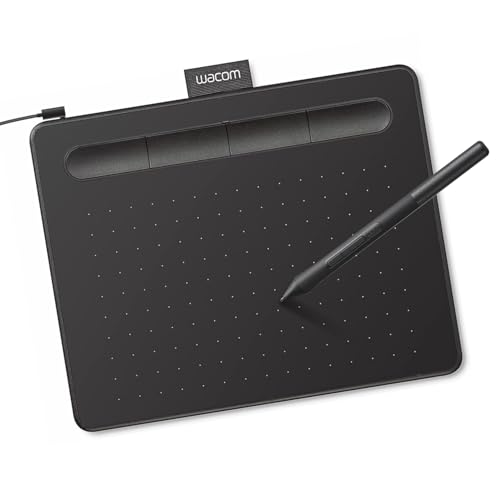
“At $39.95, the Wacom Intuos Small CTL4100 bundles Clip Studio Paint and Corel Painter Essentials — a software package worth ~$100 — with 4,096 pressure levels, tilt support, 4 express keys, and the…”
See Today’s Price →What we like
- Includes Clip Studio Paint and Corel Painter Essentials ($100 value)
- 4096 pressure levels with tilt support
- Best driver stability across Windows, macOS, Linux
- 4 customizable express keys
Watch out for
- Smallest active area in the lineup (6x3.7 inches)
- No Bluetooth in wired version
- Higher price than non-Wacom options
Read Full Analysis
Wacom bundles Clip Studio Paint and Corel Painter Essentials with the Intuos Small — together worth over $100 at retail — making this the best total value on the page for anyone starting without digital art software. The hardware delivers 4,096 pressure levels with tilt support, four customizable ExpressKeys, and Wacom's industry-leading driver stability across Windows, macOS, and Linux. It costs $0.40 more than the GAOMON M10K PRO, which offers a larger 10×6-inch active area and 8,192 pressure levels. If you already own Clip Studio Paint or another creative suite, the GAOMON's larger surface becomes the more compelling value. For someone starting from scratch, the Intuos bundle eliminates a separate $80-120 software purchase. Buy this if you need software included — it is the most complete starter package on the page. Skip it if you already own creative software and want a larger drawing surface for the same money.
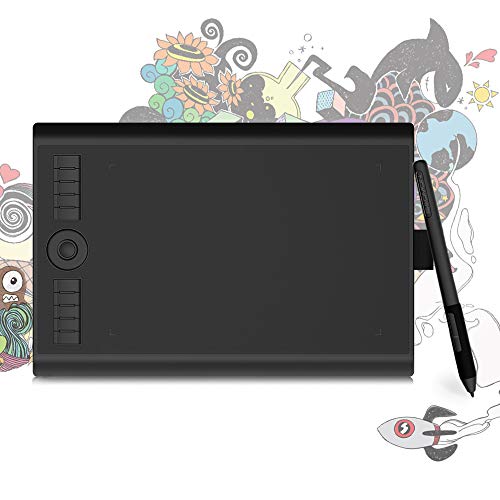
“At $49.99, the GAOMON M10K PRO stands out with a large 10x6.25 inch active area, 8,192 pressure levels, 8 programmable express keys, and multi-touch support — specs that typically cost more.…”
See Today’s Price →What we like
- Large 10x6.25-inch active area at $59
- 8192 pressure levels
- 8 programmable express keys
- Multi-touch support
Watch out for
- Gaomon has less software compatibility than Wacom or Huion
- Driver requires more manual setup
- Larger size reduces portability
Read Full Analysis
The GAOMON M10K PRO delivers a 10×6.25-inch active area — matching Wacom Intuos Pro M dimensions at a fraction of the price. Eight programmable express keys and multi-touch support add workflow control usually reserved for mid-range tablets, and 8,192 pressure levels match the maximum sensitivity spec across this entire page. The XP-Pen Deco Mini 4 saves $10 but has a significantly smaller working surface. Compared to the Wacom Intuos, GAOMON provides 2x the pressure levels and a larger active area for nearly identical pricing — the trade-off is Wacom's more mature driver ecosystem. Buy this if working area is your top priority and you are comfortable with non-Wacom drivers. Skip it if you are a first-time user who values the Wacom software bundle or the brand's established support community.

“HUION's Inspiroy H640P: a 6 x 4-inch drawing tablet just 0.3 inches thin and 0.61 lbs, with a battery-free 8,192-level pen and six customizable press keys.”
See Today’s Price →What we like
- 6 x 4-inch active area in a body 0.3 inches thin and 0.61 lbs
- Battery-free PW100 pen with 8,192 pressure levels and side buttons
- 6 customizable press keys with per-app shortcut profiles
- Works with Windows, Mac, Linux and Android 6.0 or later
- Flips for left-handed use
Watch out for
- No iPhone or iPad support
- Its 8,192-level pen reads half the 16,384 levels some newer tablet pens list
Read Full Analysis
The HUION H640P is the tablet to carry. Its 6 by 4-inch active area sits in a body 0.3 inches thin that weighs 0.61 pounds, so it slides into a backpack for sketching in class or editing away from your desk. The battery-free PW100 pen reads 8,192 levels of pressure, with a 5080 LPI resolution and a 233 PPS report rate, and its side buttons switch between pen and eraser. Six press keys take your most-used shortcuts, and the HUION driver saves a set of shortcuts for each app. It works with Windows, Mac, Linux and Android 6.0 or later, and flips for left-handed use, but it does not support iPhone or iPad. For a larger drawing area, the GAOMON M10K PRO on this page offers 10 by 6.25 inches.
Skip this if: You draw large pieces and want a bigger active area, or you use an iPad

“At $44.99, the XP-Pen Deco 01 V3 leads with 16,384 pressure levels — the highest in the budget category — plus a 10"x6" active area, 8 customizable hotkeys, a battery-free stylus, and USB-C…”
See Today’s Price →What we like
- 10"×6" large active area (bigger than Wacom Intuos Small)
- 16384 pressure levels (more than Wacom entry-level)
- 8 customizable hotkeys
- Battery-free stylus
- USB-C connection
Watch out for
- Brand less established than Wacom
- Android support limited
Frequently Asked Questions
What is the best drawing tablet for beginners under $50?
Do I need a display drawing tablet or is a non-display tablet sufficient?
What software works with budget drawing tablets?
What is the best drawing tablet size for a beginner?
Can I use a drawing tablet for photo editing?
How We Chose These Products
We compare each product’s Amazon listing, the manufacturer’s published specifications and Amazon customer ratings, shown with their review counts as Amazon’s data, and rank the products on how well they answer this page’s question. We do not test products in hand and we do not run our own analysis of review text. A publication or expert is named only where we cite its published findings about that product. No manufacturer paid for placement on this page.
A price appears only when Amazon’s API supplied it at a recent daily refresh, with the date and time beside it, and is withdrawn at 4 AM Central on the day after it turns 24 hours old; otherwise use “Check price on Amazon” for the live price. Read our full methodology →