Best Webcams for Streaming for Beginners 2026

The Elgato Facecam MK.2 is the best streaming webcam for most beginners — purpose-built for Twitch and YouTube with 1080P/60fps via Sony STARVIS sensor. For budget streaming, the Razer Kiyo includes a built-in ring light that eliminates the need for separate lighting gear. Step up to 4K: the Razer Kiyo Pro Ultra.
At a Glance
| # | Product | Award | Price | Resolution |
|---|---|---|---|---|
| 1 | Best Overall for Streaming | Check price on Amazon Buy → |
— | |
| 2 | Best for Beginners | Check price on Amazon Buy → |
1920x1080 at 30fps; 1280x720 at 60fps | |
| 3 | Best Premium Streaming Cam | $399.99 as of Nov 24, 12:34 PM CT details Buy → |
— | |
| 4 | Best for Business and Streaming | Check price on Amazon Buy → |
— |
Webcams for Streaming for Beginners Buying Guide
 Photo by Mizuno K / Pexels
Streaming webcams differ from standard video call cameras in three key ways: they need to output 60fps for smooth motion (standard webcams cap at 30fps), they need to maintain consistent autofocus when you move, and they benefit from wide apertures for shallow depth-of-field that separates you from a distracting background. Most $38.75 webcams fail on all four counts for streaming.
How we picked these. Products were selected for the best picture quality and streaming-specific features at each price point.
Frame Rate: Why 60fps Matters for Streaming
30fps video looks noticeably choppy when you move your hands or gesture — viewers see it immediately. 60fps makes motion smooth and professional. Every camera in this roundup outputs 1080P at 60fps (or better). If a webcam only advertises "1080P" without mentioning frame rate, assume 30fps and look elsewhere. For Twitch streaming, 720P/60fps looks better than 1080P/30fps to most viewers.
Lighting and Aperture
Good lighting improves any webcam dramatically. f/2.0 or wider apertures let in more light, making cameras usable in dim rooms without bright overhead lights. The Razer Kiyo's built-in ring light solves the problem differently — it provides direct facial lighting that eliminates shadows regardless of room lighting. For streamers who don't want to invest in a separate key light ($30–$60), the Kiyo's integrated light is a genuine advantage. For everyone else, a wider aperture camera with a $30 ring light accomplishes the same result.
Background Blur Without a Green Screen
Software background blur relies on AI processing and typically introduces edge artifacting around hair and glasses — it looks passable on video calls but noticeably artificial on streams. Physical background separation using a shallow aperture (f/2.0 or wider) looks more natural. Physical green screen + virtual background is the cleanest result but requires space and setup. For beginners, focus on your camera placement and room setup before worrying about background removal.
Price Tiers
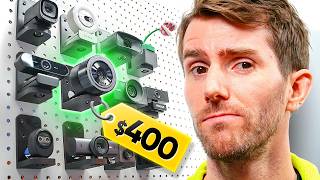
Under $100: Razer Kiyo with ring light — 1080P/60fps with built-in lighting advantage. $100–$150: Elgato Facecam MK.2, Logitech C925-E — purpose-built streaming sensors, Sony STARVIS or equivalent, better low-light. $399.99+: 4K streaming cameras with premium sensors, wide aperture lenses, and hardware-based processing. For most beginners, the $100–$150 range hits the capability sweet spot.
Common Beginner Mistakes
Buying a webcam and then being surprised by bad lighting — a great camera in a dark room still looks worse than a mediocre camera in good light. Sort out key lighting before upgrading your camera. Second: forgetting to set your streaming software (OBS, Streamlabs) to output at 720P/60fps or 1080P/60fps — the default is often 720P/30fps which wastes your webcam's capability. Third: mounting the webcam below eye level — webcams angled upward at your face look unflattering; position the lens at or slightly above eye level.
Watch Before You Buy
“Elgato Facecam MK.2: Sony STARVIS sensor, uncompressed 1080P/60fps, purpose-built for OBS and Streamlabs. Best streaming webcam under $150.”
See Today’s Price →What we like
- 1080p/60fps uncompressed via USB provides the best signal quality for external capture cards
- Sony Starvis CMOS sensor delivers accurate low-light performance without the washed-out exposure that consumer webcam sensors produce in mixed lighting
- PTZ control via Camera Hub adjusts pan, tilt, and zoom without touching the camera mid-stream
- HDR10 processing retains detail in both bright window backgrounds and darker skin tones in the same frame
- Persistent settings stored on-camera maintain your configured profile across reboots and device changes without re-calibrating
Watch out for
- No AI auto-framing — requires manual camera repositioning for seated vs. standing shots
- Sony STARVIS sensor performs best in controlled lighting — image quality in dynamic lighting (window + artificial mix) is inconsistent
- no built-in microphone
Read Full Analysis
The Elgato Facecam MK.2 is purpose-built for streaming in a way consumer webcams aren't — the uncompressed 1080p/60fps USB output feeds cleanly into capture cards and broadcasting software without the compression artifacts that cause banding in stream recordings. The Sony Starvis CMOS sensor handles low-light and mixed lighting better than standard webcam sensors, retaining accurate skin tone reproduction when room lighting is inconsistent. PTZ control via Camera Hub adjusts pan, tilt, and zoom without physically touching the camera mid-stream — a practical advantage for live content where repositioning breaks immersion. Persistent settings stored on-camera maintain your configured exposure and white balance profile across device changes and reboots. Against the Razer Kiyo, the Elgato is $12 more for significantly better sensor performance and deeper streaming-software integration. Against the Logitech C925-E, it's $40 less while delivering 60fps versus 30fps — a visible frame rate improvement for gaming streams. The one gap is the missing built-in microphone, requiring a separate audio solution. Best for streamers with a dedicated mic who want the best image quality under $150 in this comparison.
Skip this if: You need built-in lighting — the Facecam has no ring light and requires separate key lighting.

“Razer Kiyo with built-in ring light. Plug-in and start streaming immediately — the integrated lighting eliminates the need for a separate key light.”
See Today’s Price →What we like
- Built-in ring light provides flattering, adjustable illumination for dark rooms and back-lit setups without a separate key light purchase
- 1080p 30fps capture is clean for standard streaming and video call use — smooth output compatible with OBS and all major streaming platforms
- Wide 81.6-degree field of view captures more of the background for gaming setups where room context matters to the stream
- Plug-and-play USB connection works across all major streaming software without driver installation
Watch out for
- Advanced configuration may require technical knowledge to fully optimize
- Performance may lag behind premium models for intensive workloads
Read Full Analysis
The Razer Kiyo's built-in ring light makes it the most beginner-friendly webcam in this streaming comparison — it eliminates the most common image quality problem (poor or backlit room lighting) without requiring a separate key light or lighting knowledge. It's the most affordable option in this comparison while solving the setup barrier that causes most new streamers to look washed out or underlit on camera. The 1080p 30fps output is adequate for standard Twitch and YouTube streaming without pushing bandwidth limits. Against the Elgato Facecam MK.2, the Razer is $12 less but drops to 30fps versus 60fps — a visible difference for fast-motion gaming streams where smoothness matters. Against the Kiyo Pro Ultra, the image quality gap is substantial but so is the price difference. Best for new streamers setting up their first dedicated space who want immediate visual quality improvement without learning lighting setup or investing in separate gear.
Skip this if: Your room already has good lighting — you're paying for the ring light, which you won't need.

“Razer Kiyo Pro Ultra 4K with 85-degree FOV and Sony STARVIS 2 sensor. Top-tier image quality for professional streamers and content creators.”
See Today’s Price →What we like
- 4K/24fps or 1080p/60fps
- 1/1.2-inch Sony Starvis 2 sensor is the largest available in a consumer webcam — large sensor size is the primary driver of low-light performance and background separation
- F/1.7 aperture creates visible background blur that smaller-sensor webcams cannot replicate without AI simulation
- AI scene detection adjusts exposure, white balance, and HDR processing automatically based on the detected environment
- Built-in microphone handles audio capture for setups without a dedicated USB microphone
Watch out for
- Expensive
- Newer with smaller review base
- Synapse software can be finicky on Mac
Read Full Analysis
The Razer Kiyo Pro Ultra is built around the largest image sensor available in a consumer webcam—the 1/1.2-inch Sony Starvis 2 CMOS. Sensor size is the primary driver of low-light performance: the Starvis 2 captures more light per pixel than smaller sensors in the Elgato Facecam MK.2 and Logitech C925-E, producing cleaner footage in dim streaming environments without software-driven noise reduction. The F/1.7 aperture creates genuine optical background blur from lens physics rather than AI simulation—a meaningful quality difference for streamers who want professional depth separation between subject and background. It costs $290 more than the Elgato Facecam MK.2, $250 more than the Logitech C925-E, and $302 more than the Razer Kiyo. The Elgato Facecam MK.2 is the strongest 1080p alternative with excellent image quality. The Kiyo Pro Ultra's premium buys the 1/1.2-inch sensor and optical background blur—upgrades that matter primarily for professional streamers in controlled or low-light environments. Razer's Synapse software dependency is a real Mac limitation; configuration works, but software stability is less reliable than on Windows. Best for professional streamers and content creators who want the highest image quality from a webcam and shoot in challenging lighting. Beginners should start with the Elgato Facecam MK.2—it delivers excellent 1080p output at a fraction of the cost. The Kiyo Pro Ultra earns its premium when low-light performance and optical background separation are driving purchase decisions, not just resolution specs.
Skip this if: You're just starting out — the quality improvement over the Facecam MK.2 requires a very discerning audience to appreciate.

“Logitech C925-E: HD 1080P with built-in privacy shutter and autofocus. Works equally well for Zoom calls and casual streaming.”
See Today’s Price →What we like
- Compatible with Nintendo Switch 2’s new GameChat mode
- Upgrade video calls with a 1080p webcam offering HD visuals at 30 fps, autofocus, a 78° view, and RightLight 2 for
- Be heard with dual omnidirectional mics delivering clear sound within one meter
- Stay secure with a built-in webcam cover that slides open or closed
Watch out for
- Advanced configuration may require technical knowledge to fully optimize
- Performance may lag behind premium models for intensive workloads
Read Full Analysis
The Logitech C925-E is the dual-purpose option in this comparison — positioned to perform equally well for enterprise video calls and casual streaming without compromising either. RightLight 2 technology automatically adjusts exposure in changing lighting conditions, reducing the manual calibration that dedicated streaming webcams require. The 78-degree field of view captures a wider room context than narrow streaming webcams, which matters for meetings where multiple people share a frame or background environment is part of the presentation. Dual omnidirectional microphones with 1-meter pickup range eliminate the need for a separate mic for standard video calls. Against the Elgato Facecam MK.2, the Logitech includes a microphone and better auto-exposure but sacrifices the 60fps frame rate (30fps only) and deeper streaming-software integration. Against the Razer Kiyo, it adds autofocus and superior video call optimization at $52 more. Best for remote workers and hybrid streamers who want one webcam that handles morning Zoom calls and evening streaming sessions without swapping hardware.
Skip this if: Streaming video quality is your priority — the C925-E is optimized for video conferencing, not high-frame-rate streaming.
Frequently Asked Questions
Is the Elgato Facecam MK.2 worth it for streaming?
Do I need a ring light if I have the Razer Kiyo?
What resolution do I need for streaming on Twitch?
Can I use a regular webcam for streaming?
How We Chose These Products
We compare each product’s Amazon listing, the manufacturer’s published specifications and Amazon customer ratings, shown with their review counts as Amazon’s data, and rank the products on how well they answer this page’s question. We do not test products in hand and we do not run our own analysis of review text. A publication or expert is named only where we cite its published findings about that product. No manufacturer paid for placement on this page.
A price appears only when Amazon’s API supplied it at a recent daily refresh, with the date and time beside it, and is withdrawn at 4 AM Central on the day after it turns 24 hours old; otherwise use “Check price on Amazon” for the live price. Read our full methodology →