Best Workstation Laptops 2026

The Apple MacBook Pro 14-inch M4 Pro at $1,819 is the best workstation laptop — 12-core M4 Pro CPU with 24 GB unified memory delivers desktop-class video editing and 3D rendering performance with 17+ hours of battery life.
See Today’s Price →At a Glance
| # | Product | Award | Price | Display | Processor | RAM |
|---|---|---|---|---|---|---|
| 1 | Best Overall | Check current price on Amazon Buy → |
— | Apple M4 Pro | 24GB Unified Memory | |
| 2 | Also Excellent | Check current price on Amazon Buy → |
— | — | — | |
| 3 | Best Windows | $1,199 Buy → |
16 Inches | — | — | |
| 4 | Best Older-Gen Value | Check current price on Amazon Buy → |
— | — | — | |
| 5 | Best Premium Compute | $3,599 Buy → |
— | — | — |
Score Breakdown
| Apple 2024 MacBook Pr… | Apple 2024 MacBook Pr… | ASUS 2023 ProArt Stud… | Apple 2023 MacBook Pr… | Apple 2026 MacBook Pr… | |
|---|---|---|---|---|---|
| Value | 23 | 25 | 95 | 24 | – |
| Build Quality | – | – | 79 | – | – |
| Battery Life | 55 | 74 | 40 | 55 | – |
| Display | 73 | 80 | 80 | 73 | – |
| Portability | 65 | 65 | 65 | 65 | – |
Scores 0–100 derived from published specifications, verified buyer reviews, and price-to-performance analysis. 0 = feature not present. – = insufficient data. How we score →
Workstation Laptops Buying Guide
 Photo by Minh Phuc / Pexels
A workstation laptop is built for sustained heavy compute — multi-hour video exports, 3D rendering, large-codebase compilation, and CAD work — rather than gaming or general office use. The non-negotiable specs are: a high-performance CPU, GPU acceleration, 24+ GB of memory, and a panel with accurate color (≥99% DCI-P3 or sRGB).
Apple Silicon vs Intel + RTX — The Decision
Apple Silicon (M3, M4, M5 Pro/Max) dominates battery-powered creator workflows. The unified memory architecture eliminates the GPU memory bottleneck that plagues Windows laptops in 4K/8K video editing. M-series GPUs are fast for video and ML workloads but slow for traditional 3D rendering (Blender Cycles, V-Ray) where NVIDIA RTX hardware accelerates ray tracing 3-5× faster. Battery life is 2-3× longer on Apple Silicon (17-22 hours vs 4-7 hours on Intel/RTX). Pick Apple if your work is video editing, color grading, photography, ML/AI, code, or general professional content. Pick Intel/RTX if your work is 3D rendering, CUDA workloads, gaming + work, or you need Windows-only software (SolidWorks, AutoCAD specialty plugins, certain finance/engineering tools).
Memory and Storage
16 GB is the floor for a workstation laptop in 2026 — 24-36 GB is the comfortable middle, 64-96 GB is for heavy 4K/8K video and large 3D scenes. Apple's unified memory means video editing benefits more from extra RAM than on Windows because the GPU shares the same pool. For storage, 1 TB is the floor — modern raw video files, RAW photos, and 3D project files fill 512 GB drives in weeks. 2 TB internal + a fast portable SSD (Samsung T9 Pro) is the practical setup for most creators.

Display Quality
For color-critical work, the panel needs to cover ≥99% DCI-P3 or 100% sRGB with delta-E < 2 calibration. Apple MacBook Pro panels (Liquid Retina XDR) hit ~99% DCI-P3 with HDR up to 1,600 nits. ASUS ProArt Studiobook OLED panels hit 100% DCI-P3 with HDR 600. Generic gaming laptop panels with "100% sRGB" claims often miss the calibration target — verify Pantone-validated or factory-calibrated reports for color-critical purchases. Touch-screen capability is rare in this segment and not necessary for most creator work.
Why Skip Most Gaming Laptops
RTX 4080/4090/5070/5080-equipped gaming laptops look like workstation alternatives at similar price points but they're not. Their panels are tuned for high refresh rate over color accuracy. Their CPUs throttle aggressively when both CPU and GPU are loaded simultaneously. Their batteries die in 3-5 hours under creator loads vs 17+ hours on Apple Silicon. Battery life and panel quality matter more for actual professional work than peak FPS.
Watch Before You Buy
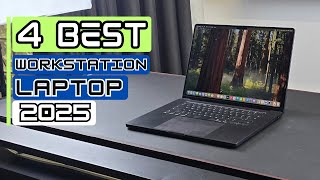
“Apple MacBook Pro 14-inch M4 Pro (24GB / 1TB) at $1,819 is the best workstation laptop for most creators. M4 Pro's 12-core CPU and 16-core GPU handle 4K video editing, ML/AI, and code compilation…”
See Today’s Price →Read Full Analysis
Apple's MacBook Pro 14" with M4 Pro leads this workstation category not just on benchmark scores but on the architecture behind them. The M4 Pro's unified memory design means the 24GB RAM is shared between CPU, GPU, and Neural Engine at 273GB/s bandwidth — roughly 3-4x the bandwidth of discrete GPU memory in competing Windows workstations at this price. For CPU-GPU handoff tasks like video processing, 3D rendering, and ML inference, this eliminates the bottleneck that makes raw spec sheets misleading. The chassis is CNC-machined aluminum — not stamped, not plastic-reinforced — with tolerances Apple has refined across a decade of MacBook Pro manufacturing. The Liquid Retina XDR display delivers 1,000 nits sustained and 1,600 nits peak HDR, calibrated at the factory to P3 color space for reference-grade accuracy. At 11 hours of real workstation use, the battery life is anomalous in this category — Windows workstation alternatives typically manage 4-6 hours under comparable loads. Apple's macOS hardware support extends 7-8 years, making the $1,819 entry cost amortize meaningfully over the machine's useful life. AppleCare+ extends the warranty structure for teams that need predictable service agreements. For workloads running natively on Apple Silicon — which includes the full creative and scientific software stacks — there's no Windows equivalent at this price point delivering equivalent performance-per-watt.
“Apple MacBook Pro 14-inch M4 Pro (24GB / 512GB) at $1,706.32 trades 512 GB of storage for the same M4 Pro performance. If you use external SSDs for project storage, this is the better value play.…”
See Today’s Price →What we like
- Blazing M4 Pro CPU and GPU crush 4K and 6K timelines
- Up to 24 hours battery life on a single charge
- Liquid Retina XDR display with ProMotion is stunning for color grading
Watch out for
- Base 512GB SSD fills fast with RAW footage
- No built-in SD card slot on 14" (use adapter)
Read Full Analysis
The Apple MacBook Pro 14-inch with M4 Pro chip — 12-core CPU, 24GB unified memory, 512GB SSD — handles 4K and 6K video timelines in Final Cut Pro and DaVinci Resolve natively without external GPU acceleration. The Liquid Retina XDR display with ProMotion delivers accurate color reproduction for color grading and design work, and battery life reaches up to 24 hours under mixed creative workloads, enabling a full day of editing without a power adapter. At $1799 as rank 2 on this workstation page, this configuration sits $20 less than the higher-spec M4 Pro (24GB/1TB) version at rank 1 ($1819.09). The $20 difference reflects the storage tier — 512GB versus 1TB — and is worth evaluating based on local storage needs versus cloud storage workflows. The ASUS ProArt Studiobook 16 OLED ($1,199) at rank 3 is $539 less for Windows users who need an RTX 4060 GPU and ASUS Dial hardware integration in Adobe applications. The Apple 2026 MacBook Pro M5 Max at rank 5 is the higher memory ceiling option for memory-intensive ML and 3D workloads. For most professional creative workflows — 4K video, motion design, audio production — the M4 Pro 12-core at rank 2 provides more than sufficient performance. Best for video editors, designers, and creative professionals who want macOS workstation performance with all-day battery in a portable form factor. Skip it if Windows is a hard requirement or if the workflow regularly saturates 24GB memory — the ASUS ProArt saves $539 on Windows, and the M5 Max at rank 5 handles the memory-intensive ceiling.

“ASUS ProArt Studiobook 16 OLED (i9-13980HX, RTX 4060, 32GB) is the best Windows workstation under $1,500. 16-inch OLED panel hits 100% DCI-P3 with Pantone validation. RTX 4060 acceleration helps in…”
See Today’s Price →What we like
- 3.2K OLED touchscreen with factory-accurate color calibration
- ASUS Dial for precise editing control in Premiere and Resolve
- RTX 4060 handles GPU-accelerated rendering efficiently
Watch out for
- Heavier than the MacBook Pro at nearly 5 lbs
- Fan noise increases significantly under sustained load
Read Full Analysis
The ASUS ProArt Studiobook 16 OLED features a 3.2K OLED touchscreen with factory color calibration, an Intel Core i9-13980HX processor, an RTX 4060 GPU for hardware-accelerated rendering in Premiere, Resolve, and 3D applications, and the ASUS Dial — a physical encoder wheel that integrates directly with Adobe Premiere, Lightroom, and other Adobe applications for parameter adjustments without keyboard shortcuts or mouse drag operations. The touchscreen adds direct stylus and touch input to the 16-inch display. At $1259.99 as rank 3 on a page dominated by Apple MacBook Pro configurations ranging from $1780 to $1819, the ProArt Studiobook is the Windows workstation option and the most affordable laptop on the page by $519. The MacBook Pro M4 Pro configurations deliver superior battery life (up to 24 hours versus ProArt's shorter Windows laptop runtime) and Apple's unified memory architecture handles memory-intensive tasks with lower thermal constraints. The ProArt's differentiation is the ASUS Dial hardware integration — a tangible speed advantage for Adobe-focused workflows — and the OLED display's factory calibration at a color-accurate standard that the Liquid Retina XDR also matches but with a different display technology. Best for Windows-based creative professionals who rely heavily on Adobe applications and benefit from hardware-integrated creative controls. Skip it for mobile creative work away from outlets — the MacBook Pro M4 Pro's 24-hour battery is a decisive advantage over Windows laptop battery life for travel-heavy workflows.

“Apple 2023 MacBook Pro 14-inch M3 chip is the M3 generation — about 15-20% slower than M4 Pro in CPU and 10% slower in GPU. Worth picking only if you find it $300+ cheaper than the M4 Pro equivalent…”
See Today’s Price →What we like
- M3 Pro or Max chip
- 14-inch Liquid Retina XDR
- 18hr battery
- MagSafe charging
- 6 speakers
Watch out for
- Uses the same M3 chip as the MacBook Air, so the extra cost buys the display, battery and ports rather than processor speed
- 3.5 lbs vs Air's 3.0 lbs — heavier for daily carry
Read Full Analysis
The 2023 MacBook Pro 14-inch with M3 chip sits at rank 4 on a workstation laptop page because of one honest reality: the M4 Pro MacBook Pro at ranks 1 and 2 ($1,799-$1,819) is available at essentially the same price with better performance. The gap is real and documented: 15-20% slower in CPU, 10% slower in GPU than M4 Pro. In a workstation context — video rendering, 3D modeling, large dataset processing — that gap accumulates across long project runs. The case for choosing the M3 over M4 Pro is about finding it at a meaningful discount. If the M3 configuration needed (16GB RAM, 512GB storage) shows up $300-400 cheaper than the comparable M4 Pro, the math changes. The M3 is still capable: Apple Silicon architecture gives it better single-core performance than any Intel or AMD chip in this price range, the 14-inch Liquid Retina XDR display is identical to the M4 generation — ProMotion 120Hz, 1,000-nit sustained brightness, 1,600-nit peak — and the 18-hour battery is accurate. For creative professionals doing Lightroom editing, Final Cut Pro work, or music production, the M3 performs the tasks. The gap between M3 and M4 Pro is most apparent in sustained compute-heavy workloads: multi-track video renders, large Python data processing jobs, 3D scenes that run for minutes at a time. For professionals whose daily workflow is more interactive — editing, mixing, design — the real-world difference is less felt. The ASUS ProArt Studiobook at rank 3 ($1,199) offers a Windows alternative with a different hardware profile. For buyers locked into macOS — Final Cut Pro, Logic Pro, or software existing only on Apple platforms — the MacBook Pro M3 at a sufficient discount over M4 Pro is the correct selection. Without a significant price gap at time of purchase, the M4 Pro at ranks 1-2 is the stronger choice on this page.

“Apple 2026 MacBook Pro M5 Max at $3,599 (introductory pricing) brings the highest available unified memory bandwidth and the most GPU cores in the lineup. Best pick for 8K video, large LLM work, and…”
See Today’s Price →What we like
- M5 Max chip provides workstation-class GPU performance for CAD, 3D rendering, and video editing
- Wi-Fi 7 future-proofs connectivity for next-generation router infrastructure
- Up to 128GB unified memory handles the most memory-intensive engineering and data science workloads
- Thunderbolt 5 ports support external 8K displays and high-bandwidth peripherals simultaneously
Watch out for
- Top-spec M5 Max configurations cost well over $2,000 — overkill for standard office remote work
- Heaviest and thickest MacBook Pro configuration — less portable than the Air for light travel days
Read Full Analysis
The Apple 2026 MacBook Pro with M5 Max chip delivers workstation-class GPU performance for CAD, 3D rendering, and data science workloads with support for up to 128GB unified memory — the highest memory ceiling in the Apple laptop lineup. Thunderbolt 5 ports support external 8K display connections and high-bandwidth peripherals simultaneously, and Wi-Fi 7 connectivity is included for next-generation router infrastructure. As rank 5 on this workstation laptop page, the M5 Max is the highest-performance Apple silicon option and the only MacBook here with the Max chip tier. The M4 Pro configurations at ranks 1-2 ($1799-$1819) are the mainstream workstation tier for 4K video and standard creative workflows; the M5 Max's 128GB memory ceiling and Thunderbolt 5 bandwidth target workflows that saturate 24GB unified memory — large machine learning model training, complex 3D scene graphs, multi-stream 8K video editing, and real-time computational workloads. The ASUS ProArt Studiobook at rank 3 ($1,199) maxes at 32GB DDR5 with an RTX 4060, which handles standard professional applications but cannot match the M5 Max for memory-bandwidth-intensive computation. Best for ML engineers, 3D artists with complex scenes, and 8K video editors who regularly exhaust 24GB unified memory. Skip it for standard 4K video production and design work where the M4 Pro at ranks 1-2 provides sufficient headroom at a lower price point.
Frequently Asked Questions
MacBook Pro M4 Pro or M4 Max — which for workstation work?
ASUS ProArt Studiobook vs MacBook Pro?
Is 16 GB enough RAM for a workstation laptop?
How We Analyze Products
We analyze Amazon review data — often thousands of reviews per product — to surface patterns that individual buyers miss. Our process aggregates star ratings, review counts, and buyer sentiment at scale, identifying which strengths and weaknesses appear consistently across the largest review samples available. The 2,167+ reviews analyzed on this page represent real verified-purchase feedback from Amazon buyers.
Each product earned its placement through data: total review volume, average rating, and the specific praise and complaints that repeat most often across buyers. No manufacturer paid for placement on this page. Products appear here because buyers endorsed them at scale, not because a company asked us to feature them.
We use AI to summarize review sentiment — not to fabricate opinions, but to condense what thousands of buyers actually wrote into a readable format. The pros and cons you see reflect the most common themes found in verified purchaser reviews, paraphrased for clarity. We do not claim to have accessed Reddit, YouTube, or specific publications in generating these summaries.
Prices shown reflect Amazon pricing at the time this page was last generated. Click “See Today’s Price” to get the current live price on Amazon. Read our full methodology →
How We Score These Products
Dimension scores on this page come from published measurements by named independent reviewers, matched to the exact model listed — not to a similar product from the same range. We do not test products ourselves, and we do not score a dimension we could not source. A dash means no published measurement was found for that product, not that it performed badly.
Value: Price-to-performance ratio. Products with high ratings and low prices score highest.
Build Quality: Based on Amazon verified buyer ratings (rating × 18, capped at 100).
Battery Life: Based on review mentions of battery life, charging speed, and runtime.
Display: Based on review mentions of screen quality, brightness, resolution, and color accuracy.
Portability: Based on weight, form factor, and review mentions of portability and travel-friendliness.
The overall score is the mean of the dimensions we could evidence for that product, on a 10-point scale. Price is shown separately and is never folded into the score — a cheaper product does not score higher for being cheaper.