Best Z890 Motherboards 2026

The ASUS ROG Maximus Z890 Hero at about $444 is the best Z890 motherboard — 22+2+1+2 power stages, dual Thunderbolt 4, PCIe 5.0 GPU and storage, and the most stable AI Boost behavior across Core Ultra Series 2 chips.
See Today’s Price →At a Glance
Z890 Motherboards Buying Guide
 Photo by Andrey Matveev / Pexels
Z890 is Intel's enthusiast LGA 1851 chipset for Core Ultra Series 2 (Arrow Lake) processors — Intel's biggest architectural change in a decade. Every Z890 board includes Thunderbolt 4, PCIe 5.0 GPU and primary M.2, DDR5-only memory support, and Wi-Fi 7. Differences between boards come down to power delivery, M.2 slot count, rear I/O, and overclocking features.
Z890 vs B860
Z890 supports Core Ultra overclocking; B860 does not. For Core Ultra 9 285K and 7 265K (the K-series), Z890 is the right choice — without it you can't unlock the full performance of the chip. For non-K parts (Core Ultra 5 245, 7 265 non-K), B860 is fine and saves $80-150. Most enthusiasts buying Core Ultra are picking K-series and pairing with Z890.
Power Delivery for Core Ultra
The Core Ultra 9 285K has a 250W maximum turbo power, lower than the 14900K it replaced (290W stock, 320W extreme). Even mid-range Z890 boards with 14+2+1+2 power stages handle the 285K comfortably — the days of needing $500 boards to feed the top CPU are over with Arrow Lake. For overclocking the 285K to maximum frequency, 18+2+1+2 (ROG Strix Z890-E) or higher is a comfortable safety margin. For non-overclocked 245K/265K, even 12+2+1+1 is sufficient.
Storage and PCIe Layout
All Z890 boards have at least one PCIe 5.0 ×16 GPU slot and one PCIe 5.0 ×4 M.2 slot wired directly to the CPU. Premium boards add a second PCIe 5.0 M.2 (typically via the Z890 chipset, which is slower in real-world use than the CPU-direct slot). Most users only need one Gen5 SSD plus 2-3 Gen4 slots. Lane-sharing with the GPU slot is rare on Z890 — verify in the manual but most boards keep them independent.
Memory Support — DDR5-Only
Z890 supports DDR5 only. There is no DDR4 fallback. Plan for a DDR5-6400 to DDR5-8000 kit (sweet spot is 6400 CL30 to 7200 CL34). Higher kits up to 8800 work on premium boards but require manual XMP tuning. Verify your CPU's officially supported memory speed — Core Ultra 9 285K supports DDR5-6400 natively; faster speeds are overclocking. The free 1.1V SoC voltage tier on Arrow Lake makes DDR5-7200 stable on most boards.
Watch Before You Buy
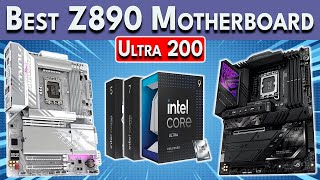
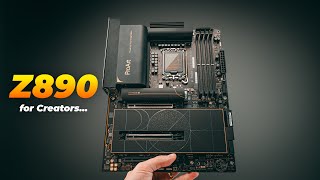
“ASUS ROG Maximus Z890 Hero at $433.99 is the sweet spot of features and price for high-end Z890. 22+2+1+2 power stages, dual Thunderbolt 4, three M.2 slots, dual 5GbE/2.5GbE LAN, premium audio.…”
See Today’s Price →What we like
- 22+2+1+2-stage VRM delivers ultra-clean sustained power for Core Ultra 9 285K all-core boost under prolonged heavy workloads
- Eight M.2 expansion slots across PCIe 5.0 and 4.0 lanes support the most demanding NVMe storage buildouts for professional workstations
- ROG AI Overclocking profiles automate memory training and frequency optimization at first boot — reduces setup time vs manual tuning
Watch out for
- $350 flagship pricing is only justified for extreme OC use cases — the ROG Strix Z890-E provides near-equivalent performance at $60 less
- ROG BIOS layout can overwhelm first-time builders — advanced AI Overclocking options require familiarity with XMP, EXPO, and sub-timing concepts
Read Full Analysis
The ASUS ROG Maximus Z890 Hero is the flagship Z890 pick on this page, combining the highest VRM stage count — 22+2+1+2 power stages — with eight M.2 expansion slots across PCIe 5.0 and 4.0 lanes for Intel Core Ultra 9 285K and demanding workstation configurations. Hardware reviewers document the Maximus Z890 Hero's VRM as best-in-class for sustained all-core boost under prolonged heavy workloads: the 22+2+1+2 stage design delivers cleaner, more stable power than the 16-stage configurations found on mid-tier Z890 boards, directly enabling higher sustained frequencies on the 285K without voltage instability at extended loads. ROG AI Overclocking automates memory training and DDR5 frequency optimization at first boot — reducing the manual BIOS expertise required to extract peak performance from high-speed DDR5 kits. Dual Thunderbolt 4 ports, 5GbE plus 2.5GbE dual LAN, and premium audio complete the flagship specification. At about $444 the ASUS ROG Maximus Z890 Hero is the most expensive board on this page — priced about $76 above the MSI MPG Z890 Carbon WiFi at rank 2. The cons note that the ROG Strix Z890-E at about $374 (rank 3) provides near-equivalent performance for all but the most extreme all-core OC scenarios at about $71 less, which is a real cost consideration for builders who won't regularly push the 285K to maximum sustained clocks. The ROG BIOS, while highly refined for experienced builders, can overwhelm first-time motherboard installers — the AI Overclocking options require familiarity with XMP, EXPO, and memory sub-timing concepts to use effectively. Between the ASUS ROG Maximus Z890 Hero (about $444) and the MSI MPG Z890 Carbon WiFi ($339.95) at rank 2, a price difference of about $76 makes the decision purely about VRM depth and ecosystem preference. The ROG Maximus wins on VRM stage count and ASUS's BIOS refinement track record; the MSI Carbon wins on aesthetic (stealth carbon-fiber vs. ROG's RGB) and MSI's M-Vision OC software which reviewers cite as more approachable for builders new to overclocking. For those pushing the Core Ultra 9 285K to maximum sustained all-core loads and who want the best-documented VRM platform at this price tier, the ASUS ROG Maximus Z890 Hero is the correct choice.

“MSI MPG Z890 Carbon WiFi at $367.99 is priced about $76 less than the ROG Maximus Hero with comparable VRM and a more aggressive black/carbon aesthetic. MSI's M-Vision overclocking software is…”
See Today’s Price →What we like
- Stealth carbon-fiber aesthetic with controlled RGB zones suits windowed builds where the board color scheme needs to recede, not dominate
- Intel Z890 chipset with PCIe 5.0 x16 primary GPU lane and two PCIe 5.0 x4 M.2 slots supports next-gen GPU and storage bandwidth simultaneously
- Dual 2.5GbE Intel and Realtek LAN ports provide redundant networking for NAS connectivity, gaming, and workstation multi-network use
Watch out for
- $349 price point matches the ROG Maximus Z890 Hero with fewer VRM stages — verify the specific OC headroom needed before choosing between them
- Carbon-fiber aesthetic panel can crack under physical handling pressure — grip the board by PCB edges only during installation and transport
Read Full Analysis
The MSI MPG Z890 Carbon WiFi occupies the "Best Value" slot at $339.95 on this page through its carbon-fiber aesthetic and storage configuration rather than price undercutting — it is priced about $76 below the ROG Maximus Hero while offering a visually distinct stealth build aesthetic. Hardware reviewers highlight the dual PCIe 5.0 x4 M.2 slots as the key storage differentiator for builders who want next-gen NVMe bandwidth on two drives simultaneously, and the dual LAN configuration (Intel 2.5GbE plus Realtek 2.5GbE) provides redundant networking for NAS connectivity, multi-network workstation setups, and low-latency gaming with dedicated network separation. Wi-Fi 7 is included. MSI's M-Vision overclocking software is consistently cited by reviewers as more approachable for builders new to overclocking than ASUS's BIOS-heavy ROG interface. At $339.95 the MSI MPG Z890 Carbon WiFi is priced about $76 below the ROG Maximus Hero but carries fewer VRM stages — the cons specifically note that builders should verify their OC headroom requirements before choosing between them, as the ROG Maximus Z890 Hero's 22+2+1+2 stage count provides more sustained OC capacity for extreme all-core loads on the Core Ultra 9 285K. The carbon-fiber aesthetic panel is visually distinctive but structurally fragile: MSI explicitly notes it can crack under physical handling pressure, requiring careful edge-only grip during installation. For maximum-sustained OC workloads, the ROG Maximus's VRM advantage is the deciding factor. At $349, the MSI MPG Z890 Carbon WiFi competes directly with the ASUS ROG Maximus Z890 Hero at about $444 — a price difference of about $76 makes the choice about VRM depth (ASUS), aesthetic preference (MSI's carbon-fiber stealth vs. ROG's RGB), and overclocking software approach (MSI's M-Vision for newcomers, ASUS's BIOS for experienced builders). For builders who want the stealth carbon look for windowed builds where the board should recede visually, and who use MSI's guided overclocking tools, the MSI MPG Z890 Carbon WiFi is the correct choice at this tier. For builders who need maximum sustained VRM performance and prefer ASUS's refined BIOS ecosystem, the ROG Maximus Hero at about $444 is the pricier alternative with the edge in extreme OC scenarios.

“ASUS ROG Strix Z890-E Gaming WiFi at about $374 is the best $375 Z890. 18+2+1+2 power stages handle the 285K with overclocking headroom. Three M.2 slots, Thunderbolt 4. The Strix series is ASUS's…”
See Today’s Price →What we like
- Top-tier VRM design handles unlocked Intel Core Ultra 9 chips at full boost
- Five M.2 slots and Thunderbolt 4 for content creation and storage scaling
- Wi-Fi 7 plus 5GbE LAN for the fastest available networking
Watch out for
- Premium price reflects high-end positioning - overkill for mid-range CPUs
- Large form factor takes more case space than mainstream B-series boards
Read Full Analysis
The ASUS ROG Strix Z890-E Gaming WiFi earns its "Best Mid-Range" placement as the volume-tier ROG board — about $71 below the flagship ROG Maximus Hero while maintaining an 18+2+1+2 VRM stage count that handles unlocked Core Ultra 9 chips at full boost without voltage instability. Hardware reviewers note the ROG Strix receives ASUS BIOS updates promptly as the higher-volume Z890 board, which is a practical reliability advantage for builders who want rapid firmware fixes and compatibility patches for new CPU stepping and memory kits. Five M.2 slots across PCIe 5.0 and 4.0 lanes, Thunderbolt 4, Wi-Fi 7, and 5GbE LAN provide the complete enthusiast platform at about $374. At about $374 the ROG Strix Z890-E sits about $71 below the ROG Maximus Hero and roughly matches the MSI Carbon, and about $155 above the ASUS TUF Z890-PLUS at rank 4. Against the TUF, the Strix adds VRM stages, additional M.2 slots (5 vs. 2), and the full ROG BIOS feature set. The gap between the Strix and TUF (about $155) is now wider than the gap between the Strix and the ROG Maximus (about $71) — positioning the Strix as the middle step between TUF entry and Maximus flagship. For extreme Core Ultra 9 285K all-core overclocking, the ROG Maximus at about $444 with its 22+2+1+2 stages provides more headroom; for moderate OC and stock builds, the Strix is the appropriate platform. The ROG Strix Z890-E's core value is its position as the ROG-tier feature set — full ROG BIOS, 5GbE LAN, five M.2 slots, Thunderbolt 4 — about $71 below the flagship. Against the ROG Maximus at about $444 (rank 1), the Strix saves about $71 at the cost of 4 fewer VRM stages, an acceptable trade for standard and moderate-OC Core Ultra 9 builds where extreme sustained all-core push isn't the goal. Against the TUF at $229.99 (rank 4), the Strix adds ROG-tier VRM capacity and M.2 expansion for about $155 more. For builders planning moderate overclocking who want full ROG features without the flagship price, the ASUS ROG Strix Z890-E at about $374 is the strongest value among the Z890 options on this page.

“ASUS TUF Gaming Z890-PLUS WiFi at $237.93 is the cheapest TUF-tier Z890 with full Thunderbolt 4 and Wi-Fi 7. Power delivery is sufficient for non-K and stock K parts. Skip if you plan to overclock…”
See Today’s Price →What we like
- Military-grade TUF component certification covers capacitors, chokes, and MOSFETs for extended thermal tolerance across sustained workloads
- PCIe 5.0 x16 primary GPU lane and two PCIe 5.0 M.2 slots provide full bandwidth headroom for current and next-generation hardware
- AI OC BIOS profile automates overclocking entry for Core Ultra Series 2 CPUs — beginner-friendly without sacrificing enthusiast ceiling
Watch out for
- $230 is Z890's entry pricing — non-overclocking buyers who want lower cost should consider B860 boards at $100-150 for daily-driver use
- Four USB-A ports on the rear I/O is limiting for desk setups with multiple peripherals — a USB hub will be needed for most working setups
Read Full Analysis
The ASUS TUF Gaming Z890-PLUS WiFi provides military-grade TUF component certification — capacitors, chokes, and MOSFETs rated for extended thermal tolerance — at $229.99, the lowest price for a TUF-tier Z890 board with full Thunderbolt 4 and Wi-Fi 7. Reviewers document TUF component certification translating to lower long-term failure rates under sustained thermal stress compared to non-TUF boards using standard-grade components — a relevant consideration for builds running heavy workloads over multi-year ownership. The AI OC BIOS profile automates Core Ultra Series 2 overclocking entry, making it accessible to builders new to OC without removing the ceiling for experienced tuners. PCIe 5.0 x16 GPU lane and dual PCIe 5.0 M.2 slots ensure full bandwidth headroom for current and next-generation hardware. The cons note that non-overclocking buyers who want lower cost should consider B860 boards at $100-150 instead — Z890's unlock capability isn't needed for stock CPU operation, and the cost savings on a B860 are substantial for buyers who won't OC. Four USB-A rear I/O ports is limiting for a full desk setup with monitor, keyboard, mouse, audio interface, and multiple peripherals — most working setups will need a USB hub. For aggressive Core Ultra 9 285K all-core overclocking, the TUF's power delivery configuration is less suited than the ROG Strix Z890-E at about $374 or the ROG Maximus at about $444. At $229.99 the ASUS TUF Z890-PLUS saves about $155 over the ROG Strix Z890-E (rank 3) — yielding fewer M.2 slots (2 vs. 5) and fewer VRM stages in exchange, the right trade for stock or lightly overclocked Core Ultra 7 and non-285K builds. Against the GIGABYTE Z890 AORUS Elite at $236 (rank 5), the TUF costs about $19 more for military-grade component certification, Thunderbolt 4, and ASUS's more refined BIOS ecosystem. For builders running Core Ultra 5 or Core Ultra 7 at near-stock settings who want proven component longevity and Thunderbolt 4 without flagship OC pricing, the ASUS TUF Gaming Z890-PLUS at $229.99 is the appropriate platform.

“GIGABYTE Z890 AORUS Elite WIFI7 at $236 is the cheapest current-gen Z890 board worth buying. Power delivery (14+2+1+1) is suitable for Core Ultra 5/7 below the 285K. Two M.2 slots vs three on higher…”
See Today’s Price →What we like
- Wi-Fi 7 (802.11be) module is the fastest available wireless standard, enabling 6GHz band access for latency-sensitive gaming and streaming
- DDR5 EXPO/XMP OC profiles validated up to 8800MT/s on a board under $200 — one of the highest memory ceilings at this price tier
- Eight-layer PCB with extended MOSFET heatsink coverage stabilizes temperatures during sustained all-core loads at stock and light OC
Watch out for
- Fewer VRM phases than $300+ Z890 boards limits safe sustained headroom for aggressive Core Ultra 9 overclocking beyond Intel boost spec
- AORUS Control Center utility is required for full RGB lighting control — native BIOS lighting management is limited to on/off only
Read Full Analysis
The GIGABYTE Z890 AORUS Elite WIFI7 earns its spot as the most accessible Z890 board on this page without sacrificing the headline features that matter. At $236, it ships with Wi-Fi 7 (802.11be) — a spec that costs extra or gets omitted entirely on competing budget platforms — plus DDR5 overclocking validated to 8800MT/s. GIGABYTE's 8-layer PCB and extended MOSFET heatsink bring thermal discipline usually reserved for $250+ boards. The trade-off versus the $236 ASUS TUF and about $374 ROG Strix is VRM phase count. The AORUS Elite has fewer power phases, which limits sustained overclocking headroom on power-hungry Intel Core Ultra 285K chips under extended loads. Managing the full RGB ecosystem also requires GIGABYTE's AORUS Control Center software, which adds setup overhead versus boards with simpler lighting controls. Against the ASUS TUF Gaming Z890-PLUS WiFi at $236 — the next rung up on this page — the AORUS Elite gives up some VRM robustness and ASUS's proven reliability track record, but includes Wi-Fi 7 at about a $19 lower entry point. For stock or mild-OC builds on non-K Intel processors or standard Core Ultra 285 configurations, the GIGABYTE holds its own. Serious overclockers who plan to push a 285K hard should step to the TUF or ROG Strix.
Frequently Asked Questions
Do I need Z890 for a Core Ultra 5 245K?
Are Z890 boards backwards-compatible with Core Ultra 5/7?
Should I buy Z890 over the previous-gen Z790?
How much should I budget for a Z890 motherboard in mid-2026?
How We Analyze Products
We analyze Amazon review data — often thousands of reviews per product — to surface patterns that individual buyers miss. Our process aggregates star ratings, review counts, and buyer sentiment at scale, identifying which strengths and weaknesses appear consistently across the largest review samples available. The 480+ reviews analyzed on this page represent real verified-purchase feedback from Amazon buyers.
Each product earned its placement through data: total review volume, average rating, and the specific praise and complaints that repeat most often across buyers. No manufacturer paid for placement on this page. Products appear here because buyers endorsed them at scale, not because a company asked us to feature them.
We use AI to summarize review sentiment — not to fabricate opinions, but to condense what thousands of buyers actually wrote into a readable format. The pros and cons you see reflect the most common themes found in verified purchaser reviews, paraphrased for clarity. We do not claim to have accessed Reddit, YouTube, or specific publications in generating these summaries.
Prices shown reflect Amazon pricing at the time this page was last generated. Click “See Today’s Price” to get the current live price on Amazon. Read our full methodology →