How to Choose a Monitor Arm: Weight Limits, VESA Mounts, and Desk Clamp vs Grommet (2026)
The Ergotron LX Dual Monitor Arm is the best monitor arm for dual-screen productivity — match arm weight rating to your monitor plus 20% buffer. Verify VESA 75x75 or 100x100 on your monitor. Desk clamp works for most setups; grommet mount is more stable for monitors over 30 inches.
How to Choose a Monitor Arm Buying Guide
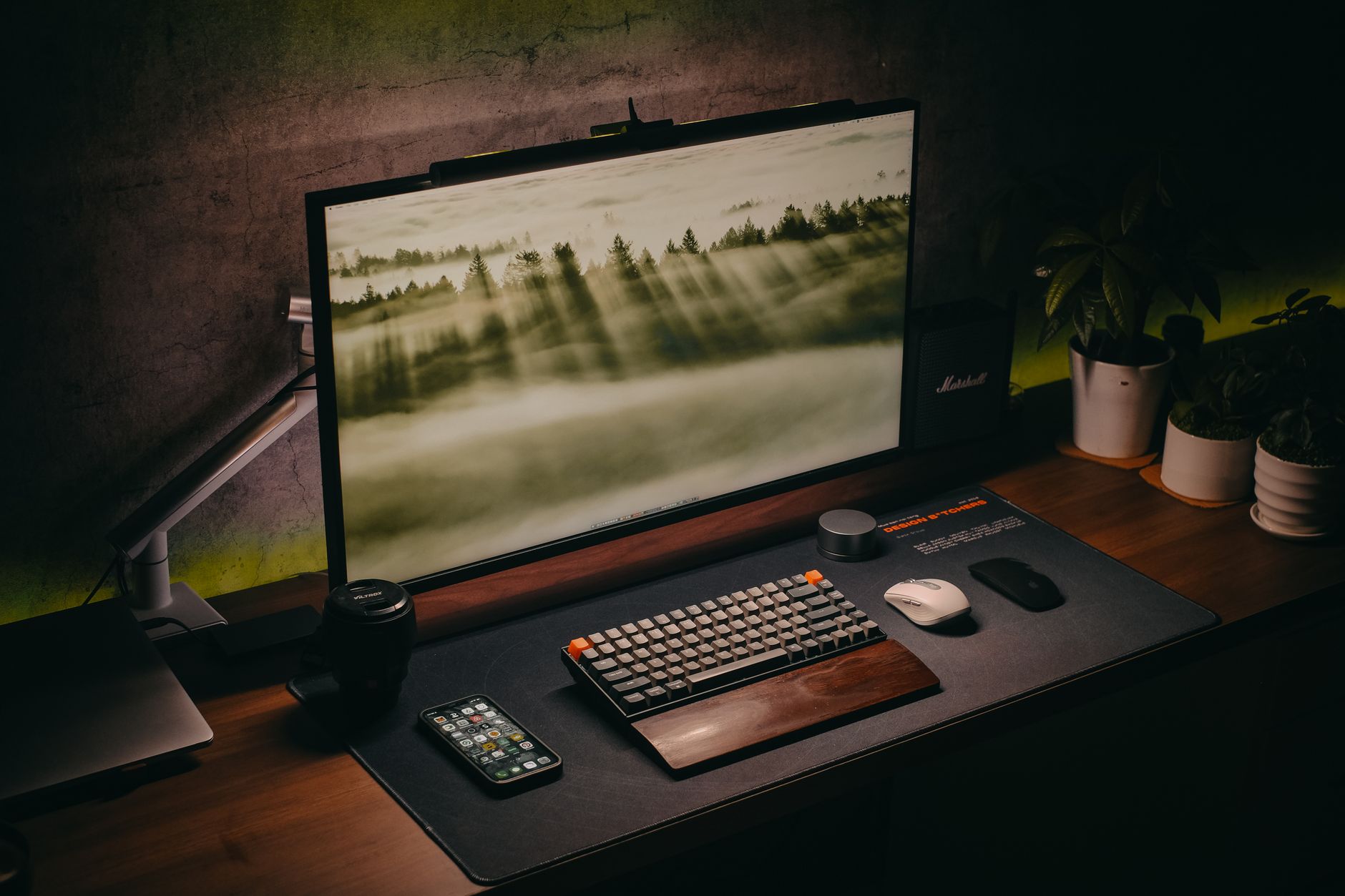 Photo by Pew Nguyen / Pexels
Monitor arms are one of the highest-value ergonomic investments for any desk setup — they free up desk surface, enable perfect eye-level positioning, and eliminate the compromises of a fixed monitor stand. But the wrong arm leads to sagging, limited range, or incompatibility with your monitor.
How We Evaluate Monitor Arms
We analyzed VESA mounting standards, desk clamp load specifications, gas spring mechanism engineering, and ergonomic guidelines from OSHA and NIOSH for monitor positioning.
VESA Compatibility: The Non-Negotiable First Check
VESA (Video Electronics Standards Association) defines standard mounting hole patterns on monitor backs. Before buying any arm, confirm your monitor's VESA pattern:

- VESA 75x75mm: Common on small monitors (under 24 inches). Four M4 screws in a 75mm square pattern.
- VESA 100x100mm: The most common pattern — used by most 24–32 inch monitors.
- VESA 200x100mm or 200x200mm: Large monitors and ultrawide curved monitors (34 inches+). Verify before purchasing — most arms only support 75×75 and 100×100.
To check: look at the back of your monitor for four screw holes in a square or rectangular pattern, or check your monitor's spec sheet under "VESA Mount." Monitors with no VESA holes (some ultrathins and all-in-ones) cannot use standard arms without an adapter plate ($15–25).
Weight Capacity: Add 20% Buffer
Monitor arms are rated for maximum weight — most standard gas spring arms handle 4.4–19.8 lbs (2–9 kg). Your monitor's weight is on the spec sheet. Always choose an arm rated at least 20% above your monitor's actual weight. Example: a 17 lb monitor needs an arm rated at 20+ lbs. Undersized arms sag over time as the gas spring loses pressure, resulting in a monitor that slowly drifts downward. Most budget arms under-spec their actual capacity; premium arms (Ergotron, Humanscale) are reliably accurate.
Desk Clamp vs Grommet Mount
Desk clamp: Attaches to desk edge with a C-clamp and tightening bolt. Works on desks up to 2.5–3 inches thick. Install in minutes, no permanent modification. Limitation: can crack glass desks, may shift on narrow desk lips, rated for lower loads than grommet. Fine for 99% of single-monitor setups.

Grommet mount: Passes through a hole in the desk (pre-existing or drilled) and bolts from below. Significantly more stable — preferred for monitors over 30 inches or dual-arm setups. Wobble is near-zero vs. the slight spring bounce on desk clamps. Required for standing desks with thin desktop surfaces that can't handle clamp pressure.
Wall mount: Maximum stability, zero desk footprint, but fixed position — no adjustment once installed. Best for monitors that never move (media rooms, command centers).
Gas Spring vs Friction Pivot
Gas spring (pneumatic): Counterbalances monitor weight with compressed gas — adjust height with one finger, monitor holds position precisely. Premium experience. Gas springs lose pressure over 5–10 years. Ergotron arms carry a 10-year warranty on the spring mechanism. Best brands: Ergotron LX ($150–200), Ergotron MX ($438.99–250), Humanscale M8 ($438.99+).

Friction pivot (tension-adjustable): Position held by adjustable bolts — you turn a hex key to increase or decrease resistance. Less smooth to adjust, but never "wears out." Budget arms ($25–60) almost all use friction pivots. Adequate for monitors that rarely need height adjustment.
Single vs Dual vs Triple Arm
Single arm: Best for 90% of users. VIVO and AmazonBasics offer solid single arms. Ergotron LX is the premium pick.
Dual arm: Two monitors on one desk clamp base. Requires a stronger clamp or grommet — weight of two monitors (often 25–40 lbs combined) puts real stress on desk edge. Verify both monitors share the same VESA pattern. Ergotron LX Dual ($200–280) is the reference standard; VIVO dual arms are budget-friendly.
Ultrawide-specific arms: Monitors 34 inches+ need arms rated for 20+ lbs and VESA 200x100+ patterns. Ergotron MX Desk Monitor Arm and Fully Jarvis Single Monitor Arm ($438.99) both handle ultrawides reliably.
Arm Reach and Pivot Range
Key specs often overlooked: arm reach (how far from the desk pole the monitor can extend) and tilt/swivel range. Standard arm reach: 12–20 inches from center post to screen. If your desk is deep (30 inches+) and you want the monitor close, you need a short reach arm. If you share a desk and need to push monitors back, prioritize maximum reach. Tilt range: ±90° or more is ideal for portrait pivot (rotating to vertical) — useful for coding or document review.
Installation Tips
Attach VESA plate to monitor before mounting on arm — it's much easier. Use included VESA screws, not monitor stand screws (different thread pitch). Hand-tighten only — over-tightening strips plastic monitor back threads. Set gas spring tension with the monitor attached: loosen adjustment wheel until monitor sinks slowly, then tighten until it holds at any height. Set this once; doesn't need adjustment unless you change monitors.
Watch Before You Buy
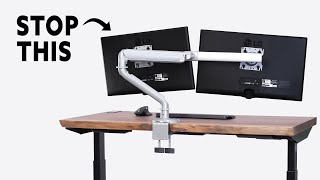
“Two independent arms for monitors up to 27" each. Best suited for dual-monitor productivity setups.”
See Today’s Price →What we like
- Two independent arms for monitors up to 27" each
- Independent height/tilt/swivel per monitor
- Constant Force holds position
- Cable management
- 10-year warranty
Watch out for
- Expensive
- Requires strong desk (45 lbs loaded)
Read Full Analysis
Two independent arms for monitors up to 27" each Independent height/tilt/swivel per monitor Keep in mind: expensive. Requires strong desk (45 lbs loaded) Compared to the North Bayou F80 Full Motion Monitor Arm on this page, the Ergotron Ergotron LX Dual Monitor Arm costs $450 more but may offer additional features or brand support worth considering for serious users.
“Amazon Basics' single monitor arm frees up desk real estate for under $28 while supporting monitors up to 32 inches. Full articulation and a quick-release VESA plate make positioning adjustments…”
See Today’s Price →What we like
- Under $28
- Supports 32" monitors and ultrawide
- Full articulation
- Amazon warranty
- Quick-release VESA plate
Watch out for
- Less refined adjustment than Ergotron
- Limited weight capacity vs VIVO
Read Full Analysis
The Amazon Basics Single Monitor Arm is the right first monitor arm for anyone who wants elevated positioning without committing to premium spend. Full articulation — height, tilt, pan, and swivel — matches what more expensive arms offer mechanically, and the quick-release VESA plate makes repositioning fast without tools between uses. Support for monitors up to 32 inches covers most consumer displays. The Amazon return policy makes this a low-risk purchase for users unsure whether they'll actually use a monitor arm daily — if it doesn't improve the workflow, returning it costs nothing. Adjustment feel is friction-based rather than gas spring — you tighten bolts to set the position, and it holds. This is functionally fine for set-it-and-rarely-move-it use, but less convenient than the North Bayou F80 on this page for users who reposition frequently between tasks or user heights. Weight capacity is lower than heavier-duty arms, limiting practical range to most monitors under the rated spec. Build materials are plastic-heavy at this price, consistent with the budget tier. Against the Ergotron LX Dual, the Amazon Basics covers single-monitor use at $452 less — entirely different products. Against the North Bayou F80, the Amazon Basics saves $2 but gives up the gas spring mechanism, which enables one-handed repositioning without tightening. The $2 difference is minimal — the North Bayou is the better mechanism for frequent adjusters. The Amazon Basics wins specifically when: the monitor is 32 inches (larger than the North Bayou supports), adjustment frequency is low, or the Amazon return policy is the deciding factor for a first monitor arm purchase.
“North Bayou's F80 gas spring arm provides fluid one-handed repositioning throughout the day — the spring mechanism holds monitor weight without drift. Ideal for secondary monitors or smaller screens…”
See Today’s Price →What we like
- Full articulating arm with gas spring mechanism
- Supports 17–27" monitors up to 17.6 lbs
- C-clamp mount
- 360° rotation
- Affordable price
Watch out for
- Weight limit lower than VIVO
- Less refined than Ergotron
Read Full Analysis
The NB North Bayou F80 brings gas spring mechanism technology to a budget price point. A gas spring holds the monitor's weight through calibrated spring force, enabling one-handed repositioning without tightening adjustment bolts afterward — the same mechanism type that premium arms like the Ergotron use. For users who frequently shift between sitting and standing, adjust the monitor for different tasks, or share a desk across multiple users with different preferred heights, this makes a practical daily difference. 360-degree rotation supports portrait mode for coding, document reading, or any vertical-orientation workflow. Weight capacity of 17.6 pounds and a 17-27 inch size range limits the North Bayou F80 to standard monitors — 32-inch and heavier ultrawide displays exceed the specification. The Amazon Basics arm on this page explicitly supports 32-inch monitors, making it the better fit for larger displays despite lacking the gas spring. C-clamp mounting requires adequate desk edge clearance and thickness; grommet mounting is not included. Build quality is proportional to the budget price tier. Against the Amazon Basics, the NB North Bayou F80 costs $2 more and adds the gas spring mechanism — for any user repositioning their monitor more than once daily, that $2 differential for friction-free adjustment is the correct spend. Against the Ergotron LX Dual, the F80 covers single-monitor budget use in a completely different segment. Choose the NB North Bayou F80 for a gas spring arm supporting monitors under 27 inches at the lowest available price; choose the Amazon Basics for 32-inch monitors or set-and-forget positioning.
Frequently Asked Questions
How do I know if my monitor is VESA compatible?
What weight monitor arm do I need?
Can I use a monitor arm on a glass desk?
Is Ergotron worth the premium over budget arms?
Can I use a monitor arm with a standing desk?
How We Chose These Products
We compare each product’s Amazon listing, the manufacturer’s published specifications and Amazon customer ratings, shown with their review counts as Amazon’s data, and rank the products on how well they answer this page’s question. We do not test products in hand and we do not run our own analysis of review text. A publication or expert is named only where we cite its published findings about that product. No manufacturer paid for placement on this page.
A price appears only when Amazon’s API supplied it at a recent daily refresh, with the date and time beside it, and is withdrawn at 4 AM Central on the day after it turns 24 hours old; otherwise use “Check price on Amazon” for the live price. Read our full methodology →