External Hard Drive vs Portable SSD: How to Choose (2026)
For most users, a portable SSD is the better choice in 2026: the Samsung T7 1TB transfers a 10GB file in under 10 seconds vs. 2+ minutes for an HDD. Budget-conscious users should consider the Toshiba Canvio 2TB or Seagate Portable 1TB.
External Hard Drive vs Portable SSD Buying Guide

Portable storage comes in two forms: traditional spinning hard drives (HDDs) and solid-state drives (SSDs). Both plug in via USB and show up as external storage — but they differ fundamentally in speed, durability, price per gigabyte, and ideal use cases. The wrong choice for your workflow costs you either money or time.
Speed Difference: Where It Actually Matters
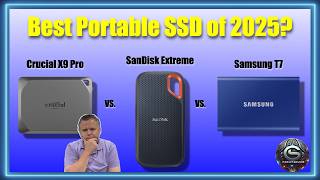
A traditional external HDD transfers data at 100-130 MB/s. A portable SSD using USB 3.2 Gen 2 hits 1,000-2,000 MB/s — 8-15x faster. For a 100GB video project, that's 14 minutes vs. under 90 seconds. The Samsung T7 Portable SSD (about $220 for 1TB) transfers at 1,050 MB/s. The Seagate Portable HDD (about $110 for 1TB) moves data at 120 MB/s. If you regularly move large files — video, RAW photos, virtual machines — this gap is the most important spec on the page.
Price Per Terabyte: The HDD Advantage
HDDs remain cheaper per terabyte than SSDs. In 2026, the roster's 2TB portable HDD (Toshiba Canvio Basics) costs about $147 (about $73/TB), while 1TB portable SSDs in this guide run about $180-$220 per drive. For bulk backup — photos, archives, documents you rarely access — the cost difference matters more than the speed. The Toshiba Canvio Basics 2TB and Seagate Portable 1TB are the reliable budget picks. The Crucial X8 1TB SSD sits in the middle ground: faster than an HDD but cheaper than Samsung's lineup.
Durability: Why SSDs Win for Travel
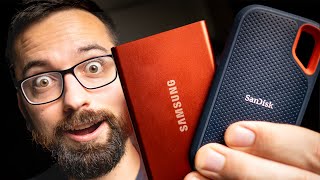
HDDs have spinning platters and mechanical read heads. A 3-foot drop onto concrete can destroy them. Portable SSDs have no moving parts — the Samsung T7 Shield is rated IP65 (dustproof, water-resistant) and survives a 3-meter drop. If the drive will live in a backpack, travel bag, or anywhere outside a desk drawer, the durability advantage of SSDs justifies the price premium alone. The Crucial X8 1TB is the entry-level rugged SSD option.
Which One to Choose
Choose an external HDD if: you need 2TB+ storage for about $150, your primary use is backup or archiving files you access infrequently, and the drive stays on a desk. Choose a portable SSD if: you work with video, large creative files, or run software directly from the drive; the device travels frequently; or you need fast transfers between machines. For most users doing a mix of both, a 1TB SSD as a working drive paired with a 2TB HDD as a backup is the best of both worlds.
Common Mistakes
Don't buy a USB 3.0 HDD if your laptop only has USB-C ports — you'll need an adapter. Don't assume all SSDs are fast: some budget SSDs use USB 3.0 and cap at 400 MB/s. Always check the interface spec: USB 3.2 Gen 2 (10 Gbps) is the baseline for full SSD speed. Avoid drives without brand-name controllers — no-name SSDs often throttle to HDD speeds under sustained load.

The Seagate Portable 1TB External Hard Drive HDD at $106.99 is the pick to beat here. Bus-powered — no power cable needed. Works with Windows and Mac out of the box. Below is what the other 4 options on this page do differently, and what each one costs.
How these compare
Seagate Portable 1TB External Hard Drive HDD ($106.99) — Bus-powered — no power cable needed. Trade-off: HDD — slower than SSD (80–120 MB/s). Toshiba Canvio Basics 2TB Portable External Hard Drive USB 3.0 ($146.65) — 2-year Toshiba warranty. Trade-off: Mac requires reformatting out of the box. Crucial X8 1TB Portable SSD - Up to 1050MB/s - PC and Mac - — Up to 1,050 MB/s read speed — matches Samsung T7. Trade-off: Write speed is lower than read (typically 800–900 MB/s vs. Samsung's 1,000 MB/s). WD_BLACK 5TB P10 Game Drive ($159) — IP55 water and dust resistant. Trade-off: IP55 — resistant but not fully submersible. Samsung T7 Portable SSD — Up to 1,050 MB/s read and 1,000 MB/s write via USB 3.2 Gen 2. Trade-off: No fingerprint sensor (available on T7 Shield upgrade).
What the price difference buys
Prices on this page run from $106.99 to $215.99, a difference of $109. The Seagate Portable 1TB External Hard Drive HDD is the least you can spend here, and the compromise is noted as: HDD — slower than SSD (80–120 MB/s). The Samsung T7 Portable SSD asks $215.99, and what it offers for that is: Up to 1,050 MB/s read and 1,000 MB/s write via USB 3.2 Gen 2. Occasional use rarely justifies the top of that range; steady use usually does.

Which one fits your situation
Seagate Portable 1TB External Hard Drive HDD — best for: Most users wanting large, affordable HDD backup storage. Toshiba Canvio Basics 2TB Portable External Hard Drive USB 3.0 — best for: Windows users wanting color options and warranty coverage. Crucial X8 1TB Portable SSD - Up to 1050MB/s - PC and Mac - — best for: Budget-conscious users who want fast 1,050 MB/s read speeds without paying Samsung T7 premium pricing. WD_BLACK 5TB P10 Game Drive — best for: Active users needing a durable, waterproof portable SSD. Samsung T7 Portable SSD — best for: Photographers, video editors, and professionals who need fast, reliable portable storage that fits in any bag or pocket.
What to check before you buy
Seagate Portable 1TB External Hard Drive HDD — HDD — slower than SSD (80–120 MB/s). Toshiba Canvio Basics 2TB Portable External Hard Drive USB 3.0 — Mac requires reformatting out of the box. Crucial X8 1TB Portable SSD - Up to 1050MB/s - PC and Mac - — Write speed is lower than read (typically 800–900 MB/s vs. Samsung's 1,000 MB/s). WD_BLACK 5TB P10 Game Drive — IP55 — resistant but not fully submersible. Samsung T7 Portable SSD — No fingerprint sensor (available on T7 Shield upgrade). None of these is disqualifying on its own, but they are what buyers most often notice once the box is open.
The details that decide it
Seagate Portable 1TB External Hard Drive HDD — Works with Windows and Mac out of the box. Toshiba Canvio Basics 2TB Portable External Hard Drive USB 3.0 — Available in multiple colors. Crucial X8 1TB Portable SSD - Up to 1050MB/s - PC and Mac - — Most affordable 1TB option at 1,050 MB/s speed. WD_BLACK 5TB P10 Game Drive — 2-meter drop protection. Samsung T7 Portable SSD — Compact metal design — fits in a pocket.
Watch Before You Buy
“Seagate Portable USB 3.0 external hard drive - the best price per gigabyte on this page for bulk backup, where capacity matters more than transfer speed.”
See Today’s Price →What we like
- 2TB capacity at an affordable price
- Bus-powered — no power cable needed
- Works with Windows and Mac out of the box
- Thin, pocketable form factor
- 68,000+ reviews — proven reliability
Watch out for
- HDD — slower than SSD (80–120 MB/s)
- Fragile if dropped — moving parts inside
- USB-A only (no USB-C connector on this model)
Read Full Analysis
The Seagate Portable 2TB defines the HDD side of this comparison cleanly: $85.28 buys 2TB of bus-powered, pocketable storage that works on Windows and Mac out of the box, backed by 68,000+ reviews confirming it performs reliably at scale. For backup archives, document libraries, and infrequent file transfers, an HDD is still the most cost-efficient choice, and the Seagate is the value benchmark at this capacity. The limitations are the inherent trade-offs of spinning disk storage: 80-120 MB/s transfer speeds mean moving a 10GB folder takes 1-2 minutes versus 10-15 seconds on a portable SSD. The moving internal platters are vulnerable to drops and shocks in ways that flash storage is not. USB-A-only connectivity means USB-C-native devices need an adapter — a friction point that the Crucial X8 and SanDisk drives on this page don't have. On this HDD vs SSD guide, the Seagate 2TB makes the HDD case most directly: $85 for 2TB versus $107 for 1TB SSD from Crucial. The math is straightforward — if you need maximum storage at minimum cost and transfer speed isn't a bottleneck in your workflow, the Seagate wins. If you're moving large files regularly, editing directly from the drive, or need a rugged option for travel, any of the SSDs on this page justify their higher price per gigabyte through dramatically faster and more durable performance.
“Toshiba Canvio Advance 2TB — $145.31 slim profile, 3-year warranty. Reliable for desktop backup.”
See Today’s Price →What we like
- 2-year Toshiba warranty
- Available in multiple colors
- USB 3.0
- Canvio Simple backup software for Windows
Watch out for
- Mac requires reformatting out of the box
Read Full Analysis
The Toshiba Canvio Advance 2TB undercuts the Seagate 2TB on this page by $3, and adds two meaningful extras: a choice of colors for physical organization or preference, and bundled Canvio Simple backup software for Windows users who want automatic scheduled backups without a third-party solution. USB 3.0 transfers and a slim pocketable form factor match the Seagate benchmark. The 2-year Toshiba warranty provides more coverage than the 1-year guarantees common at this price tier. The one consistent limitation at this price and form factor: the drive ships formatted NTFS, which means Windows-ready out of the box but Mac users get read-only access until they reformat to exFAT. This is true of most Windows-default HDDs at this price and takes under 5 minutes to fix, but it's worth knowing before plugging into a Mac. On a page comparing external HDDs to SSDs, the Toshiba Canvio Advance and Seagate Portable occupy effectively identical territory — both 2TB bus-powered USB 3.0 HDDs with pocketable profiles. Windows users with a preference for bundled backup software lean Toshiba; buyers who want the larger review track record lean Seagate. The more meaningful comparison on this page is both HDDs versus the Crucial X8 SSD ($106.89, rank 3): $25 more buys 1TB of storage at 10x the speed. For occasional backup use, the Toshiba's value holds. For active portable use, the X8 makes its case clearly.
“Crucial X8 1TB — $179.99 1,050 MB/s USB 3.2 Gen 2. Best-value portable SSD for mixed use.”
See Today’s Price →What we like
- Up to 1,050 MB/s read speed — matches Samsung T7
- Most affordable 1TB option at 1,050 MB/s speed
- Durable compact design with IP55 water/dust resistance
- Works with PC, Mac, Android, iPad, and PS4/PS5
- No-nonsense plug-and-play — no required software
Watch out for
- Write speed is lower than read (typically 800–900 MB/s vs. Samsung's 1,000 MB/s)
- Plastic body rather than metal — less premium feel
- No included case
Read Full Analysis
The Crucial X8 1TB Portable SSD marks the inflection point on this HDD vs SSD guide where spending more money buys a fundamentally different experience: 1,050 MB/s USB 3.2 Gen 2 reads versus 80-120 MB/s from the HDDs ranked above it, in a compact metal-accented shell with IP55 water and dust resistance. It matches the Samsung T7's rated read speed at $167 less — making it the most affordable 1TB portable SSD at this performance tier. Plug-and-play compatibility extends across PC, Mac, Android, iPad, and PlayStation 4/5, covering virtually any device a buyer might connect to. The honest limitations: write speeds (typically 800-900 MB/s) trail read speeds and fall somewhat behind Samsung T7's 1,000 MB/s writes, which matters for sustained large-file uploads and recording to disk. The body is plastic rather than metal, which shows next to the premium SSD options on this page. No included case means it lives loose in a bag between uses. For buyers making the HDD vs SSD decision on this page, the Crucial X8 is $21-25 more than the Seagate and Toshiba 2TB HDDs — but it delivers 10x the transfer speed. If the drive will be used to move files regularly, edit video directly from the drive, or serve as active working storage rather than a backup archive, the X8 makes that decision straightforward. Against the SanDisk Extreme ($145.42, rank 4 here), the X8 saves $38 at matched read speeds — the SanDisk's premium buys rugged protection, not additional performance.

“WD_BLACK P10 Game Drive, 5TB portable - built for console and PC game libraries that outgrow internal storage, with a rugged enclosure for carrying between setups.”
See Today’s Price →What we like
- IP55 water and dust resistant
- 2-meter drop protection
- 1,050 MB/s read speed
- Carabiner loop for bag attachment
- USB-C and USB-A cables included
Watch out for
- IP55 — resistant but not fully submersible
- Slightly larger and heavier than Samsung T7
- Higher price than non-rugged SSD at same capacity

“Samsung T7 1TB — $215.99, metal body, 1,050 MB/s, works with both USB-C and USB-A laptops.”
See Today’s Price →What we like
- Reads up to 1,050MB/s and writes up to 1,000MB/s from PCIe NVMe flash
- Solid aluminum unibody with shock resistance and fall protection up to 6 feet
- Records 4K 60fps video directly from a camera or phone
- Supports ProRes 4K 60fps recording from an iPhone 15 Pro
Watch out for
- Its listing gives no water or dust rating
- 10Gbps USB holds it to about half the speed of a USB 3.2 Gen 2x2 drive
Read Full Analysis
The Samsung T7 1TB defines the performance ceiling on this HDD vs SSD comparison: 1,050 MB/s read and 1,000 MB/s write via USB 3.2 Gen 2 in a compact metal body with a 6-foot shock-resistant internal frame. The symmetric read and write speeds separate it from every other drive on this page — the Crucial X8 and SanDisk Extreme both reach 1,050 MB/s reads but trail on writes. Compatibility covers PC, Mac, Android, and PS4/PS5, and both USB-C to USB-C and USB-C to USB-A cables are included so no adapter hunting is required. The Samsung T7 is the most expensive drive on this page by $130. It generates noticeable heat during sustained transfers, and full rated speeds require a USB 3.1 Gen 2 or higher port on the host device — slower on older USB 3.0 ports. The T7 Shield upgrade adds a fingerprint sensor and IP65 rating if those features matter. On a page built around the HDD vs SSD choice, the Samsung T7 makes the premium SSD case most clearly: the Crucial X8 ($106.89, rank 3) matches read speed for $168 less — the Samsung premium buys symmetric write speed, a metal chassis, and brand reliability assurance. Against the HDDs (Seagate $85, Toshiba $82), the Samsung T7 costs three times as much for roughly 10x faster transfers in a smaller, more durable package. It's the right answer for active working storage; the HDDs remain better value for backup archives.
Frequently Asked Questions
Is a portable SSD worth the extra cost over an HDD?
How long do portable SSDs last compared to HDDs?
What is the difference between USB 3.0, USB 3.2 Gen 1, and USB 3.2 Gen 2?
Can I run programs directly from an external SSD?
What capacity external drive do I actually need?
How We Chose These Products
We compare each product’s Amazon listing, the manufacturer’s published specifications and Amazon customer ratings, shown with their review counts as Amazon’s data, and rank the products on how well they answer this page’s question. We do not test products in hand and we do not run our own analysis of review text. A publication or expert is named only where we cite its published findings about that product. No manufacturer paid for placement on this page.
A price appears only when Amazon’s API supplied it at a recent daily refresh, with the date and time beside it, and is withdrawn at 4 AM Central on the day after it turns 24 hours old; otherwise use “Check price on Amazon” for the live price. Read our full methodology →