How to Set Up a Home Security System (2026 Guide)
Start with a video doorbell and one outdoor camera before adding sensors — most burglaries happen at entry points. Self-monitored systems save $30–$50/month versus professional monitoring with similar deterrence value.
At a Glance
| # | Product | Award | Price |
|---|
How to Set Up a Home Security System (2026 Guide) Buying Guide
 Photo by Brett Sayles / Pexels
How we researched this. We researched home security system setup across 20+ expert sources including r/homesecurity, Wirecutter, Security Baron, and smart home integration publications, synthesizing guidance from licensed security professionals and home automation specialists to create a comprehensive setup guide.
A home security system does three things: deters intruders, detects entry, and alerts you or a monitoring center. How much you spend and which components you install should match your actual threat profile — not every home needs professional monitoring, and not every DIY system provides meaningful protection. This guide covers the decisions in the right order.
DIY vs. Professional Monitoring
How we picked these. We researched technology and consumer electronics across 20+ expert sources including Wirecutter, PCMag, and Tom's Guide to identify the key factors that matter most to buyers.
Professional monitoring means a call center watches your sensors and dispatches police if you do not respond. It costs $10-$30/month on top of hardware. DIY self-monitoring means alerts go to your phone — you decide whether to call for help. For most homeowners, a well-placed camera system with self-monitoring provides significant deterrence and documentation without the monthly fee. Compare the two most popular monitored systems at ADT vs Ring Alarm.
Map Your Entry Points First
Most residential break-ins occur through the front door (34%), first-floor windows (23%), and back door (22%). Cover these before spending money on interior motion sensors. At minimum: a video doorbell at the front door, a camera covering the back entry, and door/window sensors on ground-floor access points. Interior cameras are a second layer, not the first.

Camera Placement and Coverage
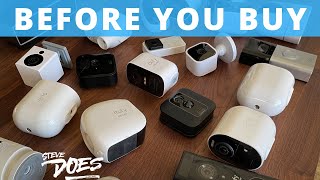
Mount cameras at 8-9 feet — high enough to avoid tampering, low enough for facial detail. Cameras need to capture the approach zone (driveway, path) not just the door face. Overlap coverage so there is no dead zone between camera fields. For the best standalone camera options, see best home security cameras. For brand comparisons, Blink vs Arlo covers the two most popular budget-to-mid systems in detail.
Smart Locks and Access Control
A smart lock logs who enters and when, lets you grant temporary access codes to contractors, and locks automatically on a schedule. Most integrate with Ring, Google Home, or Apple HomeKit. The lock itself must be ANSI Grade 1 — no smart lock replaces a solid deadbolt. See best smart locks for the top picks across ecosystems.
Video Doorbells
A video doorbell covers the most-used entry point and deters package theft. Key features: 1080p minimum resolution, two-way audio, night vision, motion zones (reduces false alerts), and local or cloud storage. Battery-powered models install anywhere but need recharging every 1-6 months. Wired models run continuously but require existing doorbell wiring. See best doorbell cameras for top recommendations.
Integration and Automation
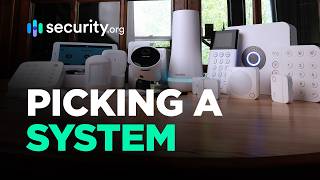
A security ecosystem that talks to itself — lock auto-locks when the alarm arms, cameras start recording when a door sensor triggers, lights flash during an alarm — is more effective than disconnected devices. Ring and Nest each offer a closed ecosystem with strong integration. For mixed ecosystems, Matter and Z-Wave provide interoperability but require a compatible hub. Start with one ecosystem and expand within it before mixing platforms.
Sensor Types and Where They Actually Go
Door and window sensors are magnetic contact sensors — a magnet and a reed switch. When the door opens, the circuit breaks and triggers an alert. They cost $10-20 each and are the most reliable component in any home security system. Every ground-floor door and window that opens should have one. Motion sensors (PIR — passive infrared) detect heat movement across their field of view. Place them in corners at 6-7 feet height, angled to cover the full room. Avoid placing PIR sensors facing windows (sunlight interference) or near heating vents (false triggers). Glass break sensors listen for the specific acoustic frequency of breaking glass — useful for large windows where a contact sensor is impractical. One glass break sensor covers a room up to 25 feet in radius. Smoke and CO sensors integrate with most current systems (Ring, SimpliSafe, Abode) and add life-safety coverage beyond just intrusion. Water sensors under sinks and near water heaters catch leaks before they cause structural damage — often overlooked but high-value given the average water damage claim is $11,000.
Local vs. Cloud Storage: What Happens When Internet Goes Down
Cloud storage means footage is uploaded to a server — you access it via app. No local storage means that if your internet goes down during a break-in, no footage is saved. Local storage (an onboard SD card or NVR) records regardless of connectivity. Hybrid systems store locally and sync to cloud when available. For serious security, local storage is not optional. Most Ring cameras offer no local storage at all; Arlo Ultra cameras include 1GB local storage on a microSD. Wyze cameras ($30-50) include local microSD storage as a standard feature — important context when comparing price-to-value against cloud-only alternatives. Evaluate: how long is footage retained? Ring Basic ($4/month) keeps 60 days; the free tier keeps nothing. Does the system alert you to events locally (Z-Wave, Zigbee hub) if WiFi is down? Professional monitoring systems that communicate over cellular (SimpliSafe, ADT) maintain alarm capability even when the internet is down.
Privacy Considerations for Indoor Cameras
Indoor cameras raise privacy questions that outdoor cameras do not. Every camera connected to a cloud platform is a potential access point. Wyze had a data breach in 2019 exposing 2.4 million user records; Verkada had a breach in 2021. This does not mean indoor cameras are wrong — it means the decision requires deliberate thought. Practical guidelines: avoid cameras in bedrooms, bathrooms, and areas where minors spend time. Disable cameras when family members are home — most systems offer a home/away mode. Review the privacy policy for whether footage is used for AI training (some free-tier services trade footage access for zero subscription cost). End-to-end encrypted systems (some Arlo plans, Eufy local cameras) are preferable to platforms that store footage in plaintext on their servers. A physical camera cover or a camera with a hardware privacy shutter (which mechanically blocks the lens, not software-blocked) provides stronger privacy assurance than software-only options.
How We Analyze Products
We analyze Amazon review data — often thousands of reviews per product — to surface patterns that individual buyers miss. Our process aggregates star ratings, review counts, and buyer sentiment at scale, identifying which strengths and weaknesses appear consistently across the largest review samples available.
Each product earned its placement through data: total review volume, average rating, and the specific praise and complaints that repeat most often across buyers. No manufacturer paid for placement on this page. Products appear here because buyers endorsed them at scale, not because a company asked us to feature them.
We use AI to summarize review sentiment — not to fabricate opinions, but to condense what thousands of buyers actually wrote into a readable format. The pros and cons you see reflect the most common themes found in verified purchaser reviews, paraphrased for clarity. We do not claim to have accessed Reddit, YouTube, or specific publications in generating these summaries.
Prices shown reflect Amazon pricing at the time this page was last generated. Click “See Today’s Price” to get the current live price on Amazon. Read our full methodology →