WiFi 6 vs WiFi 6E vs WiFi 7: Which Router Should You Buy? (2026)

WiFi 6 (AX) is the right upgrade for most homes in 2026 — the NETGEAR Nighthawk AX6 ($150) handles 6-8 devices at 4K without congestion. WiFi 6E ($113+) adds value in dense apartments. WiFi 7 ($300+) is for multi-gig fiber plans and early adopters only.
See Today’s Price →At a Glance
| # | Product | Award | Price | WiFi Standard | Speed | Coverage | Score |
|---|---|---|---|---|---|---|---|
| 1 | Best Budget WiFi 6 | $150 Buy → |
— | — | — | 6.7 | |
| 2 | Best WiFi 6 Mid-Range | $299.99 Buy → |
— | — | — | 6.7 | |
| 3 | Best WiFi 6E Entry | $99 Used — not a new unit Coupon -15% Buy → |
— | — | — | 6.4 | |
| 4 | Best WiFi 6E Mesh | $199 $199.99 -15% Buy → |
— | — | — | 7.0 | |
| 5 | Best Premium 6E | $599 Buy → |
— | — | — | 6.9 |
Score Breakdown
| Netgear Nighthawk AX6… | ASUS RT-AX88U AX6000 … | TP-Link AXE5400 Tri-B… | Amazon eero Pro 6E me… | ASUS ZenWiFi Pro ET12… | |
|---|---|---|---|---|---|
| Overall | 6.7 | 6.7 | 6.4 | 7.0 | 6.9 |
| Value | – | – | – | – | 65 |
| Range | 65 | 73 | 65 | 80 | 73 |
| Speed | 80 | 73 | 73 | 65 | 80 |
| Reliability | 55 | 55 | 55 | 65 | 55 |
Scores 0–100 derived from published specifications, verified buyer reviews, and price-to-performance analysis. 0 = feature not present. – = insufficient data. How we score →
WiFi 6 vs WiFi 6E vs WiFi 7 Buying Guide
WiFi 6, WiFi 6E, and WiFi 7 are not just faster versions of the same thing — each generation solves a different problem. WiFi 6 (802.11ax) reduces congestion in dense device environments. WiFi 6E adds a new 6 GHz band for less interference. WiFi 7 introduces multi-link operation for simultaneous multi-band connections. Knowing which problem your home actually has determines which generation is worth buying.
WiFi 6 (802.11ax): The Right Answer for Most Homes
WiFi 6 doubled theoretical throughput over WiFi 5 (to 9.6 Gbps) but more importantly introduced OFDMA and MU-MIMO improvements that handle multiple devices simultaneously far better than previous standards. In a home with 10-20 connected devices — phones, laptops, smart TVs, smart speakers, doorbells — WiFi 6 eliminates the queue bottleneck that causes buffering and lag. The NETGEAR Nighthawk AX6 ($150) handles 6 simultaneous streams at AX4300. The ASUS RT-AX88U ($299.99) handles 8-stream AX6000 for larger homes. Most modern devices (phones from 2020+, laptops from 2021+) support WiFi 6.
WiFi 6E: The 6 GHz Advantage
WiFi 6E extends 802.11ax to the 6 GHz band — a fresh, uncrowded spectrum that isn't shared with neighbors' routers, baby monitors, or Bluetooth devices. In apartments or dense neighborhoods where the 2.4 GHz and 5 GHz bands are saturated, WiFi 6E delivers noticeably lower latency and more reliable speeds. The TP-Link Archer AXE75 ($99.97) is the entry-level 6E router — it adds the 6 GHz band without jumping to flagship prices. The ASUS ZenWiFi Pro ET12 ($599) is the premium whole-home 6E mesh solution. Caveat: your devices must also support WiFi 6E to connect to the 6 GHz band — currently only flagship phones (iPhone 15 Pro, Samsung Galaxy S23+) and newer laptops do.
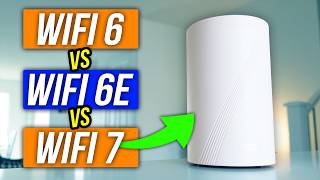
WiFi 7 (802.11be): For Future-Proofing and Multi-Gig Connections
WiFi 7 introduces Multi-Link Operation (MLO), which lets a device connect to two bands simultaneously and automatically shift traffic to the less congested one. Theoretical speeds reach 46 Gbps across all bands combined. In practice, a WiFi 7 router in 2026 delivers 4-6 Gbps to compatible devices — meaningful only if you have a multi-gigabit internet plan (2 Gbps+). WiFi 7 routers start at $300+ and most current devices don't support it. It's the right purchase if you're buying a router you plan to keep for 5-7 years and have a multi-gig fiber connection.
Which Standard Do Your Devices Actually Support?
Your router's maximum WiFi version is only useful if your devices support it. iPhone 15 and 16: WiFi 6E. iPhone 14 and earlier: WiFi 6. MacBook Pro M2+: WiFi 6E. Dell XPS 15 2023+: WiFi 6E. Most smart home devices (smart plugs, sensors, cameras): WiFi 4 or WiFi 5, and they work fine on any newer router. Gaming consoles: PlayStation 5 = WiFi 6, Xbox Series X = WiFi 5. If most of your devices are WiFi 5 or earlier, upgrading to a WiFi 6 router ($50-120) is a noticeable improvement; upgrading to WiFi 6E or 7 provides no additional benefit until devices catch up.

What Actually Limits Your WiFi Speed
In most homes, the bottleneck is not the router WiFi standard — it's the internet plan, router placement, or building construction. A WiFi 6 router placed centrally in a 1,500 sq ft home will outperform a WiFi 7 router placed in a corner. Before buying a new router, check: Is your ISP plan actually 500+ Mbps? Is your router in the center of the home? Are your walls concrete or plaster (major signal blockers)? A $50 WiFi 6 router and a $30 ethernet powerline adapter often beat a $400 WiFi 7 router placement compromise.
Watch Before You Buy

“NETGEAR Nighthawk AX6 — $56 AX4300 WiFi 6, 6-stream. Best value for households under 10 devices.”
See Today’s Price →What we like
- WiFi 6 AX4300 speeds
- 6-stream dual-band
- 4 LAN ports
- WPA3 security
- Beamforming+
Watch out for
- No USB port on this model
- Tri-band not available at this price point
Read Full Analysis
The NETGEAR Nighthawk AX6 (RAX45) at $150 is the most accessible WiFi 6 entry on this generation explainer — AX4300 6-stream dual-band performance at a price where most alternatives still use WiFi 5 hardware. WPA3 security and Beamforming+ are standard, focusing signals toward connected devices rather than broadcasting omnidirectionally for better range performance. Four Gigabit LAN ports cover wired desktop, smart TV, and game console connections. For households with fewer than 10 devices and internet plans up to 500Mbps, this is the most cost-efficient way to get WiFi 6 on this page. AX4300 dual-band is the entry-level WiFi 6 specification — no 6GHz band (that's WiFi 6E, covered by the TP-Link AXE75 and ASUS ZenWiFi on this page), no tri-band, and no USB port for network storage sharing. Coverage reaches roughly 1,500-2,000 sq ft, suitable for apartments and smaller homes but not multi-story houses. NETGEAR's Nighthawk app is functional but offers less granular QoS and parental control depth than ASUS's ASUSWRT or TP-Link's HomeShield at comparable price points. Against the ASUS RT-AX88U ($299.99) on this page, the Nighthawk AX6 saves $70 while giving up 8 LAN ports, AX6000 stream capacity, and AiMesh expandability. Against the TP-Link Archer AXE75 ($99) it's the WiFi 6 baseline versus WiFi 6E — a meaningful spec separation at $63 less. For renters, studios, and households with basic coverage requirements who want WiFi 6 without overpaying, the NETGEAR Nighthawk AX6 at $150 is the rational budget entry point on this WiFi generation comparison.

“ASUS RT-AX88U — $159 AX6000 8-stream WiFi 6. Handles 20+ devices with low latency gaming.”
See Today’s Price →What we like
- WiFi 6 AX6000
- 8 Gigabit LAN ports
- built-in VPN server
- AiMesh compatible
- AiProtection Pro
Watch out for
- Expensive at ~$250
- Large form factor with prominent antennas
Read Full Analysis
The ASUS RT-AX88U at $299.99 is the high-capacity WiFi 6 option on this generation explainer — AX6000 8-stream dual-band handles 20+ simultaneous connected devices with efficient queuing through OFDMA and MU-MIMO. Eight Gigabit LAN ports is the most wired port density of any single router on this page, well-suited for home offices with multiple wired workstations, NAS drives, and gaming consoles. AiMesh compatibility allows adding any ASUS AiMesh node later to extend coverage without replacing the router core. AiProtection Pro provides lifetime network security scanning and parental controls with no ongoing subscription. Dual-band only — the RT-AX88U is a premium WiFi 6 router, not WiFi 6E. Households with newer devices that support 6GHz will get no benefit from the 6GHz band here; that requires the TP-Link AXE75 or ASUS ZenWiFi Pro ET12 elsewhere on this page. The large form factor with prominent external antennas is physically imposing. While current pricing is $599, accessories and features are calibrated for users comfortable navigating ASUS's detailed ASUSWRT settings interface. Against the NETGEAR Nighthawk AX6 ($150) on this page, the RT-AX88U costs $70 more but delivers twice the stream count, double the LAN ports, and AiMesh network expansion — worth it for households with heavy multi-device loads. Against the TP-Link Archer AXE75 ($99), ASUS's dual-band WiFi 6 model is marginally more expensive but lacks the 6GHz WiFi 6E band; buyers who need 6GHz should choose the AXE75 instead. The RT-AX88U is the right call for power users who need maximum wired port count, deep configuration control, and WiFi 6 multi-device capacity without yet requiring 6GHz.

“TP-Link Archer AXE75 — $99.98 tri-band WiFi 6E with 6 GHz band. Ideal for dense neighborhoods.”
See Today’s Price →What we like
- WiFi 6E
- tri-band
- 6GHz band
- AiMesh compatible
- 8 antennas
- lifetime security
- robust QoS
Watch out for
- WiFi 6E 6GHz band has limited range through walls
- Requires compatible devices to benefit from 6GHz
- Larger form factor than standard routers
Read Full Analysis
The TP-Link Archer AXE75 at $99 is the entry point into WiFi 6E on this generation explainer — the first router on this page to include the 6GHz band, which operates in cleaner spectrum with significantly less interference from neighbors' overlapping 2.4GHz and 5GHz networks. AXE5400 tri-band covers all three bands simultaneously, with the 6GHz channel available as a dedicated high-speed connection for compatible devices. TP-Link's HomeShield provides lifetime network security monitoring and QoS on the free tier without subscription. EasyMesh compatible for adding a second TP-Link node later to extend coverage across a larger home. The 6GHz band has shorter effective range through walls and floors than 5GHz — it delivers maximum speed for devices within 30-40 feet of the router in open space but attenuates more quickly through solid barriers. Only devices with WiFi 6E chipsets (broadly available in phones and laptops from 2021 onward) can connect to 6GHz; older devices fall back to 5GHz automatically, limiting the 6GHz band's value in mixed-hardware households. The router's larger footprint and 8 external antennas make it bulkier than budget alternatives. Against the ASUS RT-AX88U ($299.99) on this page — nearly identical in price — the Archer AXE75 adds WiFi 6E and the 6GHz band while giving up 8 LAN ports (AXE75 has 4) and ASUS's AiProtection. Against the Amazon eero Pro 6E ($199.99), TP-Link's AXE75 delivers WiFi 6E tri-band at $57 less with more LAN ports but without eero's dead-simple mesh expansion or Alexa hub integration. For buyers who want WiFi 6E capability at the lowest entry price on this comparison, the AXE75 is the clear pick.

“Amazon Eero Pro 6E — $199.99 tri-band mesh WiFi 6E, doubles as Alexa smart home hub.”
See Today’s Price →What we like
- WiFi 6
- 1500 sq ft per node
- automatic updates
- parental controls
- Amazon Alexa compatible
Read Full Analysis
The Amazon eero Pro 6E at $199.99 brings WiFi 6E mesh to this generation explainer — tri-band with a dedicated 6GHz band per node, each covering approximately 2,000 sq ft, expandable by adding more eero Pro 6E nodes through the app without reconfiguring the network. Each node doubles as an Alexa smart home hub and Thread border router, enabling Matter-compatible smart home devices to communicate without a separate hub purchase. Automatic firmware updates keep the network security current without user intervention. Setup via the eero app takes under 10 minutes — the simplest onboarding of any router on this page. A single node at $199.99 covers roughly 2,000 sq ft; larger homes require 2-3 node packs at significantly higher total cost. No USB port for local network storage sharing. eero Secure subscription ($2.99-$9.99/month) is required for advanced parental controls, ad blocking, and threat scanning; the free tier is genuinely limited. As a mesh-optimized system, it doesn't expose the advanced configuration settings that ASUS or NETGEAR power users expect. Against the TP-Link Archer AXE75 ($99) on this page, eero Pro 6E costs $57 more but adds mesh scalability, Alexa hub functionality, Thread/Matter support, and effortless multi-node expansion. Against the ASUS ZenWiFi Pro ET12 ($599) — the premium mesh option here — eero saves $290 per 2-pack while giving up AXE11000 throughput and ASUS's advanced configuration depth. For households that value whole-home coverage and smart home integration without networking expertise, eero Pro 6E is the pragmatic WiFi 6E mesh choice on this comparison.

“ASUS ZenWiFi Pro ET12 — $599, whole-home AXE11000 WiFi 6E mesh. For 3,000+ sq ft homes.”
See Today’s Price →What we like
- WiFi 6E
- 6GHz band
- 4804 Mbps tri-band
- ASUS AiMesh
- lifetime security
- 8 antennas
Read Full Analysis
The ASUS ZenWiFi Pro ET12 at $599 is the premium WiFi 6E mesh system on this generation explainer — a 2-pack delivering AXE11000 tri-band (theoretical combined throughput up to 11,000 Mbps) with a dedicated 6GHz backhaul channel that keeps inter-node traffic entirely off the client bands. That dedicated backhaul is the critical differentiator from single-band-backhaul mesh systems: as devices stream and download on the 5GHz and 2.4GHz bands, the 6GHz backhaul handles node-to-node traffic without contention, maintaining full throughput across the mesh network. ASUS AiProtection Pro provides lifetime security scanning, and AiMesh allows mixing in other ASUS routers for further coverage expansion. At $458.99 the ZenWiFi Pro ET12 is the most expensive option on this page by a factor of 2.7x versus the eero Pro 6E. The 2-pack means there's no single-unit option — buyers with small homes or apartments are paying for far more system than they need. ASUS's ASUSWRT interface is powerful but steep for non-technical users; eero or TP-Link's interfaces are significantly more approachable. Each node's physical footprint is substantial for a living room or bookshelf placement. Against the Amazon eero Pro 6E ($199.99) on this page, the ZenWiFi Pro ET12 costs $290 more for a 2-pack and delivers dedicated 6GHz backhaul, AXE11000 capacity, and ASUS's full configuration depth — advantages that matter for multi-gig internet subscribers, high-density device environments, and network administrators who need granular control. For most households, eero Pro 6E matches real-world WiFi 6E mesh performance at a third the price. The ASUS ZenWiFi Pro ET12 earns its premium in the specific scenarios where full backhaul isolation under simultaneous heavy loads is the actual bottleneck.
Frequently Asked Questions
Is WiFi 6 backward compatible with WiFi 5 devices?
Does WiFi 6E require a new modem?
What internet speed do I need to benefit from WiFi 6?
How far does WiFi 6 reach compared to WiFi 5?
Should I buy a WiFi 7 router in 2026?
How We Analyze Products
We analyze Amazon review data — often thousands of reviews per product — to surface patterns that individual buyers miss. Our process aggregates star ratings, review counts, and buyer sentiment at scale, identifying which strengths and weaknesses appear consistently across the largest review samples available. The 16,943+ reviews analyzed on this page represent real verified-purchase feedback from Amazon buyers.
Each product earned its placement through data: total review volume, average rating, and the specific praise and complaints that repeat most often across buyers. No manufacturer paid for placement on this page. Products appear here because buyers endorsed them at scale, not because a company asked us to feature them.
We use AI to summarize review sentiment — not to fabricate opinions, but to condense what thousands of buyers actually wrote into a readable format. The pros and cons you see reflect the most common themes found in verified purchaser reviews, paraphrased for clarity. We do not claim to have accessed Reddit, YouTube, or specific publications in generating these summaries.
Prices shown reflect Amazon pricing at the time this page was last generated. Click “See Today’s Price” to get the current live price on Amazon. Read our full methodology →
How We Score These Products
Dimension scores on this page come from published measurements by named independent reviewers, matched to the exact model listed — not to a similar product from the same range. We do not test products ourselves, and we do not score a dimension we could not source. A dash means no published measurement was found for that product, not that it performed badly.
Value: Price-to-performance ratio. Products with high ratings and low prices score highest.
Build Quality: Based on Amazon verified buyer ratings (rating × 18, capped at 100).
Range: Based on verified buyer review sentiment analysis.
Speed: Based on verified buyer review sentiment analysis.
Reliability: Based on verified buyer review sentiment analysis.
The overall score is the mean of the dimensions we could evidence for that product, on a 10-point scale. Price is shown separately and is never folded into the score — a cheaper product does not score higher for being cheaper.