Best 1000W Power Supplies 2026

Corsair's HX1000i is our pick for a 1000W PSU: 80 Plus Platinum efficiency, ATX 3.1 certification, a 140mm fluid-dynamic-bearing fan that switches off at low and medium loads, and iCUE software control. Choose the ASUS ROG Strix 1000W Platinum instead if you want the same Platinum efficiency with ASUS's GPU-First voltage sensing.
Holiday shopping




At a Glance
| # | Product | Award | Price |
|---|---|---|---|
| 1 | Our Top Pick | $231.99 as of Nov 25, 10:41 AM CT details Buy → |
|
| 2 | Best Platinum | $239.99 as of Nov 25, 10:41 AM CT details Buy → |
|
| 3 |  be quiet! Pure Power 13 M 1000W P… be quiet! |
Best Quiet | $111.90 as of Nov 25, 10:42 AM CT details Buy → |
| 4 | Best Compact Gaming | $119.99 as of Nov 25, 10:41 AM CT details Buy → |
|
| 5 | Best for Clean Cable Routing | $99.99 as of Nov 25, 10:42 AM CT details Buy → |
Related guides we’ve checked
 G.Skill vs Corsair DDR5 RAM: Which Is Better? (2026)Top pick: CORSAIR VENGEANCE RGB RS DDR5 32GB (2 x 16GB) Up To 6000MHz
 Best Portable External SSDs 2026: 1TB Drives ComparedTop pick: Samsung T9 Portable SSD 1TB
 Best HDMI Switches 2026: More Sources, One TVTop pick: UGREEN HDMI 2.1 Switch 3 in 1 Out
Gift shopping? Holiday Gift Guide 2026: checked picks for everyone on your list.
1000W Power Supplies Buying Guide
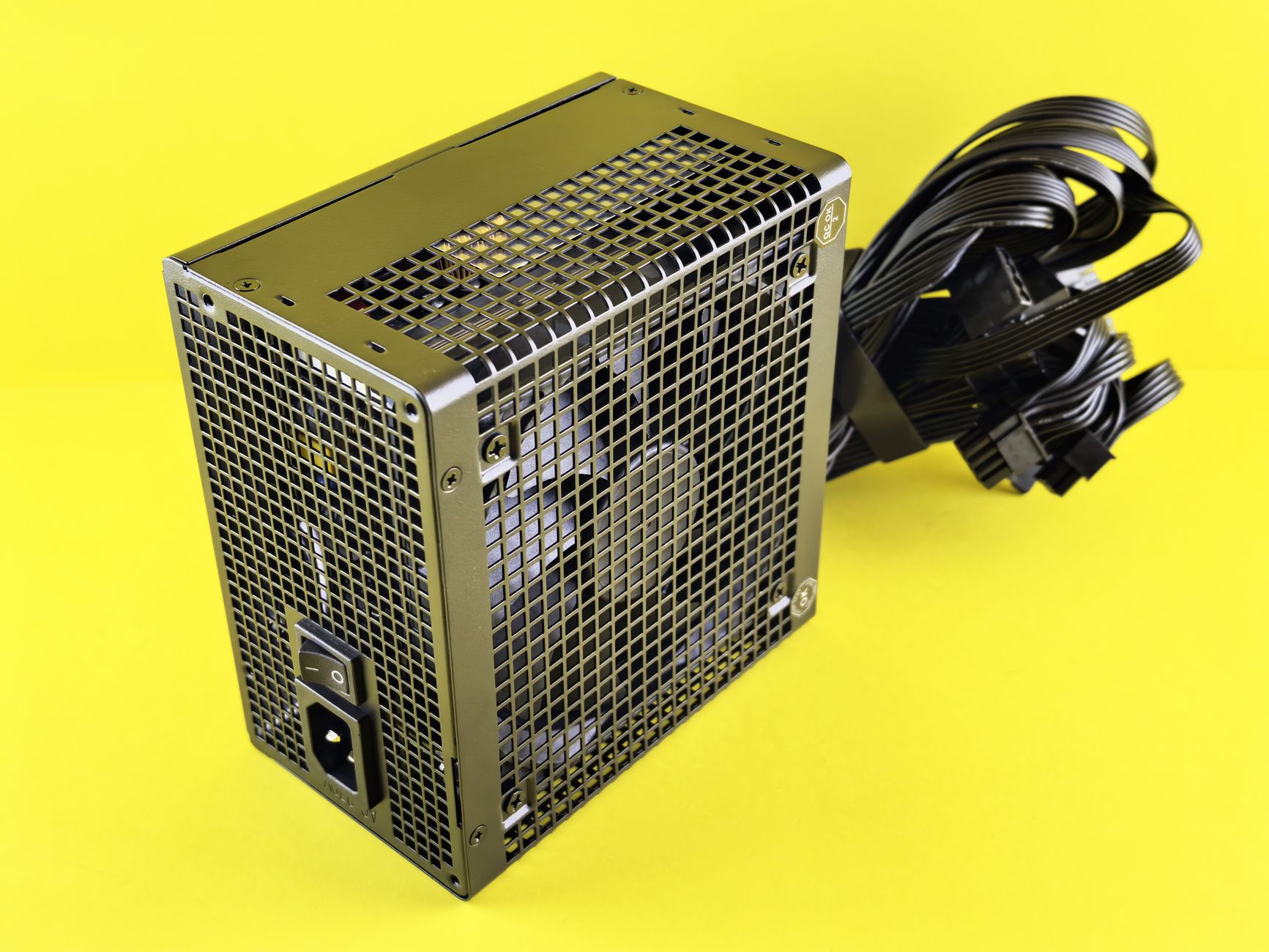 Photo by Andrey Matveev / Pexels
1000W is the right PSU for an RTX 5090 build (the card alone draws 575W TBP and NVIDIA recommends 1000W minimum) or for any high-end gaming build with significant cooling, RGB, and storage overhead. Going to 1200-1500W costs more and adds nothing practical for most consumer systems.
ATX 3.1 vs Older Standards
ATX 3.1 is the 2026 standard. It mandates support for the 12V-2x6 connector (the revised version of 12VHPWR with shorter sense pins to prevent partial-seating issues), and proper transient response handling for modern GPU power spikes. Every PSU in this lineup is ATX 3.1. Older ATX 3.0 PSUs are mechanically compatible but use the original 12VHPWR connector that has documented melting failures under sustained 575W loads on the RTX 5090 — buy ATX 3.1 if your build includes an RTX 5090.
80 Plus Gold vs Platinum
80 Plus Gold means 87-90% efficiency at typical loads; Platinum is 90-92%. The practical difference is a few percent less power drawn from the wall and less heat in the case, which adds up only on a system that runs long hours. For a build that runs 24/7 (mining, AI inference), Platinum is justified. For typical gaming/work use (4-8 hours/day), Gold is the better value. The Corsair HX1000i and the ASUS ROG Strix 1000W Platinum are the two 80 Plus Platinum units here; the be quiet!, MSI and NZXT are 80 Plus Gold, and the be quiet! and NZXT also carry Cybenetics Platinum.
Modular vs Semi-Modular
Every PSU in this lineup is fully modular, the right choice at this price tier. Modular cabling lets you connect only the cables you need, reducing case clutter and improving airflow. The connector lists vary: be quiet! lists a native 12V-2x6 connector plus four PCIe 6+2-pin connectors, NZXT a 12V-2x6 connector or up to three 8-pin PCIe cables, and MSI a native dual-color 12V-2x6 cable; the Corsair and ASUS listings give no connector list. Verify cable counts match your specific build before purchasing.
Cybenetics Noise Ratings
Cybenetics also grades PSU noise. NZXT's listing gives two of its bands: A++ means under 15 dBA and A+ means 15-20 dBA. Here the be quiet! lists A++, and the ASUS and NZXT list A+; Corsair calls the HX1000i ultra low-noise but its listing gives no Cybenetics grade, and neither does the MSI's. For builds optimized for silence, prioritize Cybenetics A++ rating over watts of margin. Fan designs differ: the Corsair uses a 140mm fluid dynamic bearing fan, the NZXT a 135mm one and the ASUS dual ball bearings, and four of the five listings describe a fan that stops at low load (the MSI's listing does not describe its fan). We compared each PSU's own listed certification, connector spec and warranty, and Amazon customer ratings shown as Amazon's; we have not tested these power supplies in hand.

Watch Before You Buy

“Corsair's HX1000i - an 80 Plus Platinum, ATX 3.1, fully modular 1000W power supply with a 140mm FDB fan, Zero RPM mode and iCUE software control.”
See Today’s Price →What we like
- Intel ATX 3.1 certified, supporting the PCIe Gen 5.1 platform and resisting transient power spikes
- 80 Plus Platinum efficiency
- 140mm Fluid Dynamic Bearing fan rated for quiet, long-lasting operation
- Zero RPM Fan Mode switches the fan off entirely at low and medium loads
- Corsair iCUE software for custom fan curves and overcurrent-protection settings
Watch out for
- Fan curves, power monitoring and the overcurrent-protection toggle run through Corsair's iCUE software
- Its listing gives no warranty length, Cybenetics noise rating or connector list
Read Full Analysis
Corsair's HX1000i is the Platinum-efficiency pick: 80 Plus Platinum, fully modular and Intel ATX 3.1 certified, which means support for the PCIe Gen 5.1 platform and resistance to the transient power spikes current graphics cards produce. Its 140mm fluid dynamic bearing fan is built for quiet, long-lasting operation, and Zero RPM Fan Mode switches it off entirely at low and medium loads. Corsair's iCUE software adds custom fan curves, power monitoring and a toggle between single- and multi-rail overcurrent protection. Against the ASUS ROG Strix on this page, both are Platinum and ATX 3.1. Fully modular cabling means you connect only the cables your build needs, which keeps the case tidy and the airflow around the graphics card clear, and Platinum efficiency turns less of the wall power into heat inside the case than a Gold unit of the same wattage - worth it on a system that runs for long stretches. For a few hours of gaming each evening, the Gold-rated units below suit just as well.
Skip this if: You run the PSU only a few hours a day and don't need Platinum efficiency or Corsair iCUE

“ASUS ROG Strix 1000W Platinum - 80 Plus Platinum and ATX 3.1, with GaN MOSFETs, GPU-First voltage sensing and 0dB fan technology.”
See Today’s Price →What we like
- 80 Plus Platinum and ATX 3.1, with a Cybenetics Lambda A+ noise rating
- GaN MOSFETs and GPU-First voltage sensing with an intelligent voltage stabilizer
- Large ROG heatsinks, dual ball fan bearings and 0dB technology for quiet light gaming
- 10-year warranty
Watch out for
- Its listing gives no fan size or connector list
Read Full Analysis
The ASUS ROG Strix 1000W Platinum is the other 80 Plus Platinum, ATX 3.1 unit on this page, fully modular, with a Cybenetics Lambda A+ noise rating. ASUS builds it around GaN MOSFETs, which it says raise efficiency and allow a cooler internal layout, and a GPU-First voltage-sensing design meant to steady the power delivered to the graphics card. Large ROG heatsinks cover the critical components, the fan runs on dual ball bearings, and 0dB technology keeps it quiet during light gaming. Against the Corsair HX1000i, both are Platinum and ATX 3.1: pick the ASUS for GPU-First voltage sensing and ROG styling, the Corsair for iCUE software control and its 140mm FDB fan. Fully modular cabling keeps only the cables your build needs in the case, and Platinum efficiency means less wasted heat than a Gold unit of the same wattage, which matters most on a system that runs for long stretches; for a few hours of gaming each evening, the Gold-rated units below deliver effectively the same result.
Skip this if: Your PC only runs a few hours a day - Platinum efficiency pays back on systems that run for long stretches
“be quiet!'s Pure Power 13 M 1000W - 80 Plus Gold, a Cybenetics A++ noise rating, ATX 3.1 with a native 12V-2x6 connector, and a fan that stops at low load.”
See Today’s Price →What we like
- Cybenetics A++ noise rating and a semi-passive fan that stops at low load
- 80 Plus Gold and Cybenetics Platinum efficiency
- ATX 3.1 with a native 12V-2x6 connector plus four PCIe 6+2-pin connectors
- Fully modular, single 12V rail and a 10-year warranty
Watch out for
- 80 Plus Gold rather than Platinum
- Its listing gives no fan size
Read Full Analysis
be quiet!'s Pure Power 13 M is the quiet pick: its Cybenetics A++ noise certification is the best noise rating published by any unit on this page, and its semi-passive cooling turns the fan off completely under low load. Efficiency is 80 Plus Gold and Cybenetics Platinum. It is an ATX 3.1 unit with a native 12V-2x6 connector for PCIe 5.1 graphics cards plus four PCIe 6+2-pin connectors for current cards, delivers 1000W continuously on a single 12V rail and, by be quiet!'s figures, handles power excursions up to double its rating. LLC topology and full modularity round it out. Choose a Platinum unit above if you want higher efficiency for a system that runs all day.
Skip this if: You want Platinum efficiency - it is rated 80 Plus Gold

“MSI's MAG A1000GL - a compact, fully modular 1000W 80 Plus Gold unit with ATX 3.1, a native dual-color 12V-2x6 cable and a 10-year limited warranty.”
See Today’s Price →What we like
- 80 Plus Gold, fully modular, ATX 3.1 and PCIe 5.1 ready
- Native dual-color 12V-2x6 cable
- 10-year limited warranty
Watch out for
- 80 Plus Gold rather than Platinum
- Its listing gives no fan size or noise rating
Read Full Analysis
MSI's MAG A1000GL is a compact gaming power supply: 1000W, 80 Plus Gold, fully modular, and ATX 3.1 and PCIe 5.1 ready, with a native dual-color 12V-2x6 cable for current graphics cards. Its 10-year limited warranty matches the ASUS and be quiet! listings and is longer than the NZXT's seven years; the Corsair's listing states none. MSI's listing publishes little else, with no fan size or noise rating, so if quiet operation matters most, the be quiet! above publishes a Cybenetics A++ noise rating. For builders already running MSI motherboards or graphics cards, it keeps the build with one vendor.
Skip this if: You want published fan and noise specifications before you buy - MSI's listing gives neither

“NZXT's C1000 Gold Core - 80 Plus Gold and Cybenetics Platinum efficiency, ATX 3.1, a 135mm FDB fan with Zero RPM mode and a 7-year warranty.”
See Today’s Price →What we like
- 80 Plus Gold and Cybenetics Platinum efficiency
- Cybenetics A+ noise rating (15-20 dBA) and a 135mm FDB fan with Zero RPM mode
- ATX 3.1 and PCIe 5.1 ready, with a dual-color 12V-2x6 connector or up to three 8-pin PCIe cables
- Fully modular embossed cables, 105C-rated capacitors and a 7-year warranty
Watch out for
- 80 Plus Gold rather than Platinum
Read Full Analysis
NZXT's C1000 Gold Core pairs 80 Plus Gold with Cybenetics Platinum efficiency and carries a Cybenetics A+ noise rating (15-20 dBA). It is ATX 3.1 certified and PCIe 5.1 ready, with a dual-color 12V-2x6 connector rated for 105C, or up to three 8-pin PCIe cables for other graphics cards. A 135mm fluid dynamic bearing fan stops entirely in Zero RPM mode during light workloads, the capacitors are 105C-rated, and the fully modular cables are embossed and flexible for easier routing. NZXT backs it with a 7-year warranty. Choose a Platinum unit above for higher efficiency, or the ASUS, be quiet! or MSI for a stated 10-year warranty.
Skip this if: You specifically want 80 Plus Platinum efficiency rather than Gold
Frequently Asked Questions
Do I need 1000W for an RTX 5090?
80 Plus Gold or Platinum for a 1000W PSU?
Is fully modular worth the premium?
What should I expect to pay for a 1000W ATX 3.1 power supply in mid-2026?
How We Chose These Products
We compare each product’s Amazon listing, the manufacturer’s published specifications and Amazon customer ratings, shown with their review counts as Amazon’s data, and rank the products on how well they answer this page’s question. We do not test products in hand and we do not run our own analysis of review text. A publication or expert is named only where we cite its published findings about that product. No manufacturer paid for placement on this page.
A price appears only when Amazon’s API supplied it at a recent daily refresh, with the date and time beside it, and is withdrawn at 4 AM Central on the day after it turns 24 hours old; otherwise use “Check price on Amazon” for the live price. Read our full methodology →