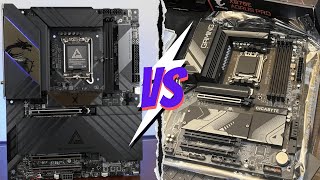
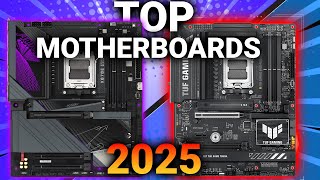
GIGABYTE vs MSI Motherboards 2026

GIGABYTE wins for most AM5 builds: the GIGABYTE X870 AORUS Elite WIFI7 ICE has four M.2 slots, three of them PCIe 5.0, and GIGABYTE lists a 5-year warranty. Choose the MSI MPG X870E Carbon WiFi if you want faster wired networking: it has 5 Gbps Ethernet, where the GIGABYTE has 2.5GbE.
At a Glance
GIGABYTE vs MSI Motherboards Buying Guide
GIGABYTE and MSI both sell full ranges of AMD AM5 and Intel LGA 1851 boards, and at the upper-middle tier they offer the same headline features: DDR5, PCIe 5.0, Wi-Fi 7 and USB4-class ports. The differences that matter are in storage, wired networking and the conveniences you use while building. On this page GIGABYTE wins for AMD builders with the X870 AORUS Elite WIFI7 ICE, and MSI's MPG Z890 Carbon WiFi is the Intel board.
Storage: count the PCIe 5.0 M.2 slots
GIGABYTE lists four M.2 slots on both of its boards here. On the X870 AORUS Elite WIFI7 ICE three of them are PCIe 5.0 x4; on the X870E AERO X3D Wood the four include PCIe 5.0 x4. MSI lists Gen5 M.2 support on the MPG X870E Carbon WiFi and PCIe 5.0 with M.2 on the MPG Z890 Carbon WiFi, with M.2 Shield Frozr plates over the drives, but neither MSI listing gives a slot count, so check the manual before you plan a multi-drive build.
Networking: 5 Gbps or 2.5 Gbps LAN
Both MSI Carbon boards have a dual-LAN layout with 5 Gbps Ethernet, and the GIGABYTE X870E AERO X3D Wood has dual 5GbE. The GIGABYTE X870 AORUS Elite WIFI7 ICE has a 2.5GbE port, which is plenty for most homes but half the speed of the others. All four list Wi-Fi 7: the GIGABYTE boards add a directional high-gain antenna, and MSI lists 320 MHz channels and up to 5.8 Gbps on the Z890 Carbon.
Building with them: latches and cooling
GIGABYTE's EZ-Latch Plus releases the graphics card and M.2 drives without screws, EZ-Latch Click does the same for the M.2 heatsinks, and the X870 Elite ICE has a reinforced PCIe UD slot for heavy graphics cards. MSI's EZ PCIe Release on the X870E Carbon unlocks the graphics card with a button, and both Carbon boards use heavy plated heatsinks with a heat-pipe and 7W/mK thermal pads over the power stages. GIGABYTE lists a 16+2+2 digital VRM on both of its boards.
AMD or Intel first
Pick the processor, then the board. The X870 and X870E boards here take AMD Ryzen 9000, 8000 and 7000 processors on socket AM5, and the GIGABYTE X870E AERO X3D Wood adds X3D Turbo Mode 2.0 for Ryzen X3D chips and DDR5 overclocking up to 9000 MT/s. The MSI MPG Z890 Carbon WiFi is for Intel Core Ultra (Series 2) on LGA 1851, supports up to 256GB of DDR5 and adds Thunderbolt 4.

The verdict
For an AMD build, GIGABYTE wins this matchup: the X870 AORUS Elite WIFI7 ICE has three PCIe 5.0 M.2 slots, dual USB4 Type-C ports and a 5-year warranty in its listing. Choose MSI's MPG X870E Carbon WiFi if wired speed matters more than SSD slots, since it has 5 Gbps Ethernet, and the MPG Z890 Carbon WiFi if you are building on Intel. The X870E AERO X3D Wood is GIGABYTE's design-led choice for Ryzen X3D builds.
How we picked: we compared each product's own listing - what it is, what comes in the box, the specifications its maker states and the warranty - and ranked them on how well they answer this page's question. We have not tested these products in hand.
Watch Before You Buy
“GIGABYTE's X870 board for AMD AM5 with four M.2 slots (three PCIe 5.0), dual USB4 Type-C, Wi-Fi 7, 2.5GbE LAN and screwless EZ-Latch installs.”
See Today’s Price →What we like
- Four M.2 slots, three of them PCIe 5.0 x4
- Dual USB4 Type-C with DisplayPort Alt Mode, plus HDMI
- Wi-Fi 7 with a directional high-gain antenna and 2.5GbE LAN
- EZ-Latch Plus and EZ-Latch Click for screwless graphics card, M.2 and heatsink installs
Watch out for
- 2.5GbE LAN, where some rival boards have 5 Gbps Ethernet
- X870 rather than the higher-tier X870E chipset
Read Full Analysis
The X870 AORUS Elite WIFI7 ICE is the storage-first board in this matchup. GIGABYTE gives it four M.2 slots, three of them PCIe 5.0 x4, so you can run several of the fastest SSDs without an add-in card, and its EZ-Latch Plus and EZ-Latch Click designs release the graphics card, the drives and the M.2 heatsinks without screws. Power runs through a 16+2+2 digital VRM under GIGABYTE's VRM Thermal Armor Advanced, and the PCIe 5.0 x16 slot is a reinforced UD slot for heavy graphics cards. Around the back are dual USB4 Type-C ports with DisplayPort Alt Mode and HDMI; networking is Wi-Fi 7 with a directional high-gain antenna and a 2.5GbE port. It takes AMD Ryzen 9000, 8000 and 7000 processors with four DDR5 slots and EXPO memory profiles, uses Realtek ALC1220 audio, and its listing carries a 5-year warranty. If your home network runs faster than 2.5 Gbps, MSI's 5 Gbps LAN boards are the better match.
Skip this if: You need 5 Gbps wired networking, or you are building on Intel

“GIGABYTE's wood-accented X870E board for AM5 with X3D Turbo Mode 2.0, DDR5 overclocking up to 9000 MT/s, dual 5GbE, Wi-Fi 7 and dual USB4.”
See Today’s Price →What we like
- X3D Turbo Mode 2.0 for AMD Ryzen X3D processors
- DDR5 overclocking up to 9000 MT/s with AMD EXPO
- Dual 5GbE LAN, Wi-Fi 7 and dual USB4 Type-C
- Four M.2 slots including PCIe 5.0, with screwless EZ-Latch Click and Plus
Watch out for
- The raw-wood styling will not suit every build theme
Read Full Analysis
Of the four boards, the X870E AERO X3D Wood is the one chosen partly for its looks. Its raw wood trim sets it apart from black and silver boards, and underneath it is a full X870E platform: a 16+2+2 digital VRM, a PCB thermal plate that GIGABYTE says improves cooling by 14% and stiffens the board, four DDR5 slots with AMD EXPO and overclocking up to 9000 MT/s, and X3D Turbo Mode 2.0, GIGABYTE's tuning mode for Ryzen X3D processors. Storage is four M.2 slots including PCIe 5.0 x4, with screwless EZ-Latch Click and Plus fittings. Networking is dual 5GbE and Wi-Fi 7 with a directional high-gain antenna, and the rear panel has HDMI and dual USB4 Type-C with DisplayPort Alt Mode. It supports Ryzen 9000, 8000 and 7000 processors. Choose it when the look of the build matters; otherwise the X870 AORUS Elite WIFI7 ICE covers the same processors.
Skip this if: You want a conventional-looking board

“MSI's X870E board for AMD AM5 with PCIe 5.0 graphics and M.2, dual LAN with 5 Gbps Ethernet, Wi-Fi 7, USB 40Gbps and a heat-piped VRM heatsink.”
See Today’s Price →What we like
- X870E chipset for AMD Ryzen 9000, 8000 and 7000 on socket AM5
- Dual LAN with 5 Gbps Ethernet, plus Wi-Fi 7 and Bluetooth 5.4
- EZ PCIe Release frees the graphics card with one button
- Heavy plated heatsink with a heat-pipe, and M.2 Shield Frozr drive cooling
Watch out for
- Its listing gives no M.2 slot count - check the manual before planning several drives
Read Full Analysis
MSI's MPG X870E Carbon WiFi is the AMD board for builders who care most about networking. It sits on the higher-tier X870E chipset, takes Ryzen 9000, 8000 and 7000 processors on socket AM5, and pairs Wi-Fi 7 and Bluetooth 5.4 with a dual-LAN layout that includes 5 Gbps Ethernet, twice the speed of the GIGABYTE X870 AORUS Elite's 2.5GbE port. MSI's Lightning Gen 5 path brings PCIe 5.0 to the graphics card and Gen5 M.2 storage, and an EZ PCIe Release button unlocks the graphics card without reaching behind it. Cooling is a heavy plated MOSFET heatsink with a heat-pipe, 7W/mK thermal pads and extra choke pads, with M.2 Shield Frozr plates over the drives. You also get USB 40Gbps and HDMI. The listing does not say how many M.2 slots it has or how many run at PCIe 5.0, so check MSI's manual if you plan to fill several drives; for three confirmed PCIe 5.0 SSD slots, the GIGABYTE board wins.
Skip this if: You are building on Intel, or want three PCIe 5.0 SSD slots confirmed

“MSI's Z890 board for Intel Core Ultra (Series 2) on LGA 1851 with DDR5 up to 256GB, Wi-Fi 7 up to 5.8 Gbps, 5 Gbps LAN and Thunderbolt 4.”
See Today’s Price →What we like
- Z890 chipset for Intel Core Ultra (Series 2) on LGA 1851
- Dual-channel DDR5 up to 256GB
- Wi-Fi 7 with 320 MHz channels (up to 5.8 Gbps), 5 Gbps LAN and Thunderbolt 4
- Heavy plated heatsink with a heat-pipe, and M.2 Shield Frozr drive cooling
Watch out for
- Takes only Intel Core Ultra (Series 2) processors
- Its listing gives no M.2 slot count
Read Full Analysis
The MPG Z890 Carbon WiFi is the Intel board on this page. It takes Core Ultra (Series 2) processors on socket LGA 1851, runs dual-channel DDR5 up to 256GB, and supports PCIe 5.0 for the graphics card and M.2 storage. Its Wi-Fi 7 uses the 320 MHz channel for a maximum of 5.8 Gbps, wired networking is a dual-LAN layout with 5 Gbps Ethernet, and Thunderbolt 4 and USB Type-C handle fast external drives and docks. MSI cools the power stages with a heavy plated heatsink, a heat-pipe, 7W/mK MOSFET thermal pads and extra choke pads, and covers the drives with M.2 Shield Frozr plates. It has no AMD socket, so it only belongs on your list once you have chosen an Intel processor; for Ryzen, look at the three AM5 boards. Its listing gives no M.2 slot count, so check MSI's manual if you plan to install several SSDs.
Skip this if: You are building on AMD Ryzen
Frequently Asked Questions
Is GIGABYTE or MSI better for motherboards?
What is the difference between X870 and X870E?
Can I use an Intel processor on these boards?
Do all of these motherboards have Wi-Fi?
How We Chose These Products
Compared from each maker's listing on what separates boards of the same tier: PCIe 5.0 storage, wired and wireless networking, socket and the features you use while building.
We compare each product’s Amazon listing, the manufacturer’s published specifications and Amazon customer ratings, shown with their review counts as Amazon’s data, and rank the products on how well they answer this page’s question. We do not test products in hand and we do not run our own analysis of review text. A publication or expert is named only where we cite its published findings about that product. No manufacturer paid for placement on this page.
A price appears only when Amazon’s API supplied it at a recent daily refresh, with the date and time beside it, and is withdrawn at 4 AM Central on the day after it turns 24 hours old; otherwise use “Check price on Amazon” for the live price. Read our full methodology →