How to Choose a Capture Card: Console Streaming, Camera Input, and Budget Guide (2026)
For camera-to-PC (mirrorless/DSLR webcam setup): Elgato Cam Link 4K — the standard. For console-to-PC streaming (PS5/Xbox): Elgato HD60 X with 4K60 passthrough. For dual-PC streaming setups: AVerMedia Live Gamer 4K with PCIe internal card for maximum performance. Budget-minded shoppers: the Elgato HD60 S+ handles most console needs.
How to Choose a Capture Card Buying Guide
 Photo by Julio Lopez / Pexels
Capture cards are sold for two very different use cases that are often confused: connecting a camera as a webcam (camera → capture card → PC) and recording or streaming console gameplay (console → capture card → PC). The hardware requirements and recommended models differ for each. Know your use case before buying.
Use Case 1: Camera as Webcam (for Streaming and Video Calls)
If you want to use a mirrorless camera (Sony ZV-E10, Canon M50) as a high-quality webcam for streaming, video calls, or content creation, you need a small pass-through capture card that converts the camera's HDMI output to USB.
How it works: Camera → HDMI cable → capture card → USB → PC reads it as a webcam source in OBS, Zoom, etc.
The standard: Elgato Cam Link 4K: USB-A dongle, takes any HDMI input up to 4K/30fps or 1080p/60fps, recognized as a standard webcam by all software. The most widely used camera-to-PC adapter in streaming. Works with any camera that outputs clean HDMI (no overlays).
Not for home streaming: Magewell USB Capture HDMI Gen 2: Overkill for home streaming — this is broadcast-grade hardware. Don't buy this for a home setup.
Budget alternative to Cam Link: Generic HDMI to USB capture cards ($20–$40): Many no-name cards exist at this price. Most cap at 1080p/30fps and have compression artifacts. Acceptable for video calls, not for professional-looking streams. The Cam Link's quality advantage over $25 generic alternatives is visible.
Use Case 2: Console Gameplay Capture
Streaming PS5 or Xbox gameplay to a PC requires a capture card between the console and the PC. The console outputs HDMI to the capture card; the capture card passes through video to your TV/monitor (so you can play normally) while sending a copy to the PC for streaming/recording.
Passthrough resolution: The single most important spec. Passthrough is what you see on your TV while gaming — it should match your TV/monitor's capability. If you play on a 4K TV, you need 4K passthrough. If you play at 1080p/60fps, 1080p/60fps passthrough is sufficient.
Capture resolution: What the PC records. Can be lower than passthrough — you can capture at 1080p while playing in 4K, which is common since streaming at 4K isn't standard yet.
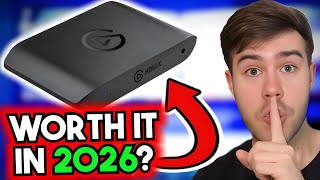
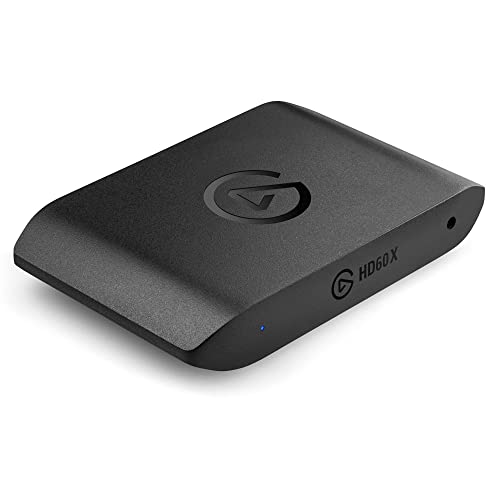
Elgato HD60 X: 4K60 HDR passthrough, 4K30 or 1080p60 capture. The most recommended mid-range console capture card. Works with PS5, Xbox Series X, Switch, and legacy consoles. USB 3.0 connection.
Elgato 4K60 Pro: PCIe internal card, 4K60 capture (not just passthrough). For streamers who want 4K recording quality, not just 1080p. Requires a desktop PC with an available PCIe slot.
AVerMedia Live Gamer Portable 2 Plus: Works standalone (SD card recording without a PC) or connected to a PC. Useful for travel setups or recording when you don't want a PC running. 1080p60 capture.
Budget: Elgato HD60 S+: 4K30 or 1080p60 passthrough, 1080p60 capture. Still capable for most console streamers who game at 1080p.
External (USB) vs Internal (PCIe) Cards
External USB capture cards: Plug into any USB 3.0 port. Work on desktops and laptops. Easy to move between systems. The slight limitation: USB bandwidth can be a bottleneck at very high resolutions — 4K60 capture via USB is possible but less reliable than PCIe. For most streamers: external USB is sufficient.
Internal PCIe capture cards: Install in a PCIe slot inside a desktop. Higher bandwidth, more reliable at 4K60 capture, lower CPU overhead. Required for professional broadcast setups and 4K60 recording. AVerMedia Live Gamer 4K PCIe is the leading option. Requires a desktop PC — not compatible with laptops.
Latency and Passthrough
A common concern: does a capture card add lag to my gaming? The answer is no for the gaming display — passthrough bypasses the capture card's processing entirely, delivering signal to your TV with negligible latency. The captured stream on your PC has processing delay (1–3 seconds) which is why streamers watch their OBS preview rather than their PC screen for stream monitoring.
What We Recommend
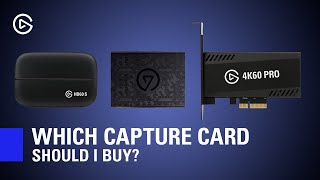
Camera to webcam: Elgato Cam Link 4K. Console streaming at 1080p: Elgato HD60 S+. Console streaming at 4K: Elgato HD60 X. Standalone recording: AVerMedia Live Gamer Portable 2 Plus. Professional 4K recording: AVerMedia Live Gamer 4K PCIe. See our full capture cards under $200 comparison for side-by-side specs, and streaming setup guide for how the capture card fits into a full streaming setup.
Watch Before You Buy
“4K30 or 1080p60 HDR10 capture at broadcast quality. 4.5 stars from 5,002 Amazon reviews signal consistent reliability.”
See Today’s Price →What we like
- Captures 4K30 HDR10 or 1080p60 HDR10
- Passes 4K60 HDR10, 1440p120 and 1080p120 through, with VRR
- Driverless setup on Windows and Mac
- Works with OBS, Streamlabs, vMix, Zoom and Teams; streams to YouTube, Twitch and more
- No watermarks, time limits or subscriptions
Watch out for
- Records 4K at 30 frames per second, not 60
Read Full Analysis
The Elgato HD60 X captures 4K at 30fps or 1080p at 60fps with HDR10 in a compact external USB-C device, making it broadcast-quality capture without PCIe installation — ideal for laptop streamers and console players who can't use an internal card. VRR (Variable Refresh Rate) passthrough support keeps your gaming experience running at full framerate while Elgato captures separately, with under 1ms passthrough latency ensuring zero gameplay disruption. Plug-and-play compatibility with OBS, Streamlabs, and 4K Capture Utility means initial setup requires no driver configuration. On this capture card guide, the HD60 X is $11 cheaper than both the AVerMedia GC573 and Elgato 4K S. Against the AVerMedia GC573 Internal, the HD60 X wins on portability — no PCIe slot required, works with any laptop or desktop via USB-C. Against the Elgato 4K S, the HD60 X captures up to 4K30 versus the 4K S's true 4K60 capture and 4K120 passthrough — meaningful if you're on a PS5 or Xbox Series X using 4K high-refresh output. The Elgato HD60 X is the right capture card for console streamers who want portable, external broadcast-quality capture at the lowest price on this page. Upgrade to the Elgato 4K S at $159.99 if true 4K60 capture or 4K120Hz passthrough matters for your setup. Desktop PC streamers who prioritize high-bitrate recording stability should consider the AVerMedia GC573 PCIe card instead.

“AVerMedia's GC573 Live Gamer 4K is an internal PCIe capture card delivering up to 4K60 HDR capture with ultra-low latency. Its RGB lighting and robust software suite make it a premium pick for…”
See Today’s Price →What we like
- Internal PCI Express card that streams and records 4K60 with HDR10
- Captures high frame rates up to 240 fps
- Set the resolutions and frame rates you preview and record in the AVerMedia Gaming Utility
- Works with OBS, Streamlabs and XSplit for Twitch and YouTube
- Three preset RGB lighting modes
Watch out for
- Needs a desktop PC with a free PCIe slot; it does not work with a laptop or an iPad
Read Full Analysis
The AVerMedia GC573 Live Gamer 4K is an internal PCIe capture card that records 4K at 60fps with HDR10, bypassing USB bandwidth limitations that can cause dropped frames during high-bitrate 4K recording. Built-in hardware H.264 and HEVC encoding offloads video processing to the card itself rather than the CPU, freeing system resources for the gaming application in a dual-PC streaming setup. Under 1ms passthrough latency ensures the gaming display is completely unaffected during simultaneous capture. On this capture card guide, the GC573 matches the Elgato 4K S on price and is $11 more than the Elgato HD60 X. The AVerMedia's PCIe connection is its primary advantage over both Elgato options: unlimited USB bandwidth ceiling, hardware encoding that saves CPU cycles, and no external cable to manage. The trade-off is installation complexity — requires a desktop PC with an available PCIe slot, making it incompatible with laptops and challenging for users with fully occupied slots. The AVerMedia GC573 is the best choice for dedicated desktop gaming PCs used in one location where maximum 4K60 recording stability and hardware encoding matter. Skip it if you need a portable capture solution, use a laptop, or don't have a free PCIe slot — the Elgato HD60 X at $148.99 or Elgato 4K S are the external alternatives with identical passthrough latency.

“The Elgato 4K60 S+ is an external capture card that records 4K60 HDR10 footage directly to an SD card — no PC required. Its clean HDMI passthrough makes it a favorite among streamers who need…”
See Today’s Price →What we like
- Captures 4K60 with HDR10; Elgato says HDR tone mapping works on Windows
- Plays and captures high frame rates at 1440p120 or 1080p240, with VRR passthrough
- USB-C card that works with a PC, a Mac or an iPad
- Works with PS5, Xbox Series X/S and Switch 2
- 3.5mm analog input for game chat or commentary
Watch out for
- HDR tone mapping is Windows-only, by Elgato's listing
Read Full Analysis
The Elgato 4K S captures true 4K at 60fps via USB-C — not 4K30 with upscaling — and supports 4K120, 1440p120, and 1080p240 passthrough for gamers using high-refresh displays on PS5 Pro or Xbox Series X. HDR10 capture and passthrough are supported simultaneously, and near-zero latency through USB-C means the gaming display sees the full-speed signal while Elgato records separately. VRR passthrough keeps variable refresh rate gaming experiences intact during streaming without tearing or stutter. On this capture card guide, the Elgato 4K S matches the AVerMedia GC573 on price and is $11 more than the Elgato HD60 X. Versus the HD60 X from the same brand, the 4K S steps up from 4K30 to true 4K60 capture and adds 4K120 passthrough — a genuine upgrade for high-refresh gaming setups. Versus the AVerMedia GC573, both cards cost the same but the 4K S is external USB-C while the GC573 is internal PCIe — the 4K S wins on portability, the GC573 wins on recording bandwidth headroom. The Elgato 4K S is the best external capture card on this page for creators who want true 4K60 recording with high-refresh passthrough in a portable package that works with laptops and desktops equally. Drop to the Elgato HD60 X at $148.99 if 4K30 capture is sufficient and $11 matters. Choose the AVerMedia GC573 for a desktop-only setup where PCIe bandwidth stability is the priority over portability.
Frequently Asked Questions
Do I need a capture card to stream on PC?
What capture card do I need for PS5?
What is passthrough on a capture card?
Can I use a capture card without a PC?
What is the difference between Elgato Cam Link and a capture card?
Does a capture card reduce stream quality?
How We Chose These Products
We compare each product’s Amazon listing, the manufacturer’s published specifications and Amazon customer ratings, shown with their review counts as Amazon’s data, and rank the products on how well they answer this page’s question. We do not test products in hand and we do not run our own analysis of review text. A publication or expert is named only where we cite its published findings about that product. No manufacturer paid for placement on this page.
A price appears only when Amazon’s API supplied it at a recent daily refresh, with the date and time beside it, and is withdrawn at 4 AM Central on the day after it turns 24 hours old; otherwise use “Check price on Amazon” for the live price. Read our full methodology →